

Website vs web app: which does your business need?
A custom web app makes sense when customers need to complete a task and your staff need to act on it. Start with a website or a standard booking tool when visitors mainly need information or a single appointment. Consider an app when the work needs to move between customers, staff or locations.
Start with the task customers need to complete
A service page can explain what you offer and send people to an established booking tool. If that tool already handles your availability, confirmations and changes, you can keep it.
A custom app becomes worth considering when a customer needs to choose several options, when requests must reach the right location, or when staff need a shared view of what is open. Write down who takes over after the customer finishes. That handoff is as important as the screen customers see.
See how orders, approvals and service requests work in an app
At Lacque House, salon guests can browse nail colors and place orders on an iPad at their seat. Owners can see what is happening across both salons. The app connects the guest selection to work the salon team can act on.
At Sip N Putt, golfers can order refreshments from the course and specify which hole they are on. The location is part of the order, so staff know where to deliver it. Explore PolishSuite for the salon workflow or TeePilot for on-course ordering.
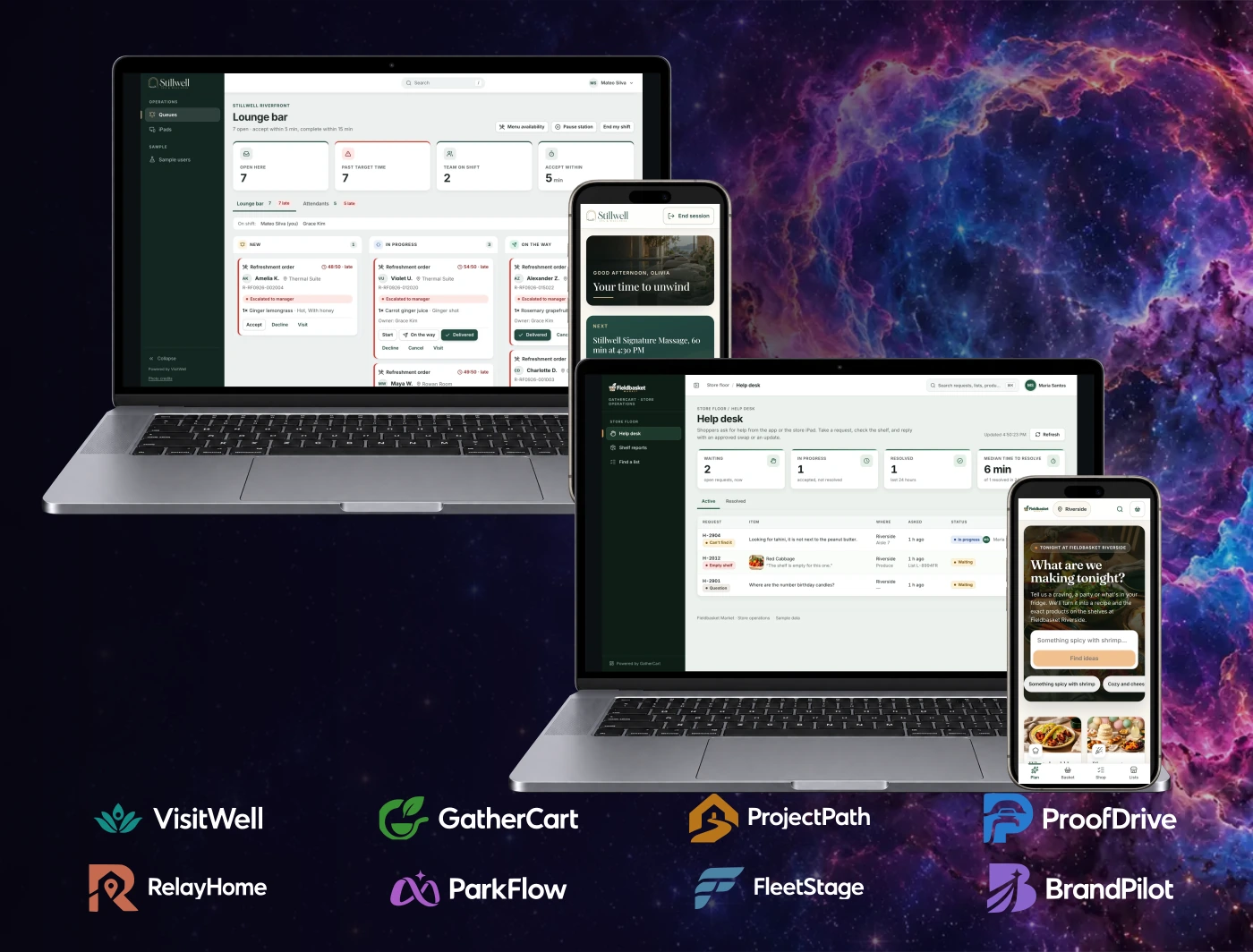
In the ProofDrive demo, a repair shop sends inspection photos and an itemized estimate. The customer can approve specific repairs from their phone, and the shop keeps a record of the exact estimate they approved. See the digital inspection and repair approval guide for a checklist.
In the RelayHome demo, a homeowner starts a service request with equipment details and photos. Intake reviews the request, and dispatch checks which technicians have the right qualifications and are available. Start with one request type and test what the dispatcher needs to see before scheduling the visit.
When a restaurant group changes its menu, guests may ask different questions at each location. In the BrandPilot restaurant rollout demo, open the team member view for the shift brief, then switch to the location manager to review which tasks still need sign-off. Try those two views with a change your team has had to roll out.
For a dealership, the handoff starts with the exact vehicle a shopper saw. In the DealFlow dealership visit-booking demo, a buyer can choose a vehicle, share optional trade or timing context, and book a visit or request a call. The sales desk receives the vehicle, source and permitted contact details together.
Can you use a booking tool or form instead?
If a customer only needs to pick a time, submit a request or pay an invoice, start with a booking tool, form or payment link. Test whether it handles the whole task on a phone and sends staff everything they need.
A custom web app is worth evaluating when several steps depend on each other. For example, a repair approval may need to show photos, let a customer approve individual repairs and send those choices back to the shop without retyping them.
A quick way to choose
Start with a website
Use a website when people mainly need to understand your offer, see proof and call, book or send one simple request. A booking link or form can be enough when it already completes the job.
Choose a browser app
Use a browser app when customers and staff need to complete one shared workflow, such as an order, approval, check-in or service request. People can open it from a link or QR code without installing anything.
Specify native-app requirements
Put offline work, specialized device access or alerts when the app is closed into the quote when those are essential. Those needs change what the first release must test.
Plan the first version around one complete workflow
Write down the first action, the information it requires and what happens next. For an order, that might mean choosing an item, telling staff where it goes and giving staff a way to acknowledge the request.
Decide how staff will handle unavailable items, duplicate requests and changes. Run a trial with the people who will use it. Measure completed requests, how often staff need to follow up and how long the handoff takes.
For example, if staff spend four minutes re-entering each of 75 orders a week, that step uses five hours. During the pilot, measure the same step again and count orders that still need manual correction. Use the result to decide whether to expand the app to another location.
What should you include in an app quote request?
Bring a current example, such as an order slip, booking confirmation or customer request. Show what the customer sees, where staff receive it and where the final record belongs. Say which tools must keep handling payments, calendars or customer records.
Experience Apps start at $497 per month. See monthly and annual app pricing before you request a quote. For the first-year math and a checklist, see how to compare custom web app costs. Ask for a quote that spells out which screens, locations and integrations are included and how support works after launch. For a salon, a first release might cover one service menu and one staff queue. Expansion to additional locations can follow once the team has tested how orders move through a shift.
How do you know when a browser app is enough?
Use the devices you expect customers and staff to have. Ask a customer to open the app from a link or QR code and complete a task on their own phone. Ask a staff member to receive and resolve the request on the device they use at work.
Test at a busy time and over the network people actually use. If the job requires working offline, using specialized equipment or sending alerts when the app is closed, put those requirements in the quote so the team can test them before committing to the build.
If you can name the task and the staff handoff, learn what a customer experience app is, then explore the Experience Apps examples or request an app quote for that workflow.
Compare a website, an app and a membership platform side by side if you’re still deciding which one fits.
Published by Launch Automation, Boca Raton, Florida.