Explore the possibilities
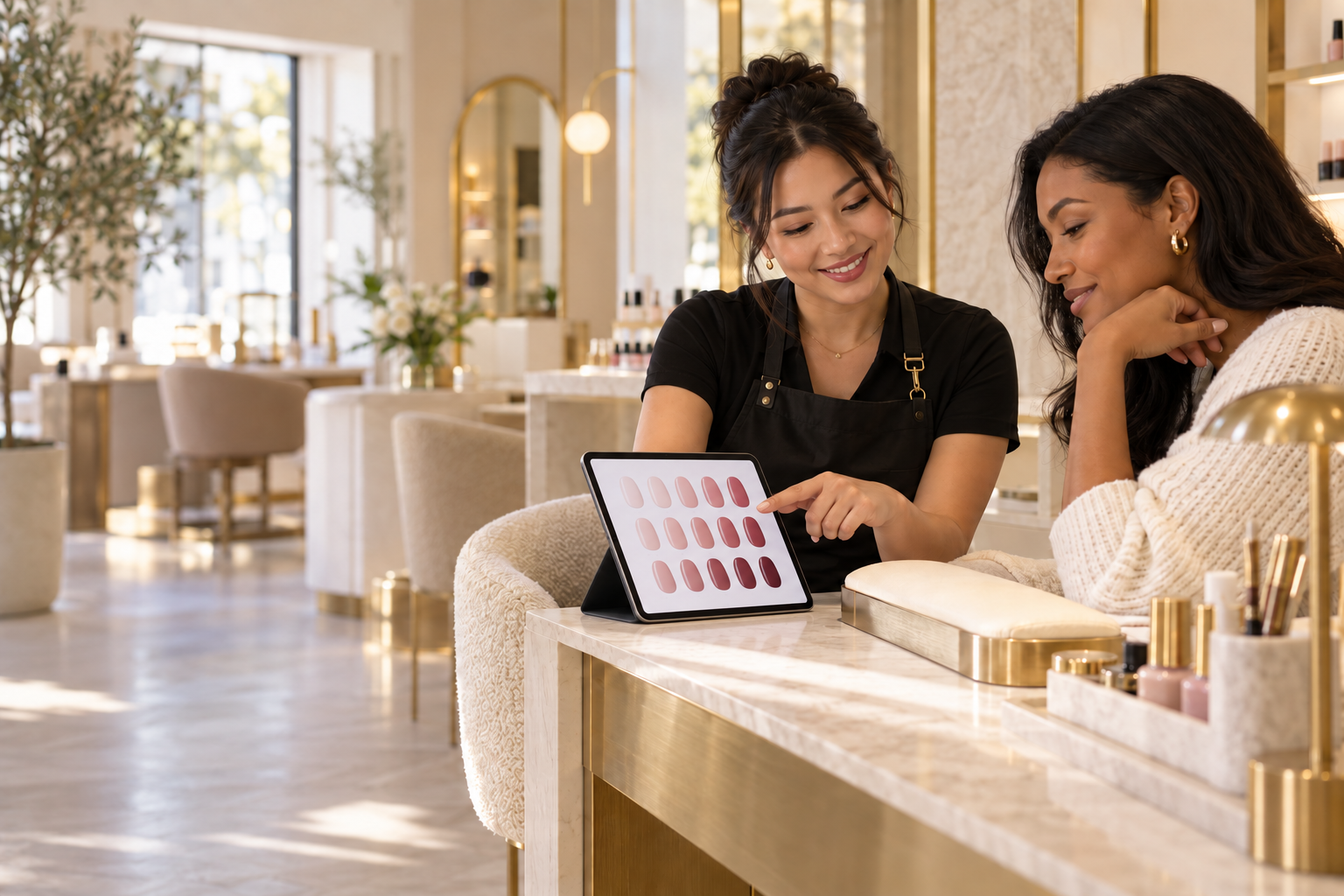
A guest starts on the station tablet and browses your shades, signature designs and refreshments.
Give every guest a branded experience at their station. Let them explore your polish wall, compare shades, discover new services and request a refreshment while your front desk keeps the visit moving.
Your brand, your polish collection, your stations. One connected salon experience.
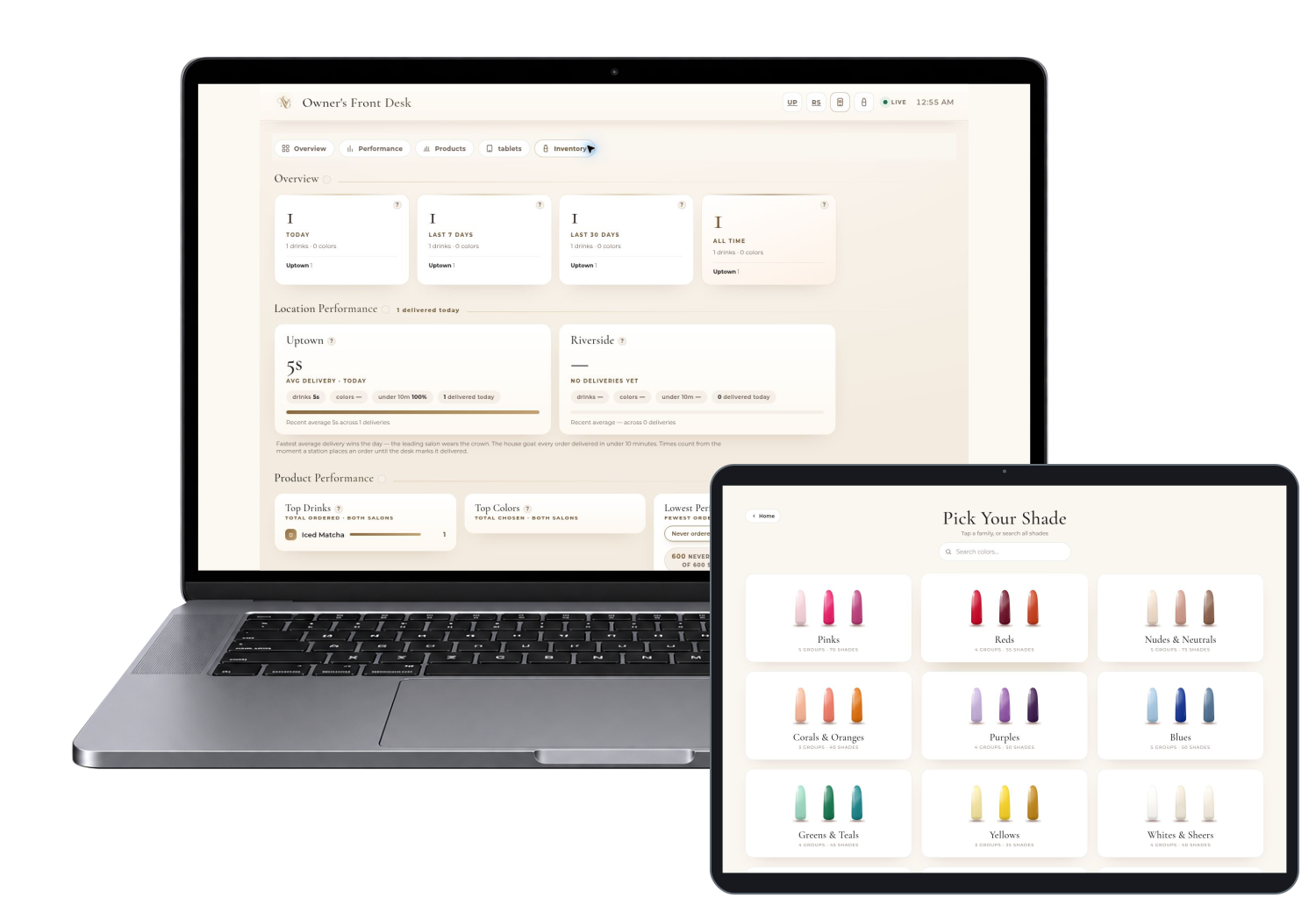
A guest starts on the station tablet and browses your shades, signature designs and refreshments.
They compare colors, pick a shape and review their selection before sending it to the desk.
The request carries the salon and station context so the front desk can coordinate the next step.
Guests browse colors and curated designs at their own pace, with names and references the team can understand.
Refreshment and shade requests reach a shared desk view instead of relying only on a wave across the room.
Location views, station monitoring and owner reporting help you see where attention is needed.
The demo shows the journey. Your version carries your brand, products and service rules.
Color families turn a large collection into a browsable visual menu.
Begin Experience, then Pick Your Shade.
See it live (opens in a new tab)View choices side by side and explore shape options.
Add two shades to compare, then choose Compare.
See it live (opens in a new tab)Your brand, your polish collection, your stations. One connected salon experience.
Show the team what needs attention, with the context to respond.
A location-specific workspace for coordinating the visit.
Open the Uptown desk.
See it live (opens in a new tab)The owner view brings both salons into one overview.
Open the owner overview.
See it live (opens in a new tab)Showcase signature looks and new treatments at the moment guests are already thinking about their visit. Staff still confirms suitability, price and availability.
Clear station context and visible requests can reduce repeated questions and avoidable back-and-forth.
Bring the same quality of presentation to each station and location, with your own collection and house style.
These are opportunities to test, not promised revenue or profit results.
Actual captures from the live demo. Enlarge any image, then use its live link and short instructions to explore the same area.
A branded starting screen introduces the station experience.
Choose Begin Experience.
See it live (opens in a new tab)Guests choose shades, refreshments, inspiration or review information.
Choose Begin Experience.
See it live (opens in a new tab)Named swatches and finish information help explain the selection.
Pick Your Shade, then Pinks.
See it live (opens in a new tab)Add shades to the comparison tray before deciding.
Pick Your Shade, choose Pinks and add two shades to compare.
See it live (opens in a new tab)A complimentary menu carries the guest’s station context.
Begin Experience, then Order a Drink.
See it live (opens in a new tab)Curated seasonal collections make the salon’s creative offering visible.
Begin Experience, then Get Inspired.
See it live (opens in a new tab)Inspect a selected design and its available shape choices.
Get Inspired, then Full Gold Chrome.
See it live (opens in a new tab)Explore the performance view without promising measured outcomes.
Select Performance.
See it live (opens in a new tab)Review the tablet view for station activity.
Select tablets.
See it live (opens in a new tab)Start with the demo chooser to explore the guest and staff views.
The salon links include a location and station. Keep that context when testing a guest journey.
These are the demonstrated workflows and customization areas. Your proposal defines what ships in your production version.
Browse color families and search the collection. Catalog counts in the demo are sample inventory, not a promise about your salon.
Compare selected shades and view the available nail shapes before choosing. Display colors are a guide, not a guarantee of an exact polish match.
Present curated designs as a visual collection. Guests can inspect a design and assemble their preferred set.
The demo offers complimentary drinks and sends requests with station context. Paid refreshments and checkout require separate scope.
Separate salon views help teams coordinate requests, availability and station activity.
Review the owner overview, performance view and tablet monitoring across a two-location business.
Promote new treatments and direct guests to the front desk to discuss adding them. The demo does not establish live appointment capacity.
Customize logos, language, color collections, refreshments, station names and approved team workflows.
Agree the starting point before launch, then compare real use and operating results. Keep app activity separate from actual business profit.
Start with a working foundation and put the budget into the changes that matter to your customers and team.
Business name, logo, colors, imagery and language that feel like your company.
Products, locations, stations or service areas, roles and the workflows agreed in your scope.
We assess booking, POS, payment and other integrations against the actual systems you use.
Your quote separates build work, ongoing services and third-party costs. A focused version can sometimes launch within a week once scope, content and access are ready. Larger catalogs and integrations take longer.
The current product demonstrates the in-salon experience. Appointment booking, POS integration, paid drinks and customer-account features need their own confirmed scope.
We confirm production security, access, data handling, fulfillment and integrations before launch. The public demo is a sales example, not your production environment.
PolishSuite focuses on the visit itself: color discovery, inspiration, station requests and front-desk coordination. Booking or POS connections are scoped separately.
The web app can run on supported tablets in a browser. We verify your devices, network and kiosk setup before launch.
The experience is browser-based. A phone journey must carry the correct salon and station context; we configure and test those entry links for your setup.
In the live Maison Vela demo, drinks are complimentary. Do not assume paid beverage checkout is included. We can discuss a separately scoped paid flow if appropriate.
The demo includes two fictional locations with separate desk links and an owner view. Your locations, access rules and rollout are configured to your business.
We quote the workflows, branding, data and connections you actually need. Reusing a working foundation can reduce development work. Book a demo for a scoped proposal rather than a generic price promise.
Yes. The software product name and the fictional demo business are different layers. Your customer-facing version is tailored to your business identity and agreed guest journey.

Let’s turn the details of your guest experience into an app your team can actually use.
Eighteen ways to imagine your own business app, with guest journeys and staff workspaces you can explore.
Explore all 18 appsPolishSuite is shown with Maison Vela Nail Studio, a fictional business, and sample data.