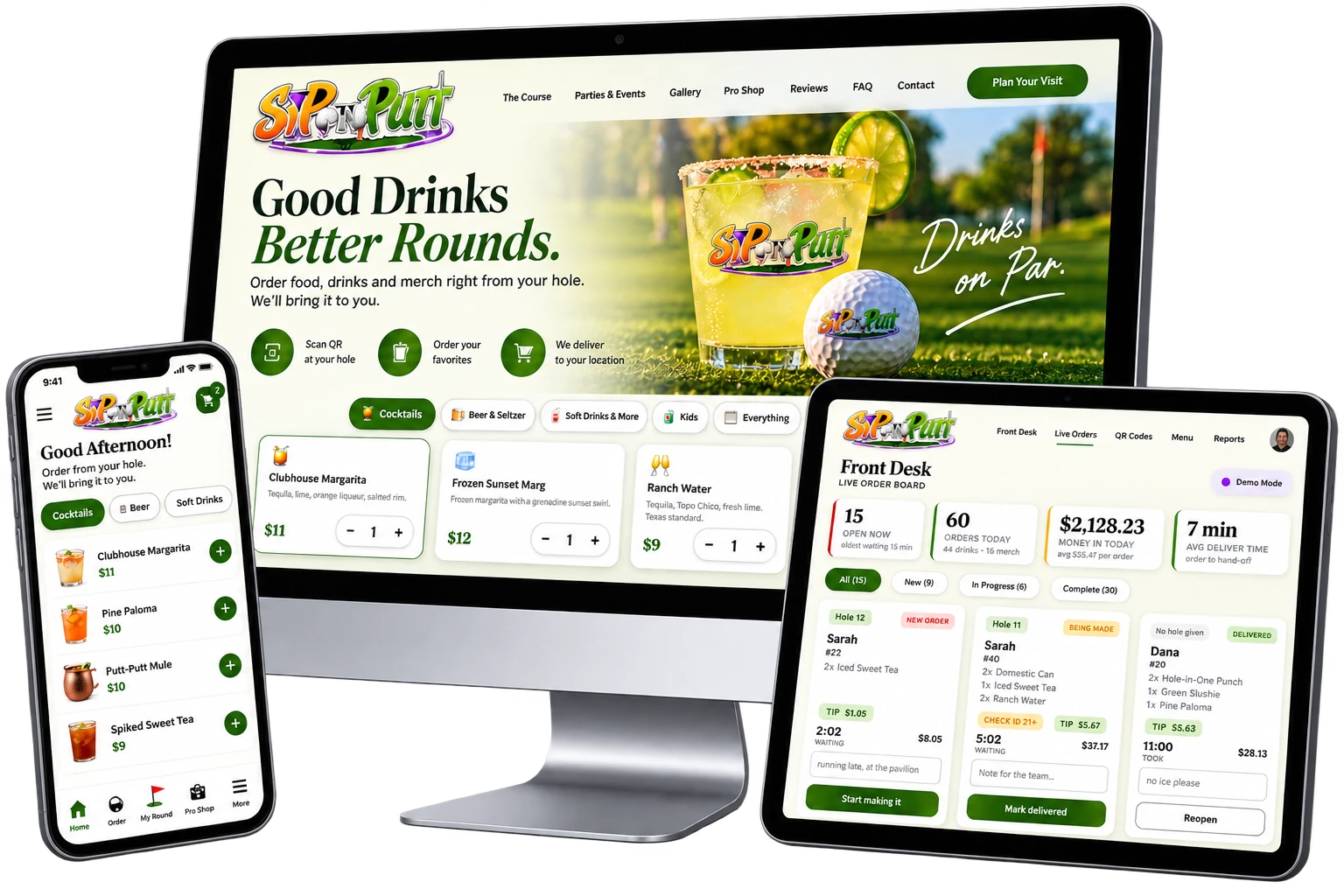
Alongside Sip n Putt's website rebuild, Launch Automation built a second product: a per-hole ordering app for guests, a live command board for staff, and an online pro shop, all wired into one system. This page walks through what it actually does, screen by screen.
Sip n Putt's old site had no ordering system at all - a drink meant leaving your hole and walking back to the counter, and staff had no way to see what was coming without someone shouting it across the room. Here is what that actually costs a course on a busy night.
Every drink or snack meant walking back to the counter and waiting, then walking back out again.
No board, no queue, no way to see what was ordered, in progress or already delivered.
Alcohol orders had no system flag - checking ID depended entirely on staff remembering to ask.
A guest buying a hat and a drink meant two separate interactions, with no shared view for staff.
No way to see orders today, tips, average delivery time or how a shift is pacing against a goal.
Even a phone order would still need a guest to describe where they were sitting on an 18-hole course.
No app to download, no account to create. This is the entire guest experience, start to finish.
A guest enters their first name and the customer number the front desk gave them at check-in - no account, no app store. The menu that follows already knows which hole to deliver to.
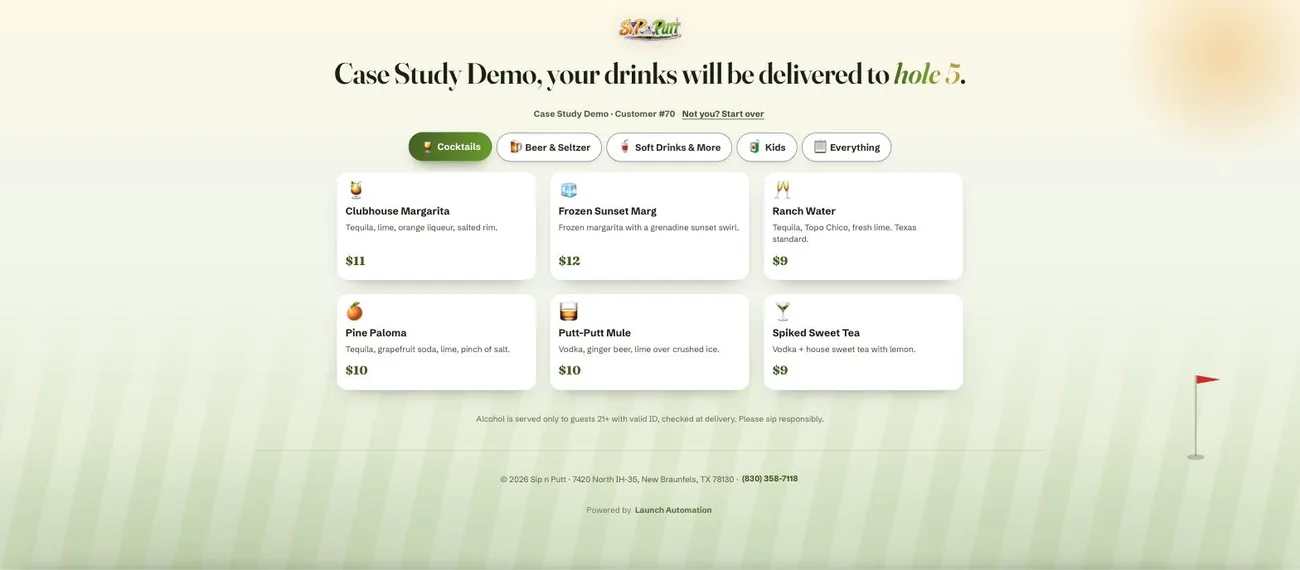 The menu already knows the hole
This is hole 5's actual menu: Clubhouse Margarita $11, Frozen Sunset Marg $12, Ranch Water $9, Pine Paloma $10, Putt-Putt Mule $10, Spiked Sweet Tea $9, sorted under five tabs (Cocktails, Beer & Seltzer, Soft Drinks & More, Kids, Everything). The hole number came from the QR code, not from typing an address.
The menu already knows the hole
This is hole 5's actual menu: Clubhouse Margarita $11, Frozen Sunset Marg $12, Ranch Water $9, Pine Paloma $10, Putt-Putt Mule $10, Spiked Sweet Tea $9, sorted under five tabs (Cocktails, Beer & Seltzer, Soft Drinks & More, Kids, Everything). The hole number came from the QR code, not from typing an address.
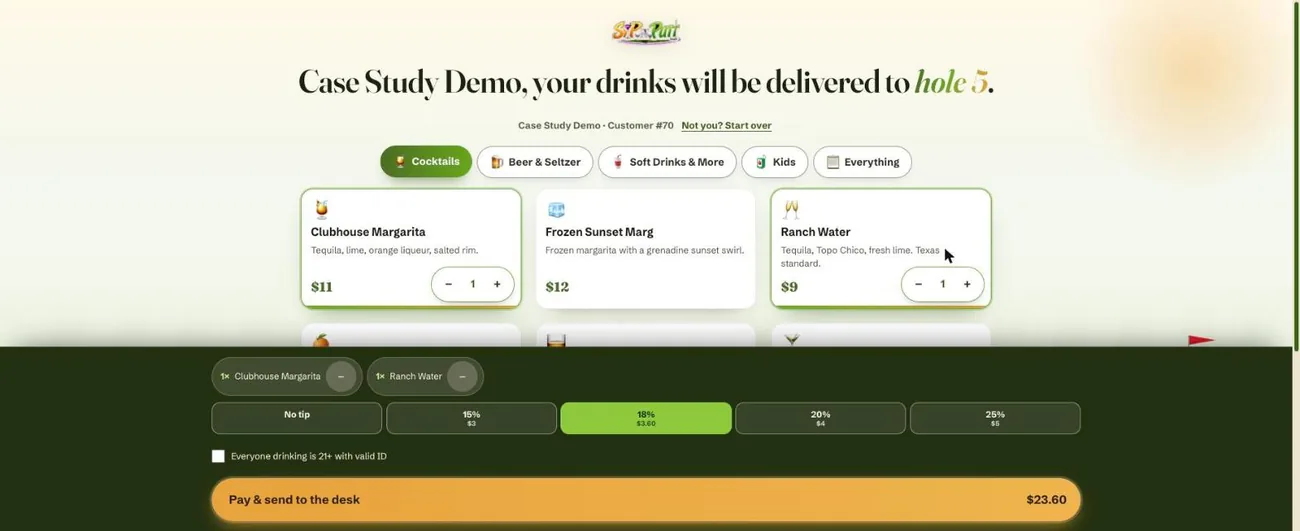 Add, tip and pay without leaving the menu
Tapping a drink opens a quantity stepper right on its card. A sticky bar tracks the running order, offers 0-25% tip presets with the dollar amount shown, and requires the 21+ box before checkout on anything alcoholic. This cart totals $23.60 for one margarita and one Ranch Water.
Add, tip and pay without leaving the menu
Tapping a drink opens a quantity stepper right on its card. A sticky bar tracks the running order, offers 0-25% tip presets with the dollar amount shown, and requires the 21+ box before checkout on anything alcoholic. This cart totals $23.60 for one margarita and one Ranch Water.
This is the real, live app running right now - not a mockup. Try it yourself using the button in the hero above.
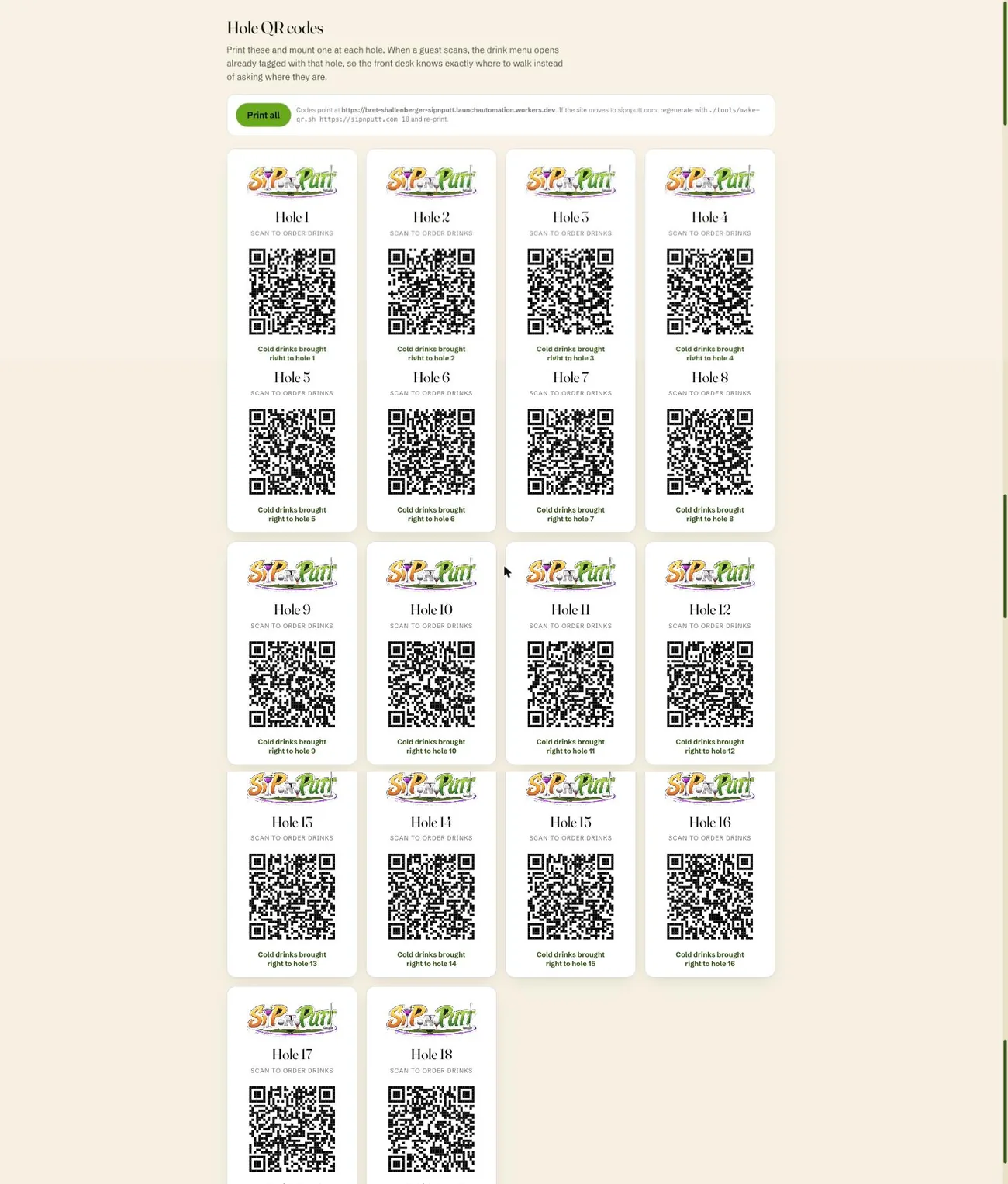
Staff print one sheet and mount a code at every hole. Scanning the code at hole 12 opens the exact same menu as hole 1 - it just arrives pre-tagged, so the front desk always knows where to walk the order. The frame below scrolls through the full printed sheet on its own, all 18 holes.
This is the board Sip n Putt's staff work off, shown here in the app's built-in demo mode, a simulated busy Saturday, so a manager can see exactly what a full board looks like. The frame below scrolls through the entire board on its own, top to bottom, uncropped.
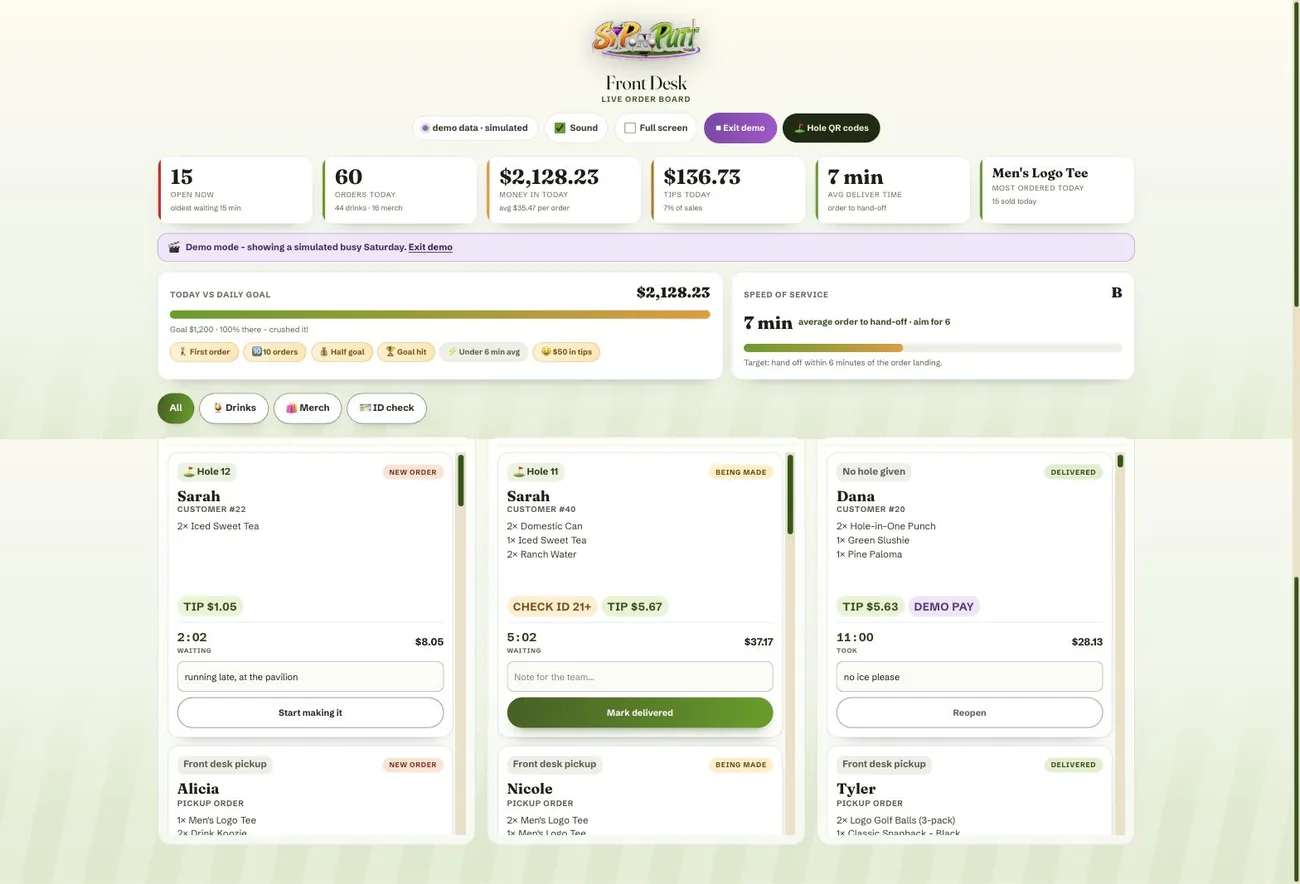
A lot of ordering systems handle drinks and stop there. This one doesn't split drinks and merchandise into separate tools - a hat purchase marked for pickup shows up on the exact same board as a drink order, sorted the same way.
Ordered from the course, delivered to the exact hole a guest is playing.
Ordered from the pro shop, marked as a pickup order, no shipping and no separate system.
Both order types move through the same New, In Progress and Complete columns, worked by the same team.
Hats, tees, golf gear and course extras, browsed and bought from a phone, ready for pickup at the front desk on the guest's next visit. The frame below scrolls through the entire page on its own, all twelve products, top to bottom.
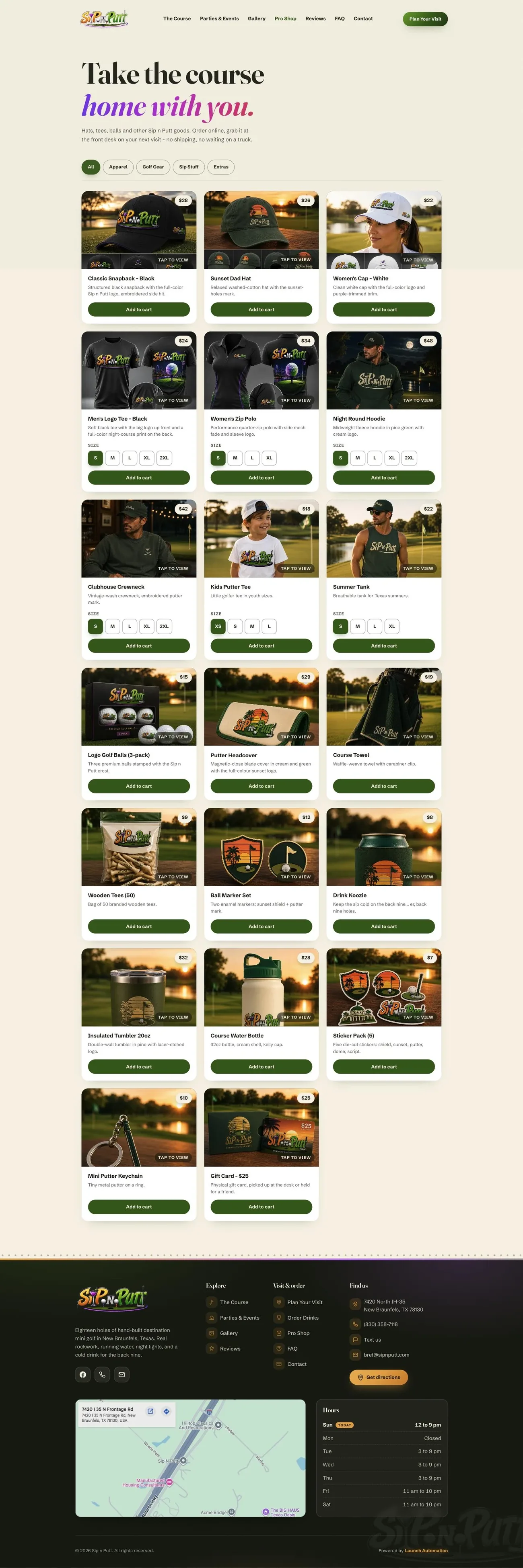
This page is about the ordering system specifically. Sip n Putt's full site, the 9-page rebuild it's built into, has its own case study.
Underneath the four screens above, here's the technical scope that makes them work as one system.
18 unique codes, each pre-tagging the ordering link to its hole, regenerated from one command if the domain ever changes.
Orders appear on the front desk the moment they're placed, no manual refresh or relay needed.
Any order containing alcohol is flagged for staff automatically - it isn't left to memory.
Pro shop pickups and drink orders share one board, one workflow, one staff view.
Average order-to-hand-off time, graded against a target, visible to staff in real time.
Revenue and order-count goals with a live progress bar and milestone badges through the shift.
A simulated busy Saturday a manager can show off before the system has real order history to draw on.
Guests never leave their phone's browser - no app store, no login, no download.
Published industry pricing puts a custom restaurant or venue ordering app at $8,000 to $25,000+ for a single location, and most off-the-shelf ordering platforms charge an ongoing per-order or per-terminal fee on top of that - before a front-desk dashboard or a connected shop is even part of the conversation.
Each piece, typically sold separately
Custom ordering app
Kitchen or staff dashboard
QR code generation & printing
Online shop, separate from the app
Per-order or per-terminal fees
Ongoing app-store maintenance
One connected system, built and shipped together
Per-hole ordering app included
Live front-desk command board included
Pro shop, sharing the same fulfillment board
No app-store approval, no per-order fees
Built inside the same 72-hour window as the site
This build included the full website rebuild plus the ordering app, front-desk board and pro shop shown on this page. Most builds have a simpler scope and either a low or no build fee and a lower monthly fee.
A phone order, a booking flow, a loyalty program - describe what you want your customers to be able to do.
Real, tappable screens fast, then the full system wired together, typically inside days, not months.
You try the real thing at a private link, exactly like this page, before it ever replaces what you have today.
No. Guests scan the QR code mounted at their hole, which opens the ordering menu in their phone's browser, already tagged to that hole. Nothing to install, nothing to log into.
Each hole has its own printed QR code. Scanning it opens the menu with that hole number already attached, so the order lands on the front desk board already knowing where to walk it out to.
Yes. Any order containing alcohol is automatically flagged with a Check ID 21+ badge on the front desk board, and staff can filter the board to show only those orders.
No. Pro shop purchases marked for pickup land on the exact same board as drink orders, sorted into New, In Progress and Complete, so staff work off one screen instead of two systems.
The board includes a built-in demo mode that shows a simulated busy Saturday, complete with tip totals, a daily goal tracker and a speed-of-service grade. It's how a manager can see exactly what a full board looks like before the system has real order history.
Yes. The board tracks average order-to-hand-off time against a target and grades the day's service speed, alongside a running tally of orders, revenue and tips.
It's built specifically for order-to-hole delivery and pickup, not general point of sale. It handles guest ordering, fulfillment and staff visibility, the parts a golf course actually needs day to day.
This shipped alongside Sip n Putt's full website rebuild, in the same 72-hour build window, not as a separate, months-long app project.