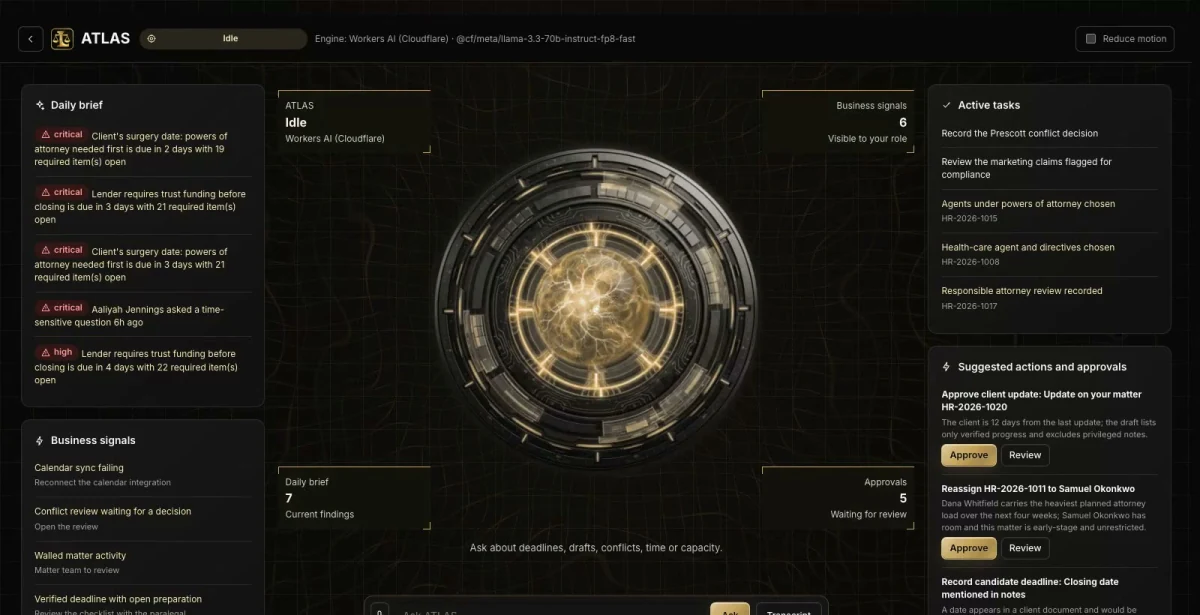

Ask in plain words
Which matters have a deadline in the next three days with open preparation?
ATLAS answers from the records in LegalOps, with a link to each source.
Intake with conflict and engagement gates, Matter Readiness, Deadline Watch, a Chronology Builder, draft review and ATLAS, the built-in AI assistant, in one private command center with your firm’s name on it. LegalOps tracks and documents the work; it is not legal advice.

Ask about anything in LegalOps. ATLAS answers from your own records, shows the evidence and suggests the next useful step.
ATLAS works inside your role and the permissions your team sets.

Which matters have a deadline in the next three days with open preparation?
ATLAS answers from the records in LegalOps, with a link to each source.
Which prospects are waiting on a conflict decision?
The answer brings the related records, owners and dates together before anyone decides.
Drafts, messages and record changes wait for a person to approve them, and every completed action has a receipt.
A prospect cannot be cleared by search alone. A designated reviewer records the decision with evidence for every candidate.
An engagement needs a clean conflict gate, a signed agreement and approvals; a retainer payment never engages. Then a matter opens with its checklist.
Each draft passes fact, authority and attorney review; deadlines are verified by people; client updates need attorney approval.
Which matters are not ready?
Prerequisites hide in checklists and inboxes until the week of a signing.
With LegalOps: Matter Readiness shows upcoming events, missing prerequisites and the rules behind each one.
Is that date verified?
A calendar date might be a guess, an extracted date or a confirmed one.
With LegalOps: Deadline Watch keeps candidate and verified dates apart, flags changes and shows calendar-sync failures instead of hiding the date.
Where did that fact come from?
Timelines are rebuilt by hand from a pile of documents.
With LegalOps: The Chronology Builder lists entries that cite the document paragraph, and disputed facts stay visible.
LegalOps shows what is possible. We shape the vocabulary, roles, workflows and connections around your business, and your team works in your brand.
Your logo, colors, vocabulary, roles and workflows. Your company gets its own private copy with its own data.
Our goal is to reduce build cost by 70-90% versus a comparable from-scratch command center, by adapting an existing foundation instead of rebuilding it.
Your proposal spells out the workflows, users, connections and any outside platform costs before you commit. We confirm the schedule once we know your systems.
Savings target compared with a similarly scoped from-scratch build. Your quote and launch date depend on customization, integrations, data readiness and ongoing services. Complex builds take longer.
Real screens from the working demo.
Stage gates for a matter, one step at a time, each needing its evidence. Readiness shows upcoming events, missing prerequisites and the rules it uses, as checklist completion, not a legal judgment.
Candidate deadlines start unverified. Verification needs an authorized professional, a date, an owner and an authority, AI-extracted dates cannot verify themselves, and a failed calendar sync raises an alert. LegalOps never calculates a deadline.
Entries are extracted deterministically from accepted documents, cite the paragraph and keep disputed facts visible. A person confirms each entry.
A party register with approximate matching, candidate relationships and a reviewer’s decision with a waiver or restriction. Ethical walls keep a restricted matter out of lists, counts, search, exports and ATLAS.
Drafts move from prepared to facts checked, authority checked, attorney reviewed and approved, and unverified citations block approval. Suggested time is a proposal until a timekeeper confirms actual hours; trust is read-only.
Marketing attribution shown as aggregates, a content claims scan and capacity-aware advertising recommendations, with budget changes as approval cards that are not sent.
Matters, deadlines, documents, chronology and a review chain, with an attorney workload heatmap that states its assumptions.
A client portal with its own session: milestones, requests and uploads, appointments, approved updates and messages.
Time and billing visibility and read-only trust balances. Trust is excluded from operating metrics.
Everyone signs in to the same company and sees what their role needs. In the live demo, switch seats with the Viewing as control.
Managing Partner. The whole firm, including walled matters.
Attorney. Their matters, deadlines and drafts. Walled matters are gone.
Intake Specialist. Prospects, response clocks and conflict status.
ATLAS writes the morning brief from your own data and answers questions with a link to where to act. Answers cite your records, not generic guesses.
People stay in charge. Replies, next steps and actions are drafts or action cards that wait for a person to approve them.
An optional, connected resource center for your clients. It runs as its own site, and connecting its feed to the command center is part of the scope we agree.
No sign-in needed. Start with the guided tour, then use the Viewing as switcher at the top of the demo to change seats. Data resets nightly.
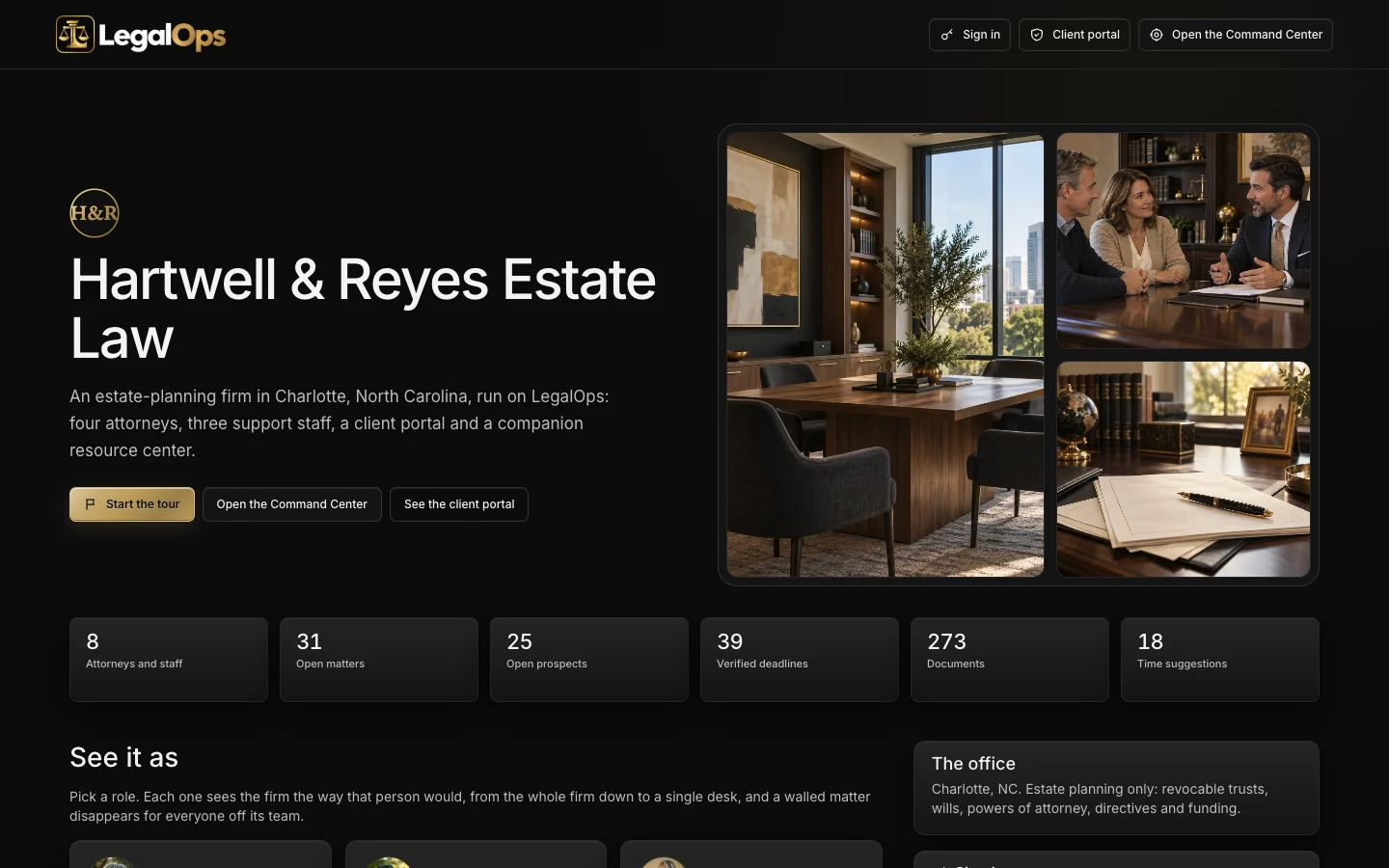
Start at the demo hub for Hartwell & Reyes Estate Law, then use the Viewing as switcher.
Open the demo ↗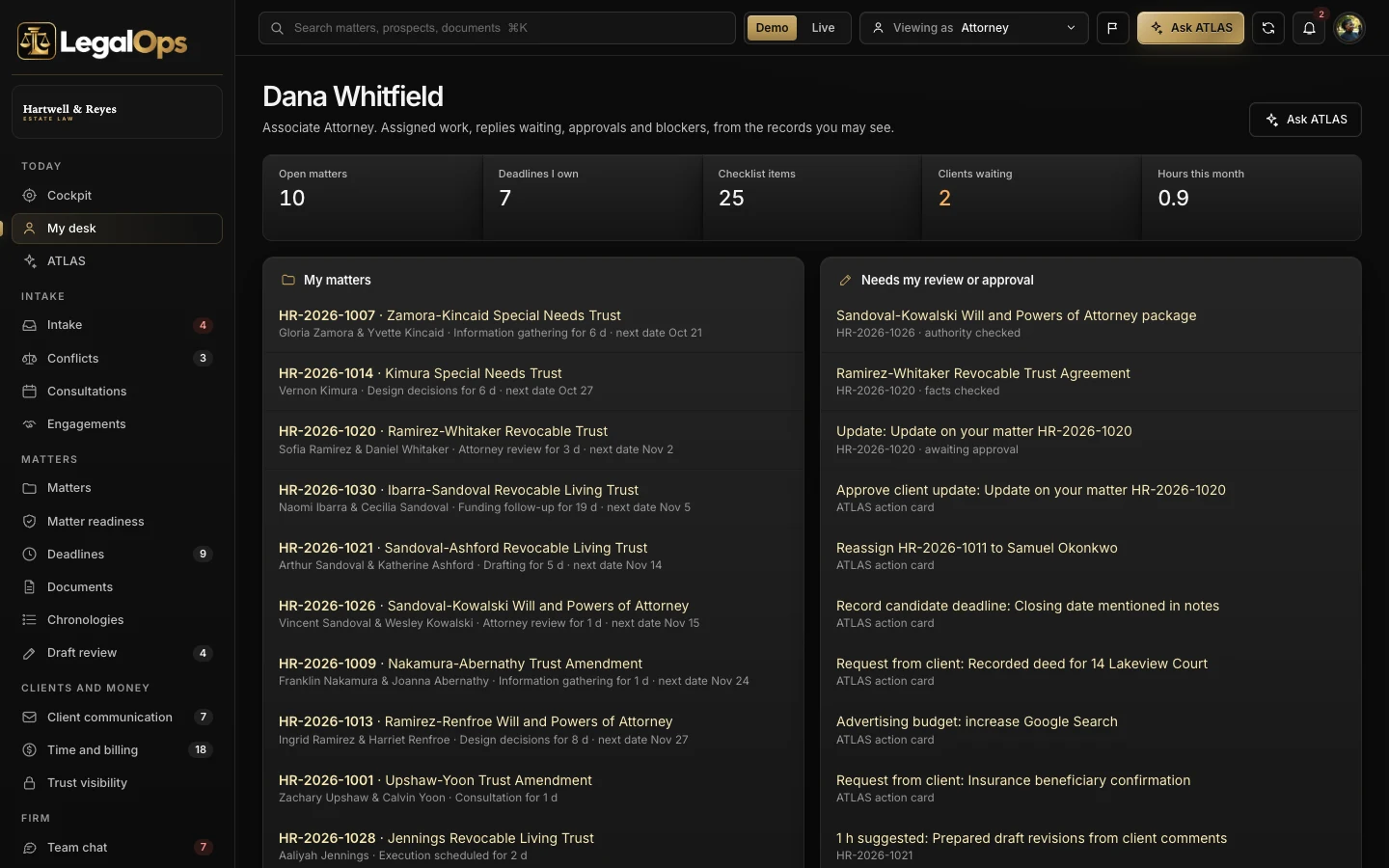
Opens the demo already signed in as the Attorney.
Open the demo ↗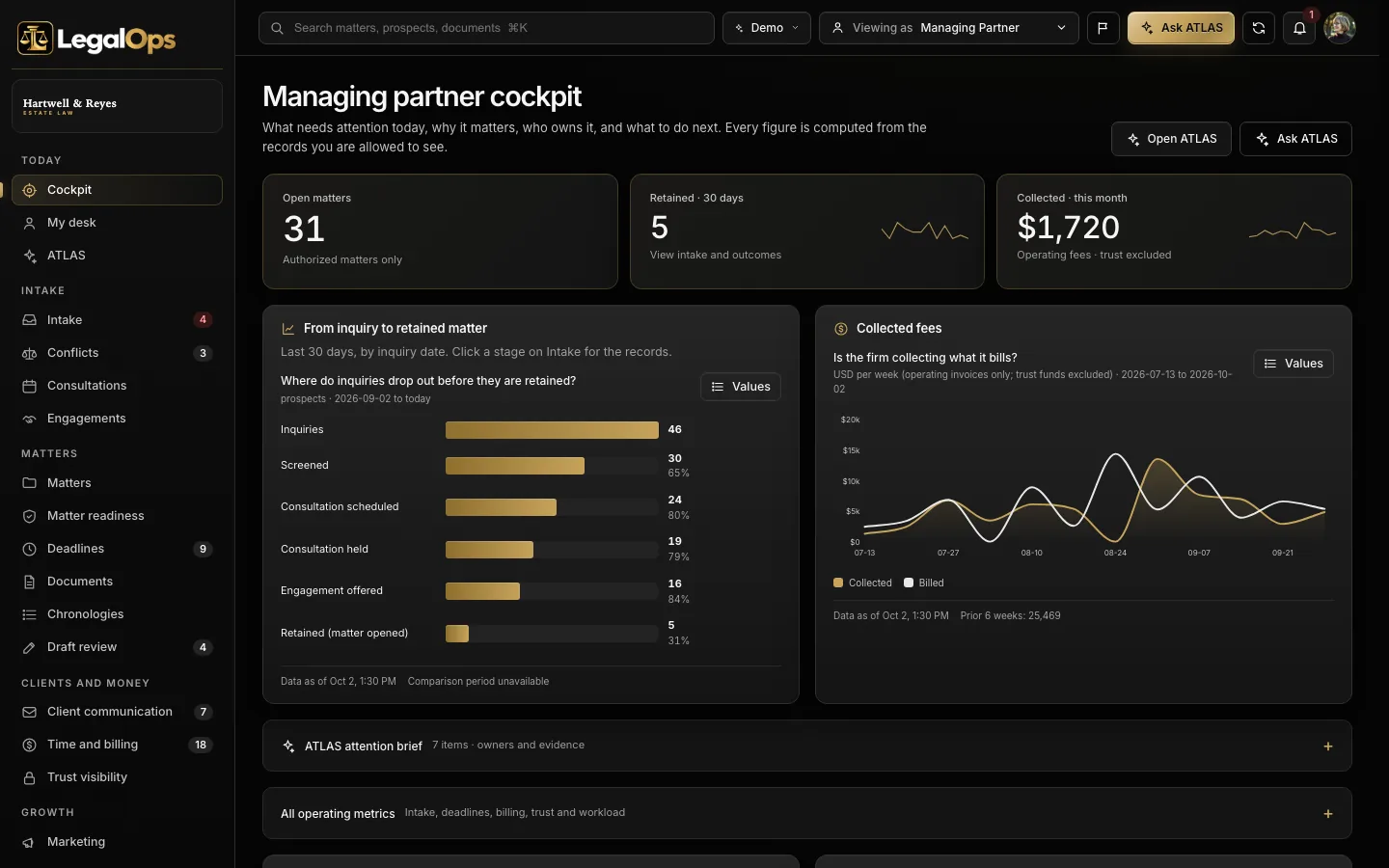
Opens the demo already signed in as the Managing Partner.
Open the demo ↗Each row shows what works today. Native features are built in; the other connections are simulated, imported or planned until we connect and test them in your scope. The Integrations screen shows each connection’s real state.
Native: built in and tested in the demo. Imported: works from a file. Planned: designed, not built.
A 15-minute walkthrough with your business in mind.
Workflows, users, connections and outside platform costs, in writing, before you commit.
Your brand, vocabulary, roles and the connections in scope, on your own private copy.
We confirm the schedule once we know your systems.
Scoped. The AI command center is priced from an agreed initial scope, and your proposal lists what is included and any outside platform costs before you commit. Book a live demo and we will scope it with you.
Yes. Every customer gets its own private copy of LegalOps: its own code, server and database, holding only its own data.
Yes. Your logo, colors, company name and vocabulary. Your team sees your brand, not ours.
No. LegalOps helps your team track and document its work. It does not give legal advice, calculate or verify deadlines on its own, or make a firm compliant. People verify dates and authorities.
No. Hartwell & Reyes Estate Law and everyone in it are fictional, and the figures are sample data, not results. The 1,000 sample community profiles in Client Resource Center are sample data too: labeled as such, never customers or testimonials.
No. ATLAS drafts and suggests. A person reviews and approves anything that goes out or changes a record.
It depends on your users, workflows and connections. Book a live demo and we will scope it with you; your proposal lists what is included and any outside platform costs before you commit.

Book a 15-minute live demo. We will walk through LegalOps with your practice areas, team and intake process in mind, and agree what a first scope could look like.
The same proven foundation, shaped for other industries. Not in one of them? We build yours.
 Calls, crews, estimates and jobs, for home service companies.Explore ServiceOps →
 Every dispute, every client, one command center, for credit repair companies.Explore CreditOps →
 Clients, documents, review and filing, for tax and bookkeeping practices.Explore TaxOps →
 Scope, change orders and budgets in one cockpit, for builders.Explore BuildOps →
 Scope, handoffs, launches and revenue leaks, for digital agencies.Explore AgencyOps →
 Open chairs, approved plans and recall, for dental practices.Explore DentalOps →