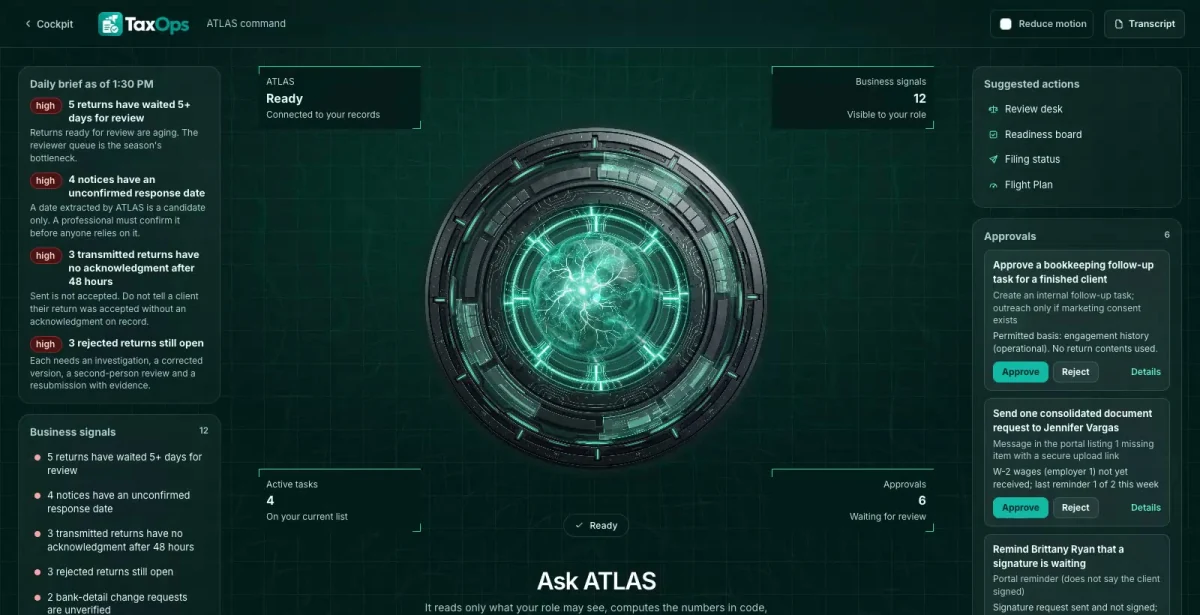

Ask in plain words
Which engagements could move to preparation if we received one missing item?
ATLAS answers from the records in TaxOps, with a link to each source.
Return Readiness, a 16-stage filing workflow with server-side gates, signature authorizations, rejection recovery, a Tax Season Flight Plan and ATLAS, the built-in AI assistant, in one private command center with your practice’s name on it. TaxOps tracks the work around a return; it never prepares, calculates or files one.

Ask about anything in TaxOps. ATLAS answers from your own records, shows the evidence and suggests the next useful step.
ATLAS works inside your role and the permissions your team sets.

Which engagements could move to preparation if we received one missing item?
ATLAS answers from the records in TaxOps, with a link to each source.
Which returns are waiting on review the longest?
The answer brings the related records, owners and dates together before anyone decides.
Drafts, messages and record changes wait for a person to approve them, and every completed action has a receipt.
Each requirement has six separate checks, and a wrong-year or duplicate document is flagged instead of attached silently.
A second person reviews, the preparer cannot approve their own return, and changing the return makes a signature stale.
Transmissions need evidence, accepted stays unavailable without an acknowledgment, and a rejection opens the recovery desk.
Who is one document away?
Missing items are chased by email, and nobody knows what is ready to prepare.
With TaxOps: The readiness board shows which engagements are one missing item away from preparation.
Which returns are stuck in review?
The review queue grows quietly through the season.
With TaxOps: A cockpit shows reviewer queue aging and transmitted returns with no acknowledgment.
What do we do about a rejection?
Rejected returns bounce between people with no record.
With TaxOps: Rejection Recovery opens a desk with an approved reference, a correction, a re-review and a renewed signature.
TaxOps shows what is possible. We shape the vocabulary, roles, workflows and connections around your business, and your team works in your brand.
Your logo, colors, vocabulary, roles and workflows. Your company gets its own private copy with its own data.
Our goal is to reduce build cost by 70-90% versus a comparable from-scratch command center, by adapting an existing foundation instead of rebuilding it.
Your proposal spells out the workflows, users, connections and any outside platform costs before you commit. We confirm the schedule once we know your systems.
Savings target compared with a similarly scoped from-scratch build. Your quote and launch date depend on customization, integrations, data readiness and ongoing services. Complex builds take longer.
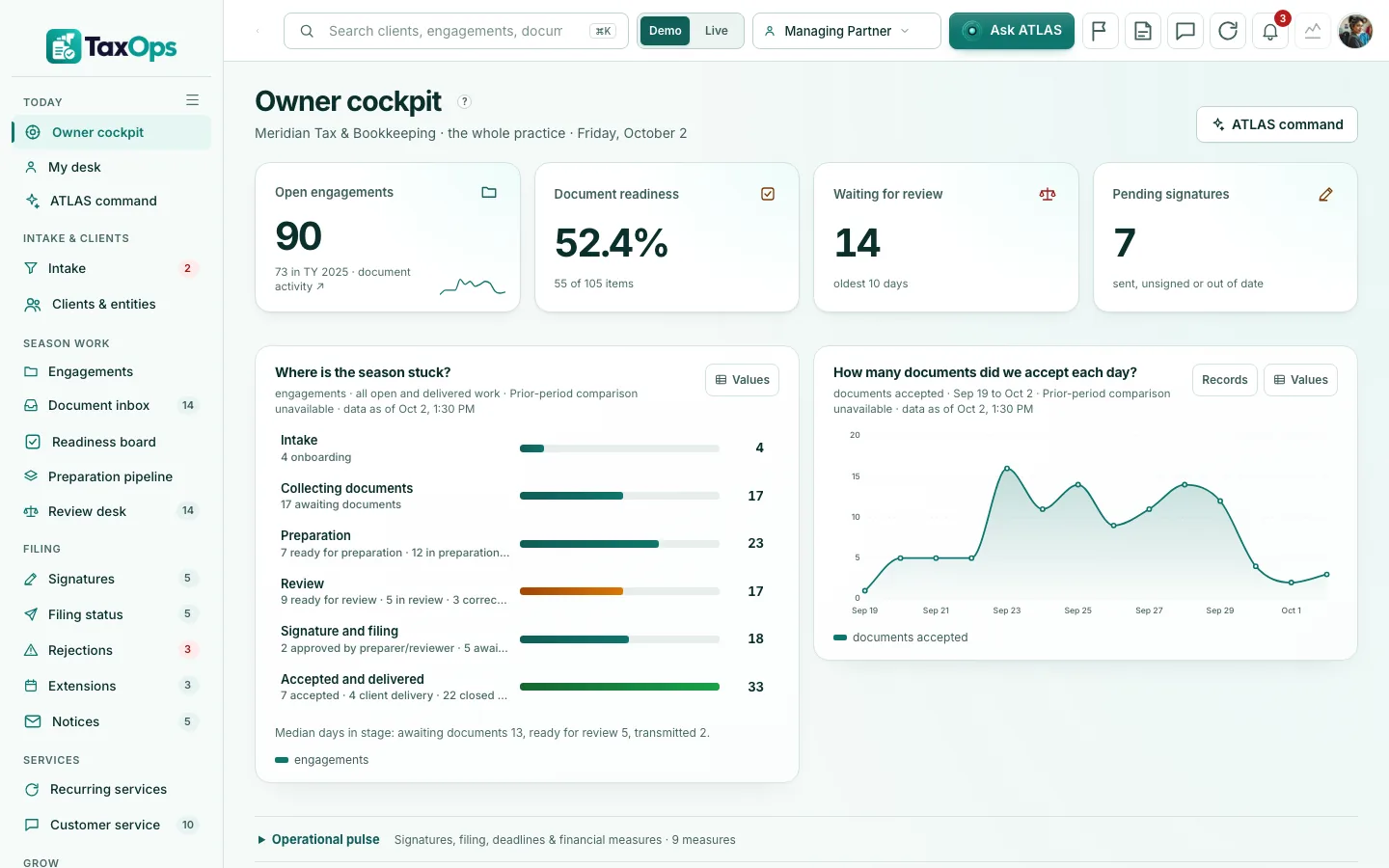
Real screens from the working demo.
Year-specific engagements with six separate checks per document requirement. Wrong-year, wrong-taxpayer and duplicate documents are flagged, and extraction never overwrites a confirmed value.
Capacity and a Flight Plan with scenarios: change the arrival rate and the forecast moves, with every assumption on screen.
Reviewer queue aging, transmitted returns with no acknowledgment and unconfirmed notice dates, each with its evidence and a button to the screen that fixes it.
Import an acknowledgment and the Rejection Recovery desk opens with an approved reference, a correction, re-review, a renewed signature and a new acknowledgment. Demo codes only: real code references need professional configuration.
Money visibility for fees, aging, recurring bookkeeping and refunds, with role-gated exports. Marketing keeps a consent and purpose register, and a return-information audience is blocked.
Marketing with a content claims guard and consent-gated audiences, plus advertising performance with a capacity guard.
Preparation and review workflow, due-diligence evidence, return versions kept as references to your tax software, and a notices desk.
A taxpayer portal with a document checklist, upload receipts, signing, questions and consents, separate from staff.
Fees, aging, recurring revenue and refunds visibility.
Everyone signs in to the same company and sees what their role needs. In the live demo, switch seats with the Viewing as control.
Managing Partner. The whole practice: queue aging, filing status and capacity.
Preparer and reviewer. Engagements, document checks and stage gates.
Taxpayer (portal). What is needed, what looks like the wrong year, and signing.
ATLAS writes the morning brief from your own data and answers questions with a link to where to act. Answers cite your records, not generic guesses.
People stay in charge. Replies, next steps and actions are drafts or action cards that wait for a person to approve them.
An optional, connected resource hub for your taxpayers. It runs as its own site, and connecting its feed to the command center is part of the scope we agree.
No sign-in needed. Start with the guided tour, then use the Viewing as switcher at the top of the demo to change seats. Data resets nightly.
Start at the demo hub for Meridian Tax & Bookkeeping, then use the Viewing as switcher.
Open the demo ↗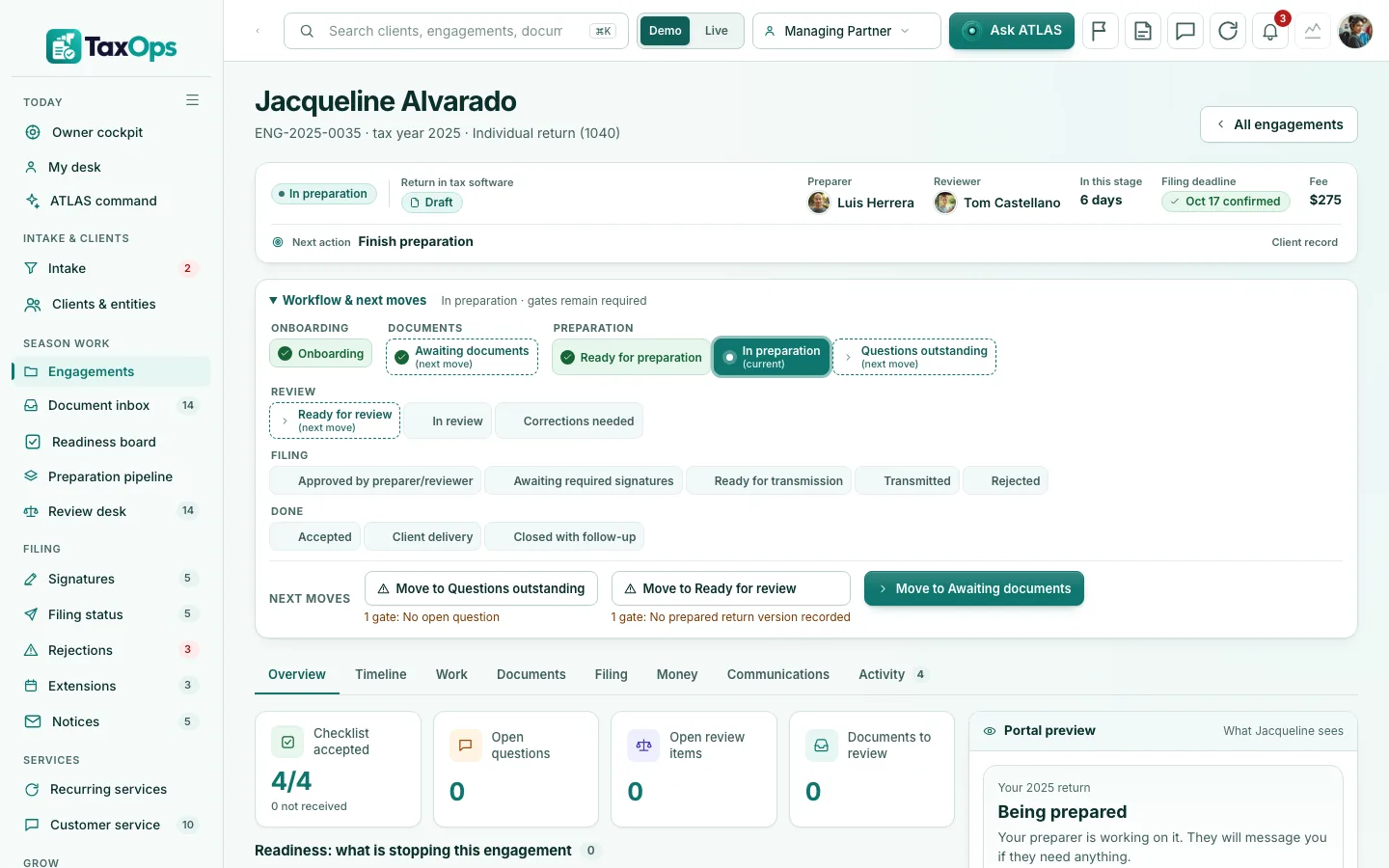
Opens the demo already signed in as the Office Manager.
Open the demo ↗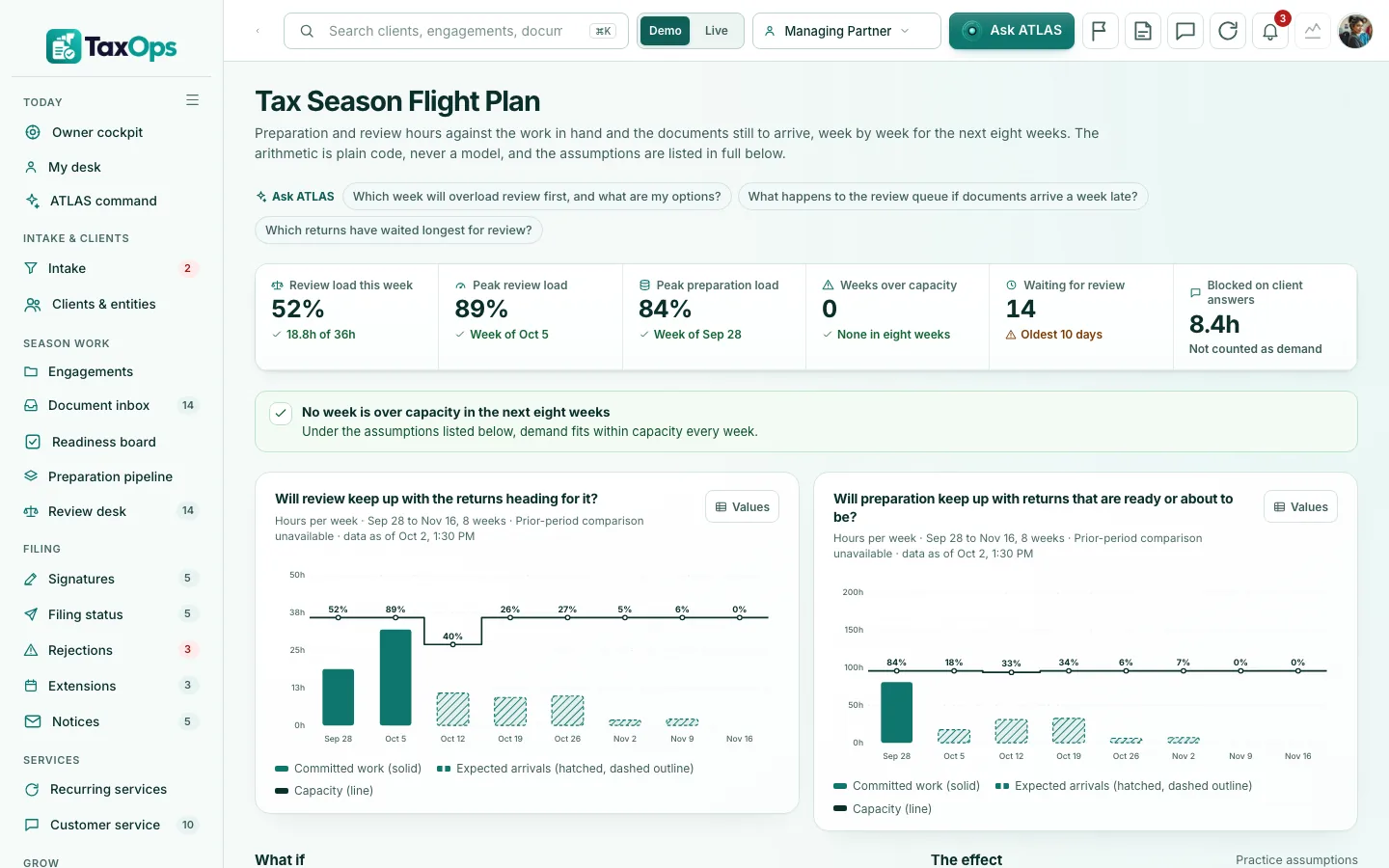
Opens the demo already signed in as the Managing Partner.
Open the demo ↗Each row shows what works today. Native features are built in; the other connections are simulated, imported or planned until we connect and test them in your scope. The Integrations screen shows each connection’s real state.
Native: built in and tested in the demo. Imported: works from a file. Demo: sample or simulated behavior only. Planned: designed, not built.
A 15-minute walkthrough with your business in mind.
Workflows, users, connections and outside platform costs, in writing, before you commit.
Your brand, vocabulary, roles and the connections in scope, on your own private copy.
We confirm the schedule once we know your systems.
Scoped. The AI command center is priced from an agreed initial scope, and your proposal lists what is included and any outside platform costs before you commit. Book a live demo and we will scope it with you.
Yes. Every customer gets its own private copy of TaxOps: its own code, server and database, holding only its own data.
Yes. Your logo, colors, company name and vocabulary. Your team sees your brand, not ours.
No. It tracks the work around a return and keeps return versions as references to your tax software. It does not calculate or file anything, and it does not make a practice compliant on its own.
No. Meridian Tax & Bookkeeping and everyone in it are fictional, and the figures are sample data, not results. The 1,000 sample community profiles in Taxpayer Resource Hub are sample data too: labeled as such, never customers or testimonials.
No. ATLAS drafts and suggests. A person reviews and approves anything that goes out or changes a record.
It depends on your users, workflows and connections. Book a live demo and we will scope it with you; your proposal lists what is included and any outside platform costs before you commit.
Book a 15-minute live demo. We will walk through TaxOps with your services, team and tax season in mind, and agree what a first scope could look like.
The same proven foundation, shaped for other industries. Not in one of them? We build yours.
 Every agent, case and commission, in one cockpit, for insurance agencies.Explore InsuranceOps →
 From first dispute to funded, for credit and funding companies.Explore FundingOps →
 Every dispute, every client, one command center, for credit repair companies.Explore CreditOps →
 Households, reviews and service promises in one cockpit, for advisors.Explore WealthOps →
 Scope, handoffs, launches and revenue leaks, for digital agencies.Explore AgencyOps →
 Calls, crews, estimates and jobs, for home service companies.Explore ServiceOps →