
Ask in plain words
Which open estimates should we follow up first?
ATLAS answers from the records in ServiceOps, with a link to each source.
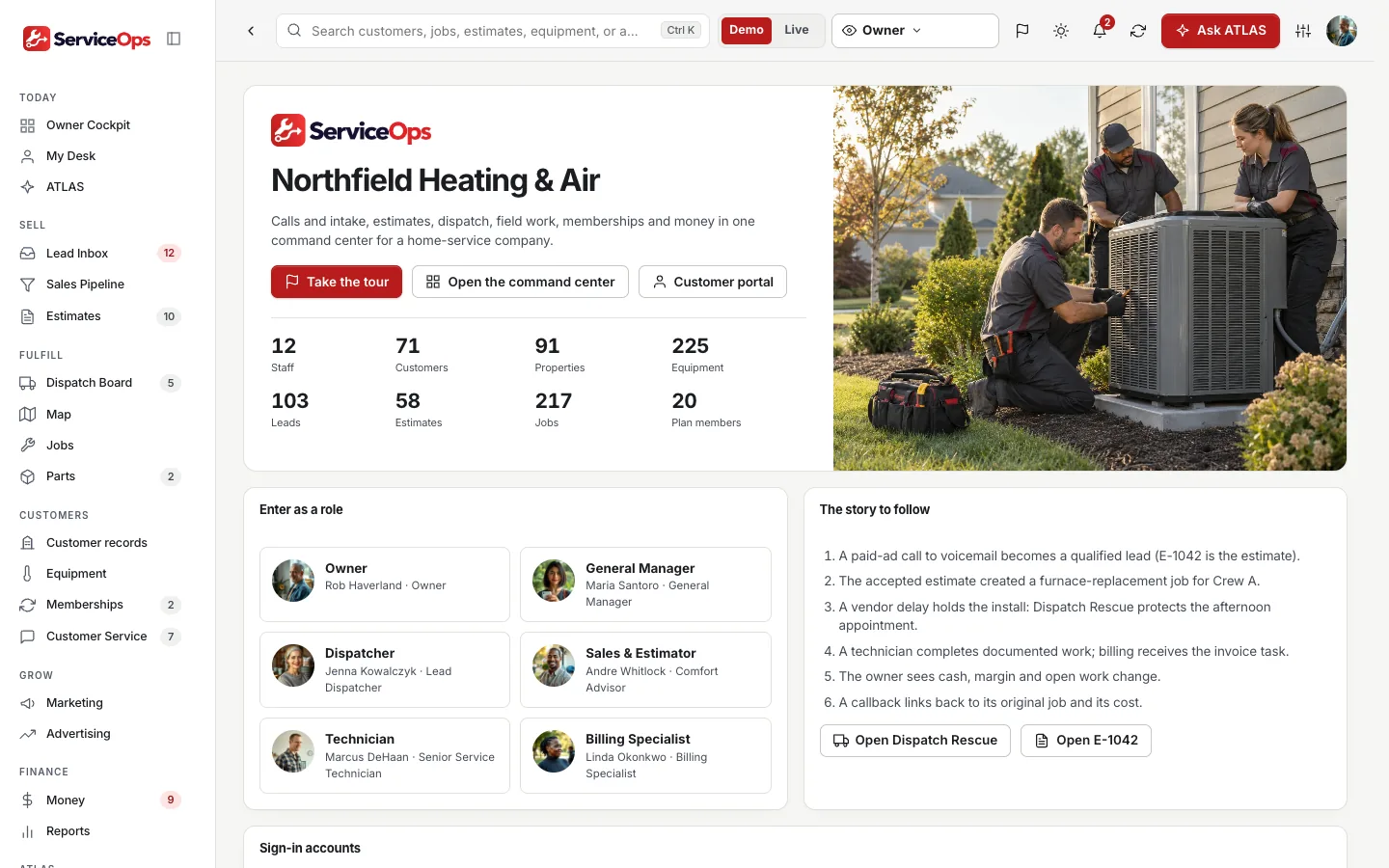
Missed calls, estimates with good, better and best options, a dispatch board with Dispatch Rescue, Estimate Recovery, Property Memory and ATLAS, the built-in AI assistant, all in one private command center with your company’s name on it. HVAC is the first industry template.

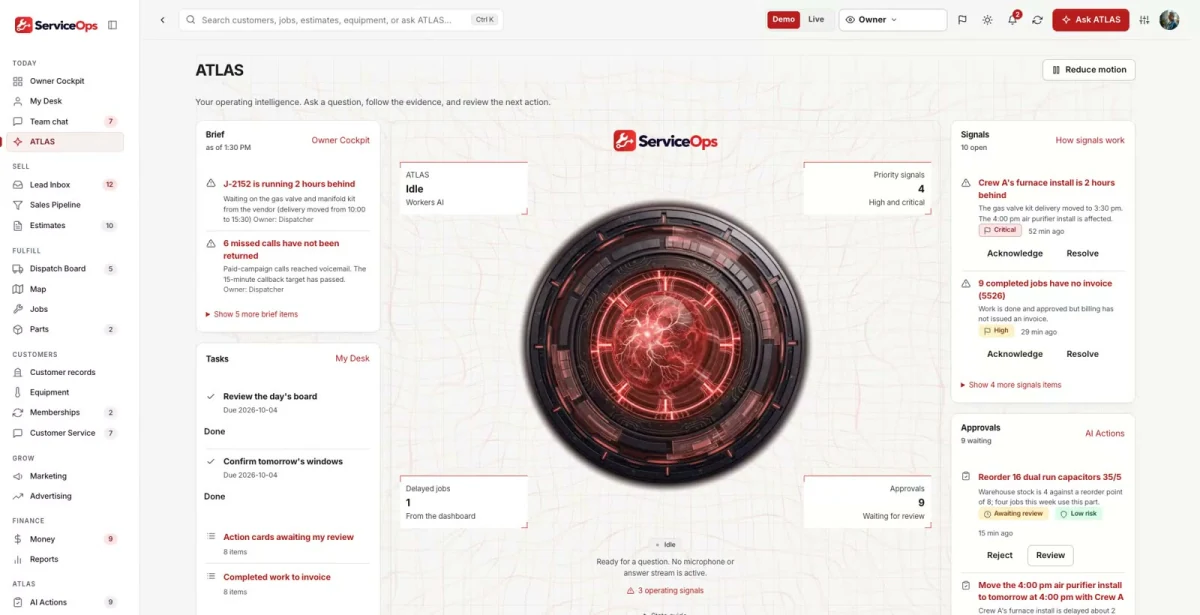
Ask about anything in ServiceOps. ATLAS answers from your own records, shows the evidence and suggests the next useful step.
ATLAS works inside your role and the permissions your team sets.

Which open estimates should we follow up first?
ATLAS answers from the records in ServiceOps, with a link to each source.
Which visits are affected if a technician is out?
The answer brings the related records, owners and dates together before anyone decides.
Drafts, messages and record changes wait for a person to approve them, and every completed action has a receipt.
Missed calls land in a queue, hazard keywords return the approved safety message, and duplicates and out-of-area requests are flagged.
Good, better and best options, discounts over a threshold need approval, and accepting creates exactly one job.
A double-booking guard, completion gates and callbacks that link back to the original job.
Which estimates are worth chasing?
Quotes go quiet and nobody follows up.
With ServiceOps: Estimate Recovery ranks open estimates from your records and drafts a follow-up a person reviews.
A tech called out. Now what?
The board is rebuilt by phone, one visit at a time.
With ServiceOps: Dispatch Rescue lists the affected visits and feasible alternatives, and each move is re-checked when applied.
What do we know about this house?
Equipment age and past visits live in a technician’s head.
With ServiceOps: Property Memory brings equipment, warranty, history and notes to the job.
ServiceOps shows what is possible. We shape the vocabulary, roles, workflows and connections around your business, and your team works in your brand.
Your logo, colors, vocabulary, roles and workflows. Your company gets its own private copy with its own data.
Our goal is to reduce build cost by 70-90% versus a comparable from-scratch command center, by adapting an existing foundation instead of rebuilding it.
Your proposal spells out the workflows, users, connections and any outside platform costs before you commit. We confirm the schedule once we know your systems.
Savings target compared with a similarly scoped from-scratch build. Your quote and launch date depend on customization, integrations, data readiness and ongoing services. Complex builds take longer.
Real screens from the working demo.
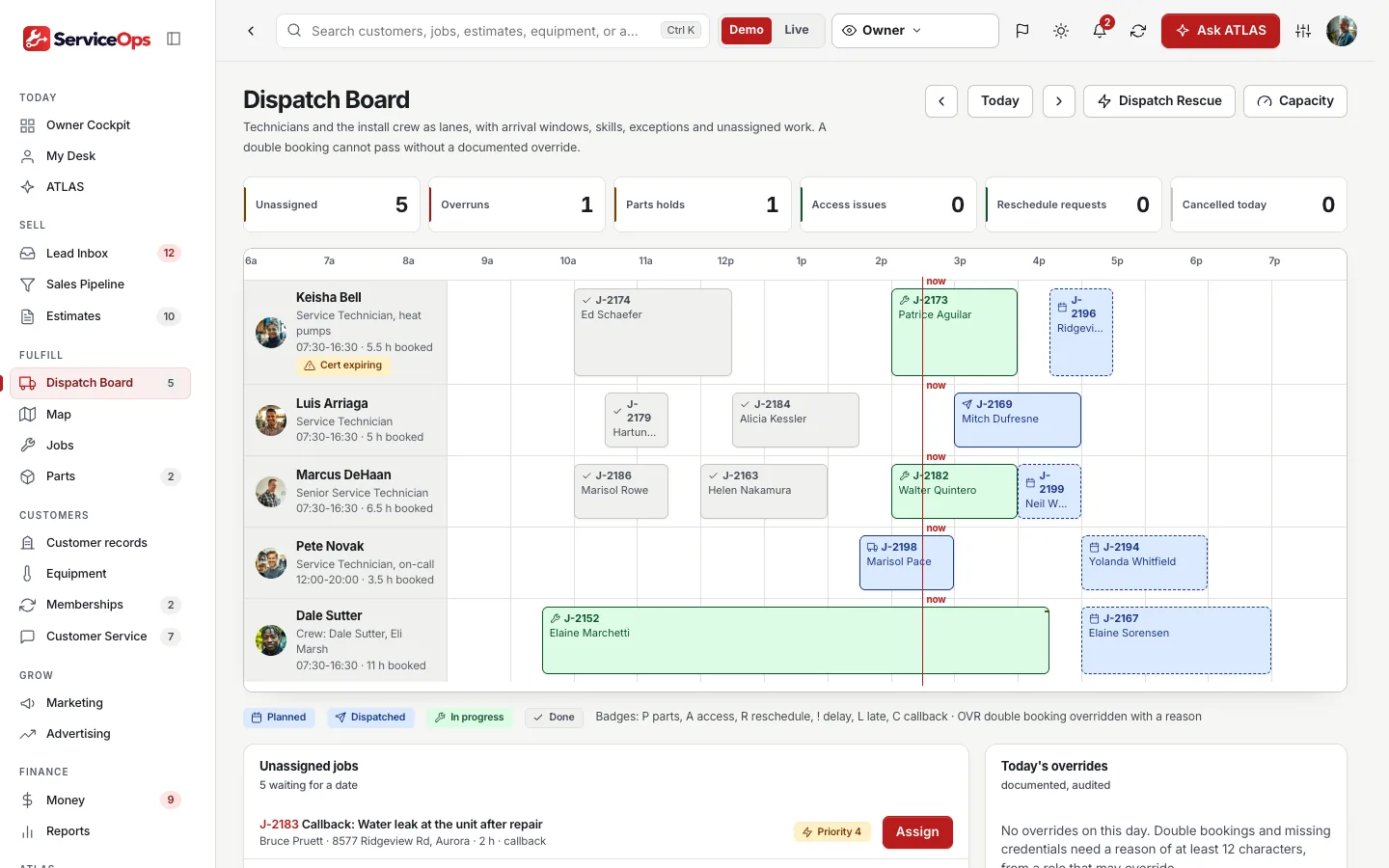
When a job runs late or a technician is out, Dispatch Rescue lists the affected visits, feasible alternatives and consent-checked customer messages. Travel times are estimates, not routing.
A dispatch board with a capacity and seasonal demand planner that shows its assumptions and never mixes committed and assumed hours.
Estimates with good, better and best options, discount approval and versions. Recovery ranks open estimates from your records and drafts a follow-up; drafts are not sent.
Customers, properties and equipment with warranty and age, plus restricted access instructions that only field staff on an assigned open visit can see. The technician desk shows the assigned work.
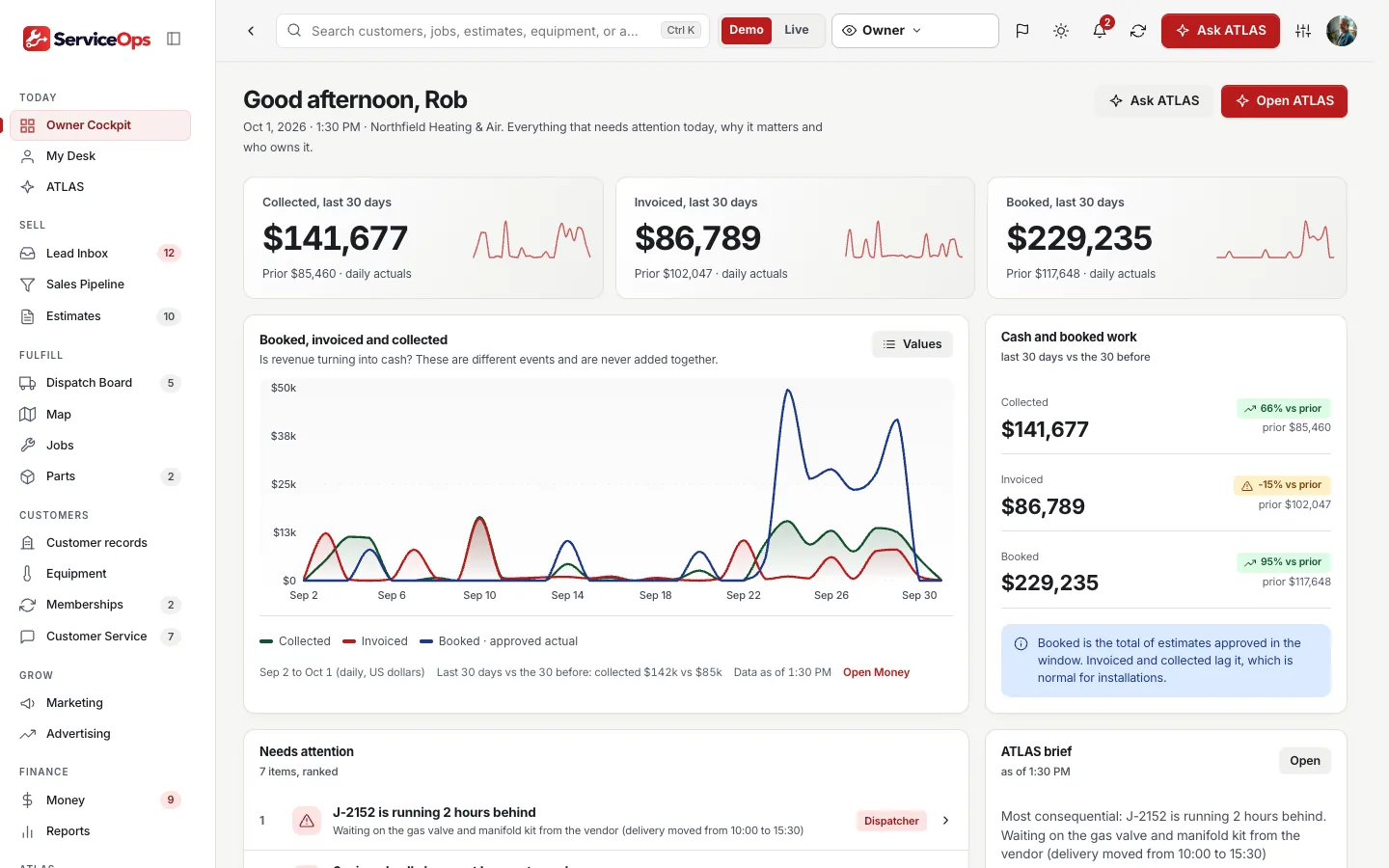
Invoices, payments, job margin and repair analysis. Margin reports missing inputs instead of inventing them and says contribution, not profit; payments cannot exceed the balance.
Missed-call intake, estimate follow-up and an audience that excludes opted-out customers and unresolved complaints; text needs consent.
Dispatch, jobs with completion gates and quality control, parts, purchasing and receiving, change orders the customer accepts by name.
A customer portal with its own session: accept an estimate, approve a change order, see invoices and request service with hazard messaging.
Invoices, payments, margin and repair analysis.
Everyone signs in to the same company and sees what their role needs. In the live demo, switch seats with the Viewing as control.
Owner. Calls, jobs, money and capacity across the company.
Dispatcher. The board, Dispatch Rescue and crew capacity.
Technician. Assigned visits, checklists and field reports.
ATLAS writes the morning brief from your own data and answers questions with a link to where to act. Answers cite your records, not generic guesses.
People stay in charge. Replies, next steps and actions are drafts or action cards that wait for a person to approve them.
An optional, connected homeowner club for your customers. It runs as its own site, and connecting its feed to the command center is part of the scope we agree.
No sign-in needed. Start with the guided tour, then use the Viewing as switcher at the top of the demo to change seats. Data resets nightly.
Each row shows what works today. Native features are built in; the other connections are simulated, imported or planned until we connect and test them in your scope. The Integrations screen shows each connection’s real state.
Native: built in and tested in the demo. Imported: works from a file. Demo: sample or simulated behavior only. Planned: designed, not built.
A 15-minute walkthrough with your business in mind.
Workflows, users, connections and outside platform costs, in writing, before you commit.
Your brand, vocabulary, roles and the connections in scope, on your own private copy.
We confirm the schedule once we know your systems.
Scoped. The AI command center is priced from an agreed initial scope, and your proposal lists what is included and any outside platform costs before you commit. Book a live demo and we will scope it with you.
Yes. Every customer gets its own private copy of ServiceOps: its own code, server and database, holding only its own data.
Yes. Your logo, colors, company name and vocabulary. Your team sees your brand, not ours.
HVAC is the first industry template. Plumbing, electrical, roofing, pest control, cleaning and landscaping templates exist, and we shape the one you need.
No. Northfield Heating & Air and everyone in it are fictional, and the figures are sample data, not results. The 1,000 sample community profiles in HomeCare Club are sample data too: labeled as such, never customers or testimonials.
No. ATLAS drafts and suggests. A person reviews and approves anything that goes out or changes a record.
It depends on your users, workflows and connections. Book a live demo and we will scope it with you; your proposal lists what is included and any outside platform costs before you commit.

Book a 15-minute live demo. We will walk through ServiceOps with your trades, crews and service area in mind, and agree what a first scope could look like.
The same proven foundation, shaped for other industries. Not in one of them? We build yours.
 Clients, documents, review and filing, for tax and bookkeeping practices.Explore TaxOps →
 Intake, conflicts, matters and deadlines, for law firms.Explore LegalOps →
 Scope, handoffs, launches and revenue leaks, for digital agencies.Explore AgencyOps →
 Every dispute, every client, one command center, for credit repair companies.Explore CreditOps →
 From first dispute to funded, for credit and funding companies.Explore FundingOps →
 Scope, change orders and budgets in one cockpit, for builders.Explore BuildOps →