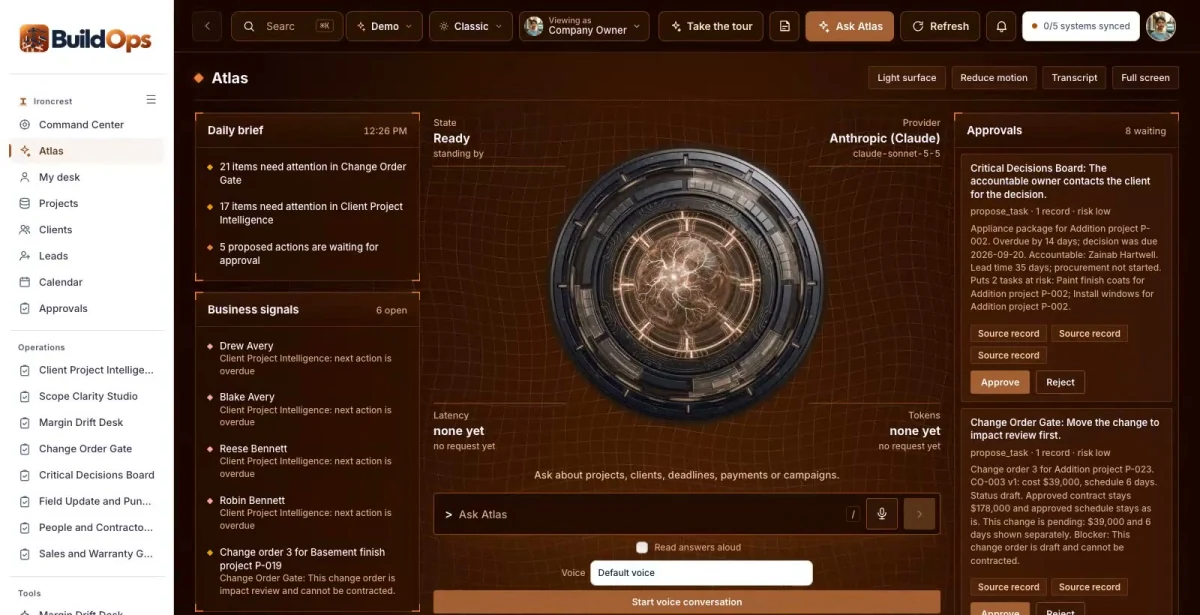

Ask in plain words
Which change orders are waiting on client approval?
ATLAS answers from the records in BuildOps, with a link to each source.
BuildOps is a private command center, member community, company website and ATLAS assistant for builders and remodelers. It keeps scope, budgets, change orders and field updates in one place, with estimators reviewing the numbers.

Ask about anything in BuildOps. ATLAS answers from your own records, shows the evidence and suggests the next useful step.
ATLAS works inside your role and the permissions your team sets.

Which change orders are waiting on client approval?
ATLAS answers from the records in BuildOps, with a link to each source.
Which projects have a cost code over its approved budget?
The answer brings the related records, owners and dates together before anyone decides.
Drafts, messages and record changes wait for a person to approve them, and every completed action has a receipt.
A renovation planning workbook, a budget organizer and a contractor conversation checklist give homeowners a reason to join the community.
Goals, property constraints, stated budget range and concerns sit in one client project view, with the selected scope version.
The estimator or project manager starts a site visit or estimate knowing the scope questions and the decisions still open.
Is that change in the contract?
Extra work gets done on a handshake and shows up later as a dispute.
With BuildOps: The Change Order Gate versions each change with cost, schedule impact and approval evidence. Work outside approved scope cannot silently become billable.
Where is the margin going?
Budget, committed costs and actuals live in different files, so drift is found at the end.
With BuildOps: Margin Drift Desk compares budget, committed and imported actual cost by cost code, and names the missing source before forecasting.
What is the project waiting on?
A late selection quietly pushes the schedule.
With BuildOps: The Critical Decisions Board shows due dates, owners and the tasks a late decision puts at risk.
Real screens from the working BuildOps command center.
Versioned proposed changes with cost, schedule impact, client approval evidence and authorization state. Work outside the approved scope cannot silently become signed or billable.
Compares approved budget, committed costs and imported actual costs by cost code. Pending change orders stay out of approved revenue, and missing sources are named before any final margin is forecast.
Turns an intake into draft questions, inclusions, exclusions and selection tasks. The estimator reviews quantities, assumptions and cost inputs. No structural, engineering or permit conclusions come from AI alone.
Tracks selection due dates, procurement, permit references and dependencies with accountable owners. A late decision shows the tasks it affects and whether a reviewed schedule revision is needed.
Tracks goals, property constraints, stated budget range, the selected scope version, concerns, decisions and the next meeting. Client access is limited to their own project.
Mobile daily logs, permitted job photos, issues, subcontractor assignments, inspection evidence and completion checks, with client-approved update summaries.
Project consultations with source attribution and education workshops, so each inquiry has an owner and a next step.
Scope versions, estimates, schedule dependencies, change orders, daily logs, inspections and punch lists tracked by project.
A client portal and the BuildCircle community, with warranty service requests after completion.
Approved budget, committed cost and imported actual cost by cost code, with pending change orders kept out of approved revenue.
Each one opens in the working BuildOps command center, inside the roles that may see it.
The BuildCircle member community is part of the complete set: a public company website, a member area and three free resources. Permitted member requests flow into the BuildOps command center. In the Ironcrest Construction demo it runs under the name BuildPath Circle; yours carries your brand.
The community admin shows member intelligence from permitted activity, so you see which resources each homeowner used and what they asked for. The offer and value ladder is editable, so you control which consultations members are invited to next.
Staff sign in to the same company and see what their role needs. Clients get a private portal with their own work, documents and messages.
Company Owner. Every project: margin, decisions, change orders and growth.
Estimator. Scope questions, quantities and estimates waiting for review.
Client (portal). Their own project, documents and messages.
ATLAS answers from Ironcrest Construction’s own records and shows the evidence.
People stay in charge. ATLAS drafts and suggests. Anything that goes out or changes a record waits for a person to approve it.
Your company name, branding, services, workflows and data, in your own private copy of the command center, the member community and the company website.
Your logo, colors, vocabulary, roles and workflows. Your company gets its own private copy with its own data.
Our goal is to reduce build cost by 70 to 90% versus a comparable from-scratch command center, by adapting an existing foundation instead of rebuilding it.
Your proposal spells out the workflows, users, connections and any outside platform costs before you commit. We confirm the schedule once we know your systems.
Savings target compared with a similarly scoped from-scratch build. Your quote and launch date depend on customization, integrations, data readiness and ongoing services. Complex builds take longer.
No sign-in needed. Start with the guided tour, then use the Viewing as switcher to change seats. Data resets nightly.
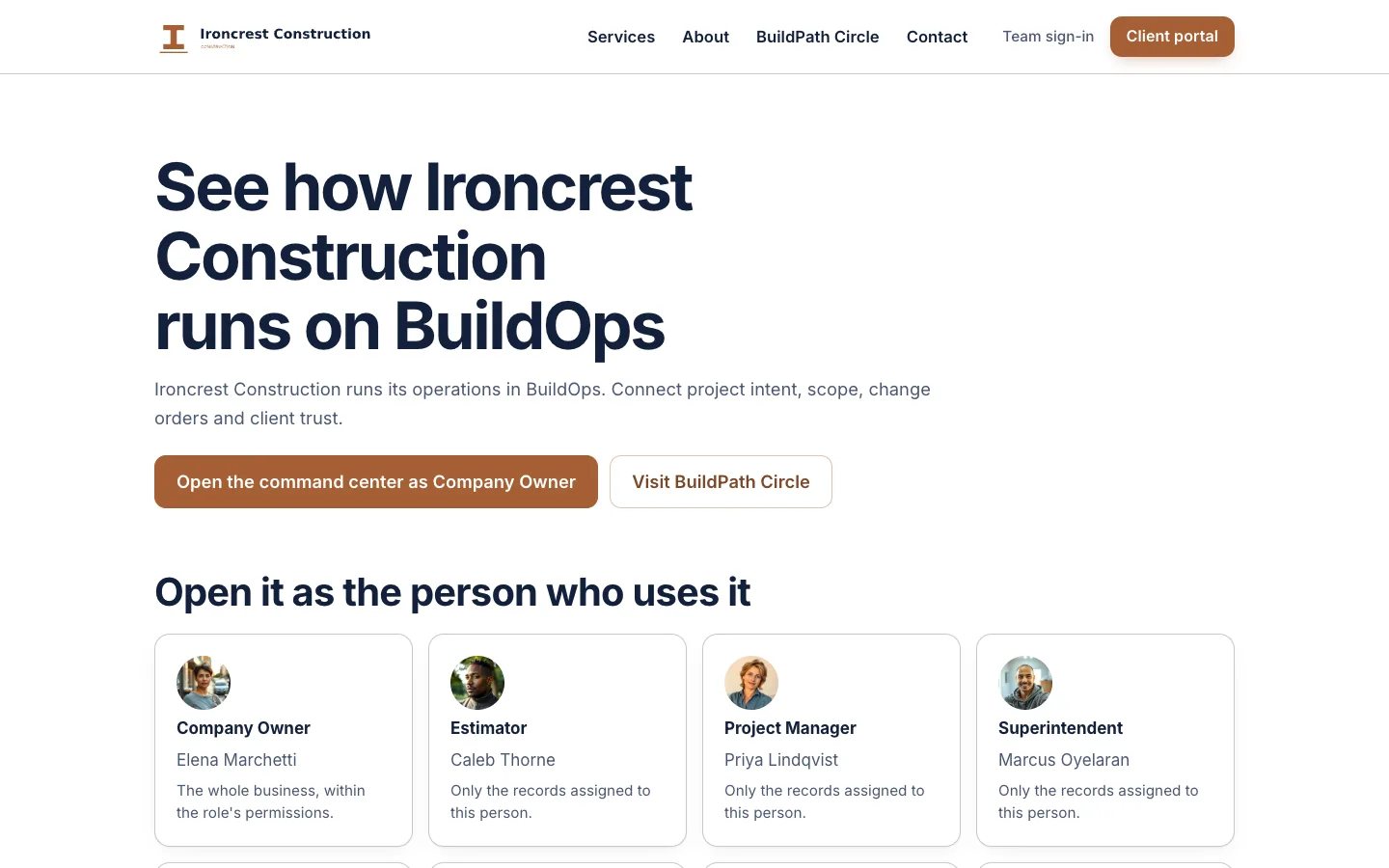
Start at the demo hub for Ironcrest Construction and pick a seat.
Open the demo ↗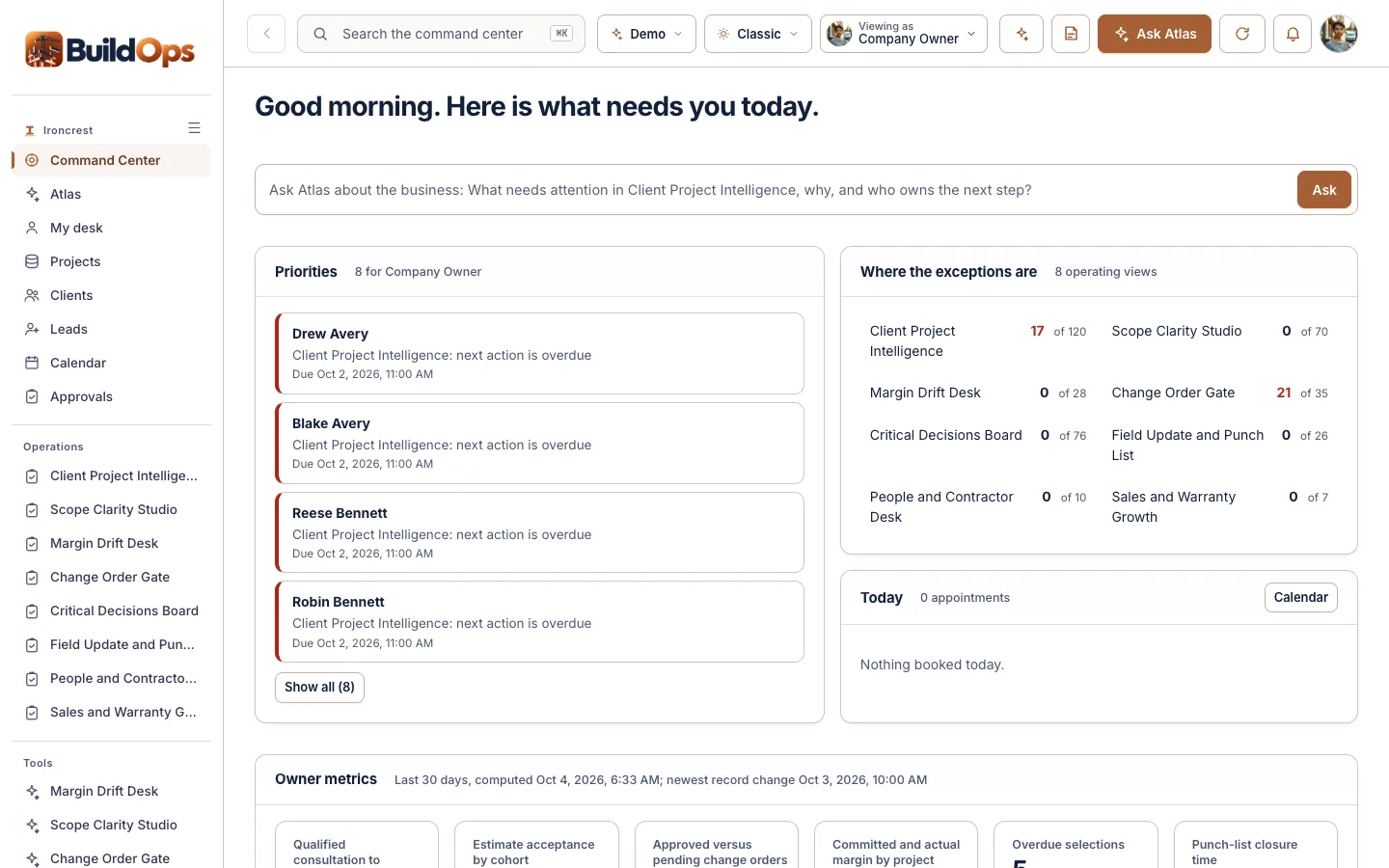
Opens the command center already signed in as the Company Owner.
Open the demo ↗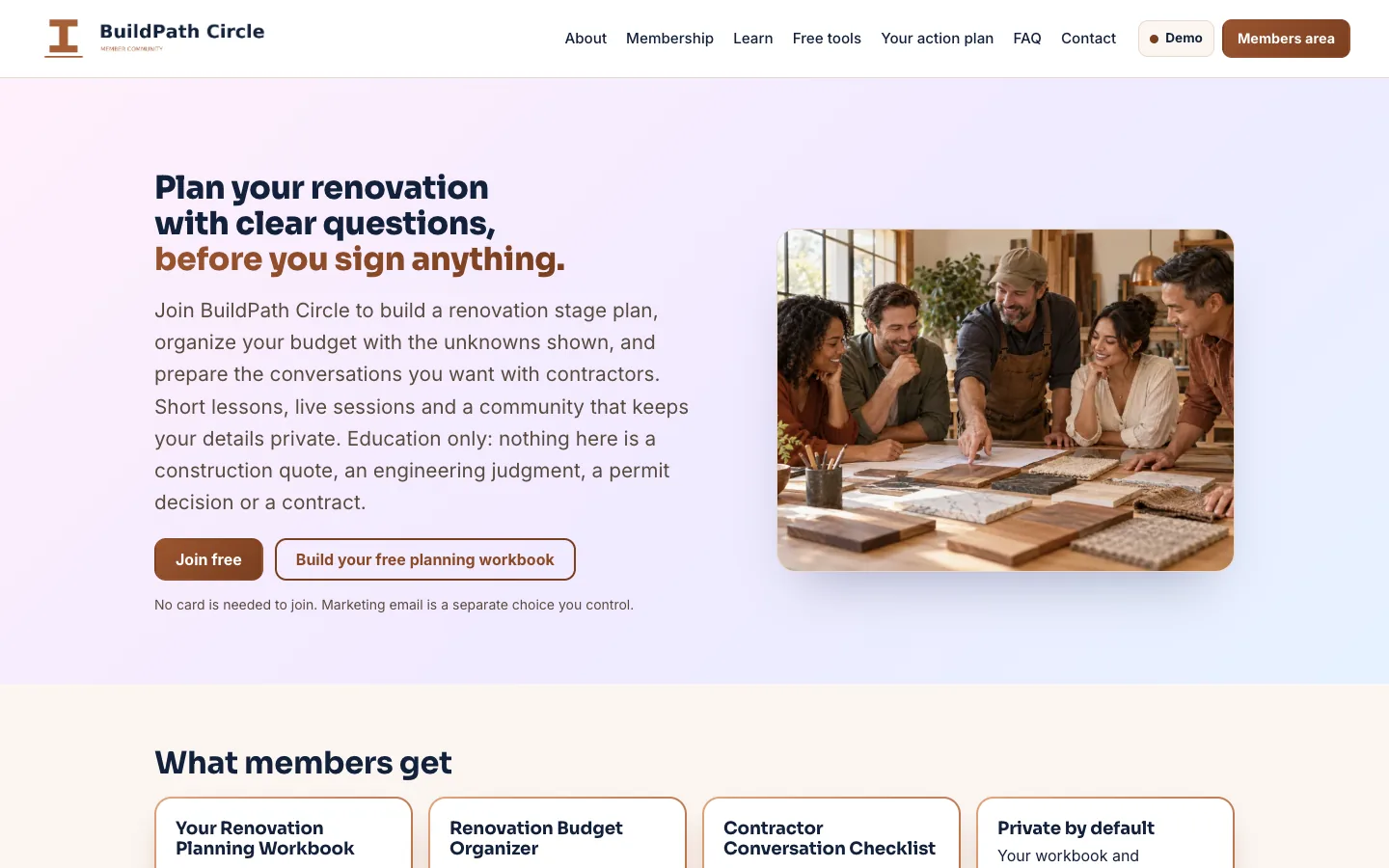
Opens BuildPath Circle, the Ironcrest Construction’s member community, as a member.
Open the demo ↗Each row shows what works today. Native features are built in; the other connections are simulated, imported or planned until we connect and test them in your scope. The Integrations screen shows each connection’s real state.
Native: built in and tested in the demo. Demo: sample or simulated behavior only. Planned: designed, not built.
A 15-minute walkthrough with your business in mind.
Workflows, users, connections and outside platform costs, in writing, before you commit.
Your brand, vocabulary, roles and the connections in scope, on your own private copy.
We confirm the schedule once we know your systems.
The AI Command Center core plan is $497/month with an agreed initial scope. Your proposal lists what is included (systems, users, automations, AI usage, hosting, support and onboarding) and any outside platform costs before you commit. The BuildCircle member platform and any complex connections are quoted with your scope.
Yes. Every customer gets its own private copy of BuildOps: its own code, server and database, holding only its own data.
Yes. Your logo, colors, company name and vocabulary. Your team sees your brand, not ours.
No. Ironcrest Construction is a fictional company and its records are sample data. Your own company, projects and costs replace them in your copy.
No. BuildOps organizes scope, costs and approvals. Estimators, engineers and your permitting authority make the structural, engineering and permit decisions. ATLAS does not draw those conclusions.
Yes. BuildOps is sold as a complete set: the command center, the BuildCircle member community, the company website and ATLAS. BuildCircle can also run on its own.
No. ATLAS drafts and suggests. A person reviews and approves anything that goes out or changes a record.
It depends on your users, workflows and connections. Book a live demo and we will scope it with you; your proposal lists what is included and any outside platform costs before you commit.

Book a 15-minute live demo. We will walk through BuildOps with your project types, estimating and change order process in mind, and agree what a first scope could look like.
The same proven foundation, shaped for other industries. Not in one of them? We build yours.
 Households, listings and offers in one cockpit, for brokerages.Explore EstateOps →
 Borrower files, conditions and locks in one cockpit, for lenders.Explore MortgageOps →
 Owners, leases and maintenance in one cockpit, for property managers.Explore PropertyOps →
 Every dispute, every client, one command center, for credit repair companies.Explore CreditOps →
 Open chairs, approved plans and recall, for dental practices.Explore DentalOps →
 Intake, conflicts, matters and deadlines, for law firms.Explore LegalOps →