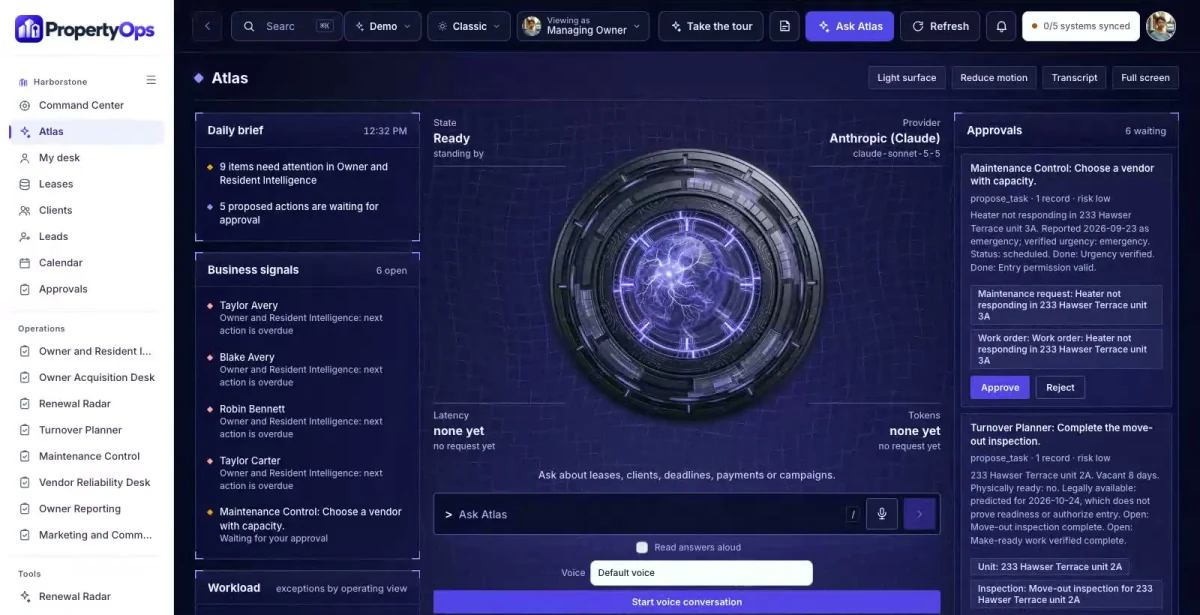

Ask in plain words
Which leases expire in the next 60 days with no renewal offer?
ATLAS answers from the records in PropertyOps, with a link to each source.
PropertyOps is a private command center, member community, company website and ATLAS assistant for property managers and rental portfolio operators. It keeps owners, residents, leases and work orders connected but separate.

Ask about anything in PropertyOps. ATLAS answers from your own records, shows the evidence and suggests the next useful step.
ATLAS works inside your role and the permissions your team sets.

Which leases expire in the next 60 days with no renewal offer?
ATLAS answers from the records in PropertyOps, with a link to each source.
Which vacant units are blocked from release, and by what?
The answer brings the related records, owners and dates together before anyone decides.
Drafts, messages and record changes wait for a person to approve them, and every completed action has a receipt.
A rental portfolio action plan, a cash flow organizer and a turnover checklist give owners a reason to join the community.
Stated goals, property details and service interest sit in an owner view, kept separate from resident lease and service needs.
The manager opens a proposal, renewal or work order knowing the lease dates, open questions and what is still missing.
Which leases are about to expire?
Renewal dates sit in a spreadsheet and offers go out late.
With PropertyOps: Renewal Radar ranks expiring leases by days remaining and open renewal work, using the resident's own stated intent. It never decides eligibility or rent.
Is that unit really ready?
A unit looks done, but the inspection or release is still open.
With PropertyOps: Turnover Planner separates physically ready from legally available. It refuses ready without verified completion and release.
What does the owner see?
Owner questions about statements and repairs turn into a hunt through the ledger and the inbox.
With PropertyOps: Owner Reporting shows imported ledger references, open questions and approved statement delivery, with no private resident messages.
Real screens from the working PropertyOps command center.
Ranks expiring leases by days remaining and open renewal work, using lease dates, the resident's stated intent and versioned offers. No AI-driven rent discrimination or eligibility decisions.
Plans each vacant unit from inspection through make-ready work and vendor dependencies to approved listing launch. Physically ready and legally available are tracked as different things.
Walks each request through verified urgency, entry permission, vendor assignment, estimate review, completion evidence and resident confirmation. Emergency instructions are approved and prominently available.
Tracks portfolio inquiries, service-fit conversations, the property onboarding checklist, approved proposals and management agreement references.
Shows response, accepted work, completion evidence, rework, insurance document status and authorized workload. Vendors are never ranked on unsupported data.
Shows imported ledger references, the reporting period, open questions, actual collections and approved statement delivery. PropertyOps keeps no parallel trust ledger and moves no money.
Owner acquisition with portfolio inquiries, service-fit conversations and approved proposals, plus referral requests and permitted campaigns.
Leases, renewals, turnovers, maintenance requests and vendor assignments tracked from request to confirmed completion.
Separate owner and resident portals and communities, so owner education never mixes with resident conversations.
Imported ledger references and approved owner statements, with collections shown as actual, never inferred.
Each one opens in the working PropertyOps command center, inside the roles that may see it.
The PropertyCircle member community is part of the complete set: a public company website, a member area and three free resources. Permitted member requests flow into the PropertyOps command center. In the Harborstone Property Group demo it runs under the name PropertyPath Circle; yours carries your brand.
The community admin shows member intelligence from permitted activity, so you see which owner resources each member used and what they asked for. The offer and value ladder is editable, so you control which consultations owners are invited to next.
Staff sign in to the same company and see what their role needs. Property owners get a private portal with their own work, documents and messages.
Managing Owner. The whole portfolio: owners, leases, maintenance and reporting.
Maintenance Coordinator. Requests, entry permission, vendors and completion evidence.
Property Owner (portal). Their own properties, reports and messages.
ATLAS answers from Harborstone Property Group’s own records and shows the evidence.
People stay in charge. ATLAS drafts and suggests. Anything that goes out or changes a record waits for a person to approve it.
Your company name, branding, services, workflows and data, in your own private copy of the command center, the member community and the company website.
Your logo, colors, vocabulary, roles and workflows. Your company gets its own private copy with its own data.
Our goal is to reduce build cost by 70 to 90% versus a comparable from-scratch command center, by adapting an existing foundation instead of rebuilding it.
Your proposal spells out the workflows, users, connections and any outside platform costs before you commit. We confirm the schedule once we know your systems.
Savings target compared with a similarly scoped from-scratch build. Your quote and launch date depend on customization, integrations, data readiness and ongoing services. Complex builds take longer.
No sign-in needed. Start with the guided tour, then use the Viewing as switcher to change seats. Data resets nightly.
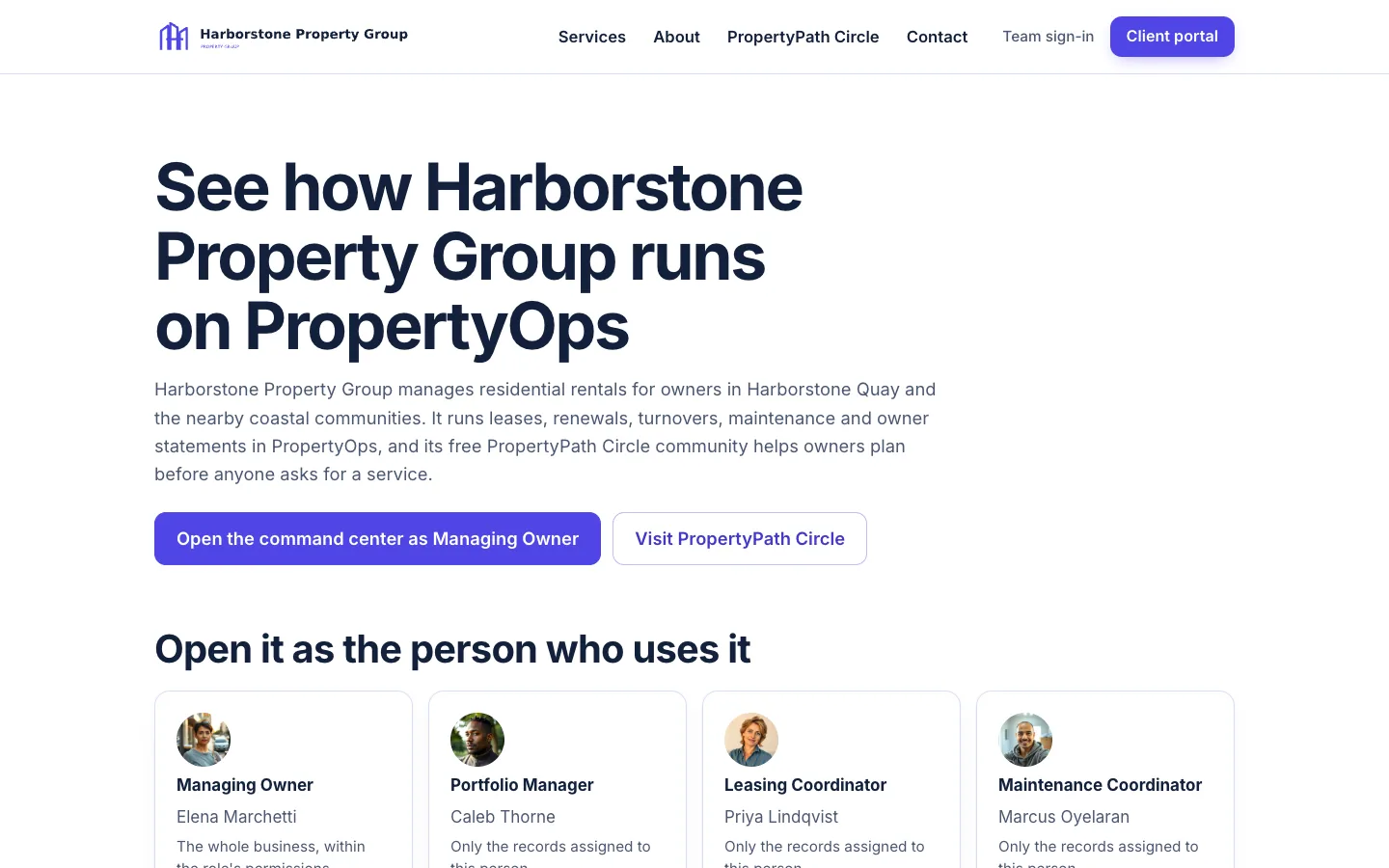
Start at the demo hub for Harborstone Property Group and pick a seat.
Open the demo ↗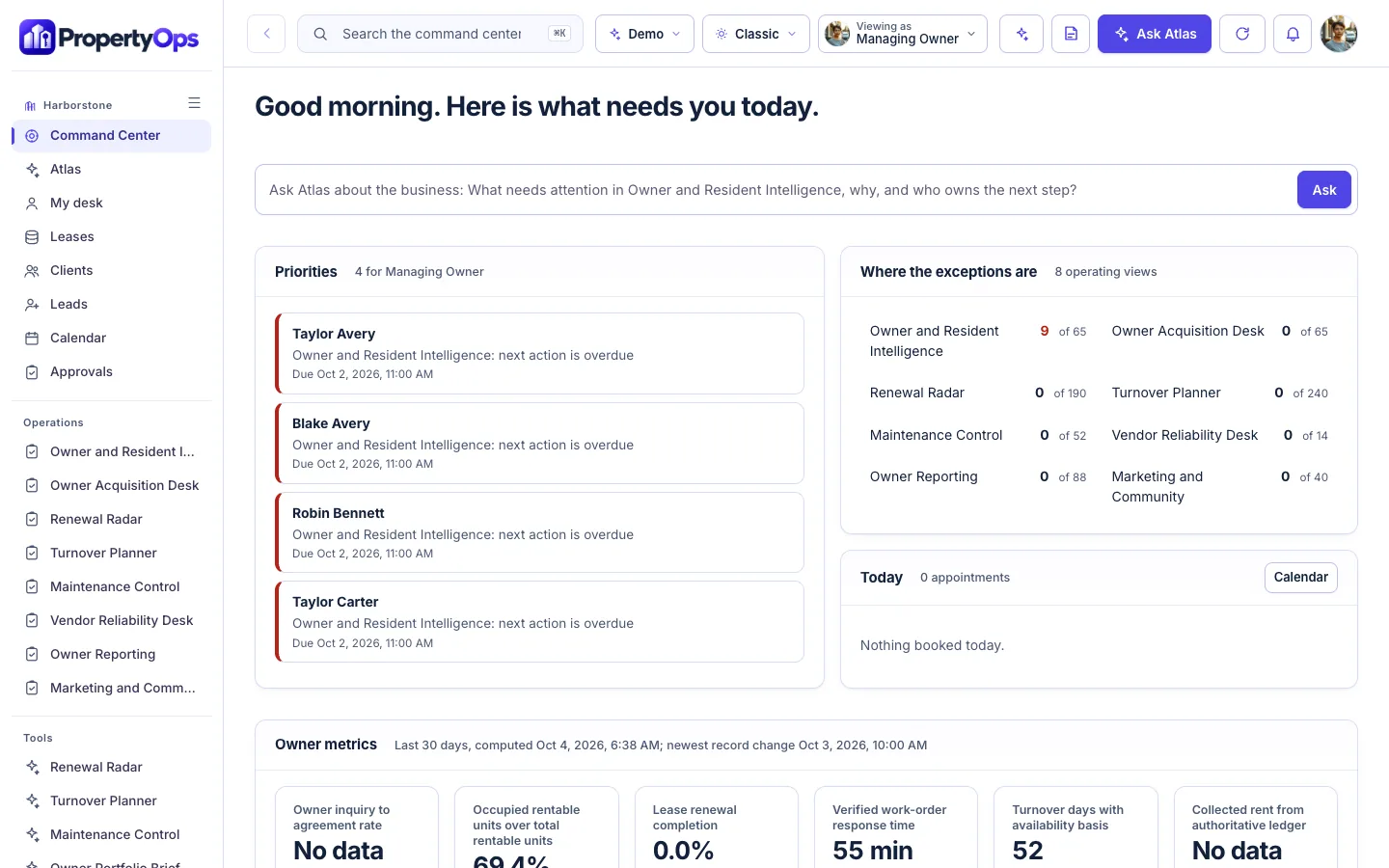
Opens the command center already signed in as the Managing Owner.
Open the demo ↗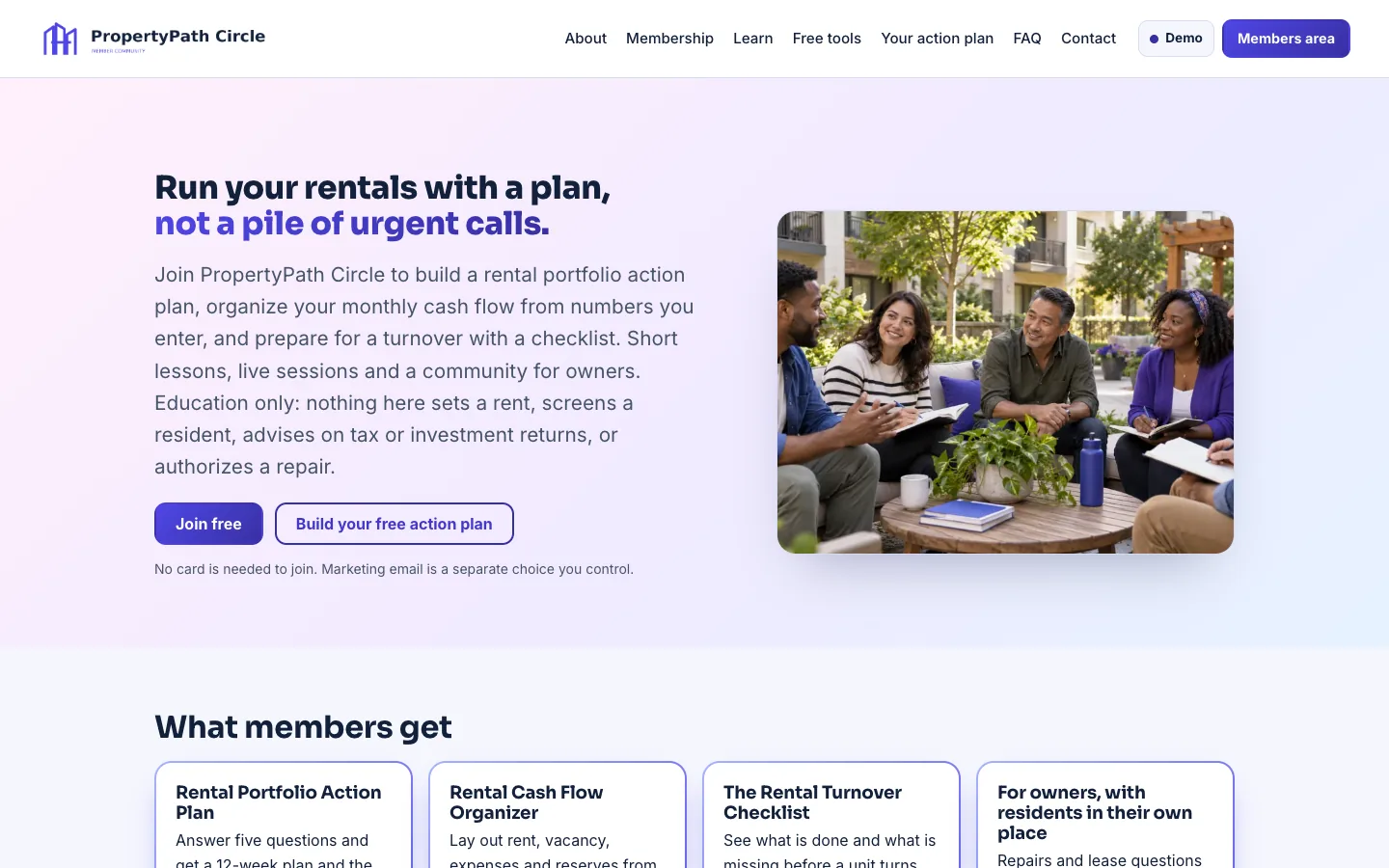
Opens PropertyPath Circle, the Harborstone Property Group’s member community, as a member.
Open the demo ↗Each row shows what works today. Native features are built in; the other connections are simulated, imported or planned until we connect and test them in your scope. The Integrations screen shows each connection’s real state.
Native: built in and tested in the demo. Demo: sample or simulated behavior only. Planned: designed, not built.
A 15-minute walkthrough with your business in mind.
Workflows, users, connections and outside platform costs, in writing, before you commit.
Your brand, vocabulary, roles and the connections in scope, on your own private copy.
We confirm the schedule once we know your systems.
The AI Command Center core plan is $497/month with an agreed initial scope. Your proposal lists what is included (systems, users, automations, AI usage, hosting, support and onboarding) and any outside platform costs before you commit. The PropertyCircle member platform and any complex connections are quoted with your scope.
Yes. Every customer gets its own private copy of PropertyOps: its own code, server and database, holding only its own data.
Yes. Your logo, colors, company name and vocabulary. Your team sees your brand, not ours.
No. Harborstone Property Group is a fictional company and its records are sample data. Your own company, owners and properties replace them in your copy.
No. PropertyOps organizes records and workflows. People make rent, eligibility and deposit decisions. It does not score residents, and it keeps no trust ledger or money movement of its own.
Yes. PropertyOps is sold as a complete set: the command center, the PropertyCircle member community, the company website and ATLAS. PropertyCircle can also run on its own.
No. ATLAS drafts and suggests. A person reviews and approves anything that goes out or changes a record.
It depends on your users, workflows and connections. Book a live demo and we will scope it with you; your proposal lists what is included and any outside platform costs before you commit.

Book a 15-minute live demo. We will walk through PropertyOps with your properties, owners and maintenance process in mind, and agree what a first scope could look like.
The same proven foundation, shaped for other industries. Not in one of them? We build yours.
 Scope, change orders and budgets in one cockpit, for builders.Explore BuildOps →
 Households, listings and offers in one cockpit, for brokerages.Explore EstateOps →
 Borrower files, conditions and locks in one cockpit, for lenders.Explore MortgageOps →
 Customers, stock and margin-aware campaigns, for retail stores.Explore RetailOps →
 Arrival readiness and service recovery, for hotels and inns.Explore HospitalityOps →
 Households, reviews and service promises in one cockpit, for advisors.Explore WealthOps →