“How much do I need?”
A guess can mean another trip or the wrong purchase.
Show the measurement inputs and quantity calculation.
Give DIY customers a project-planning app on their phone or your store iPad. Turn measurements into a materials list, flag fit questions and connect the shopper with an associate before they buy.
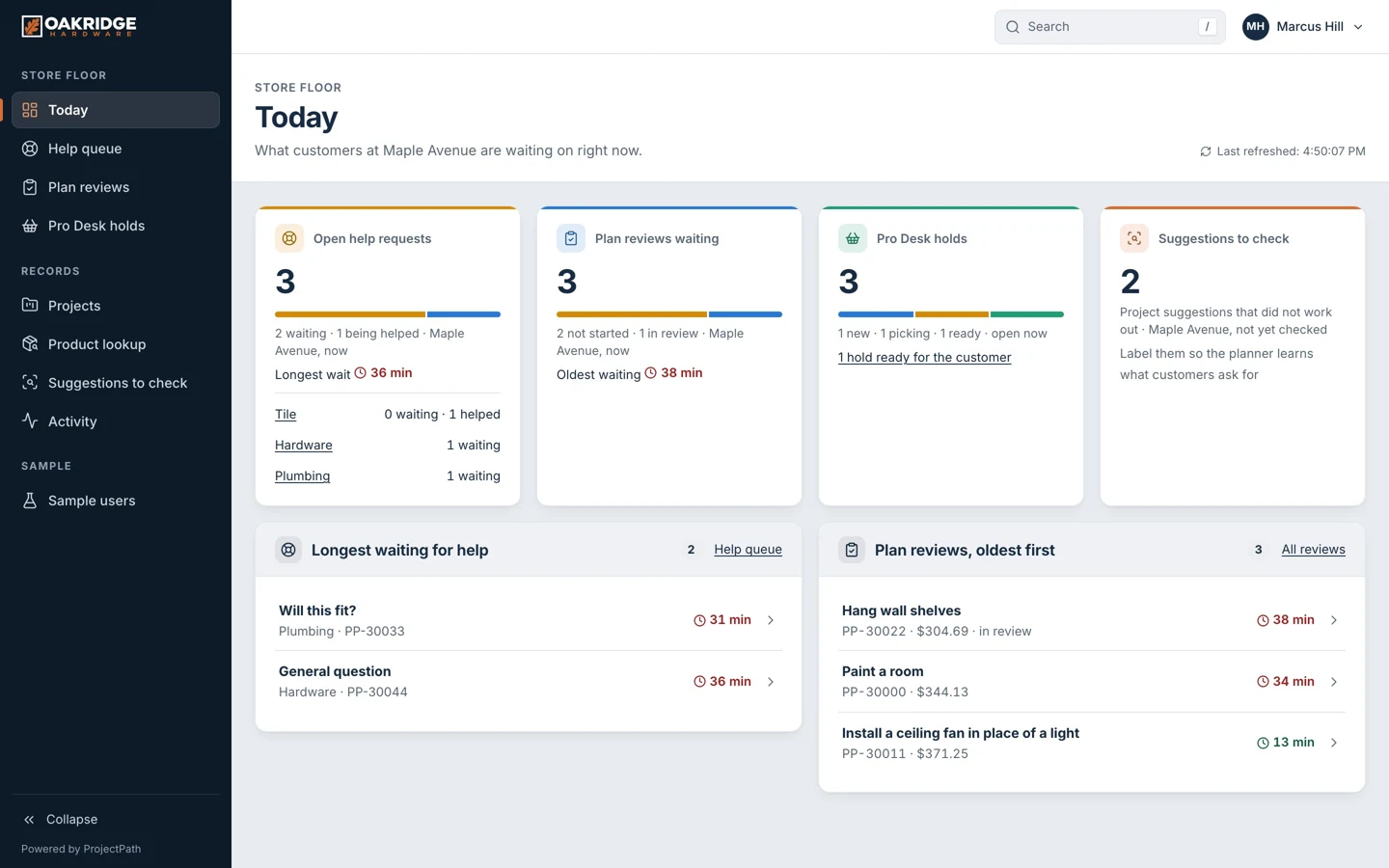
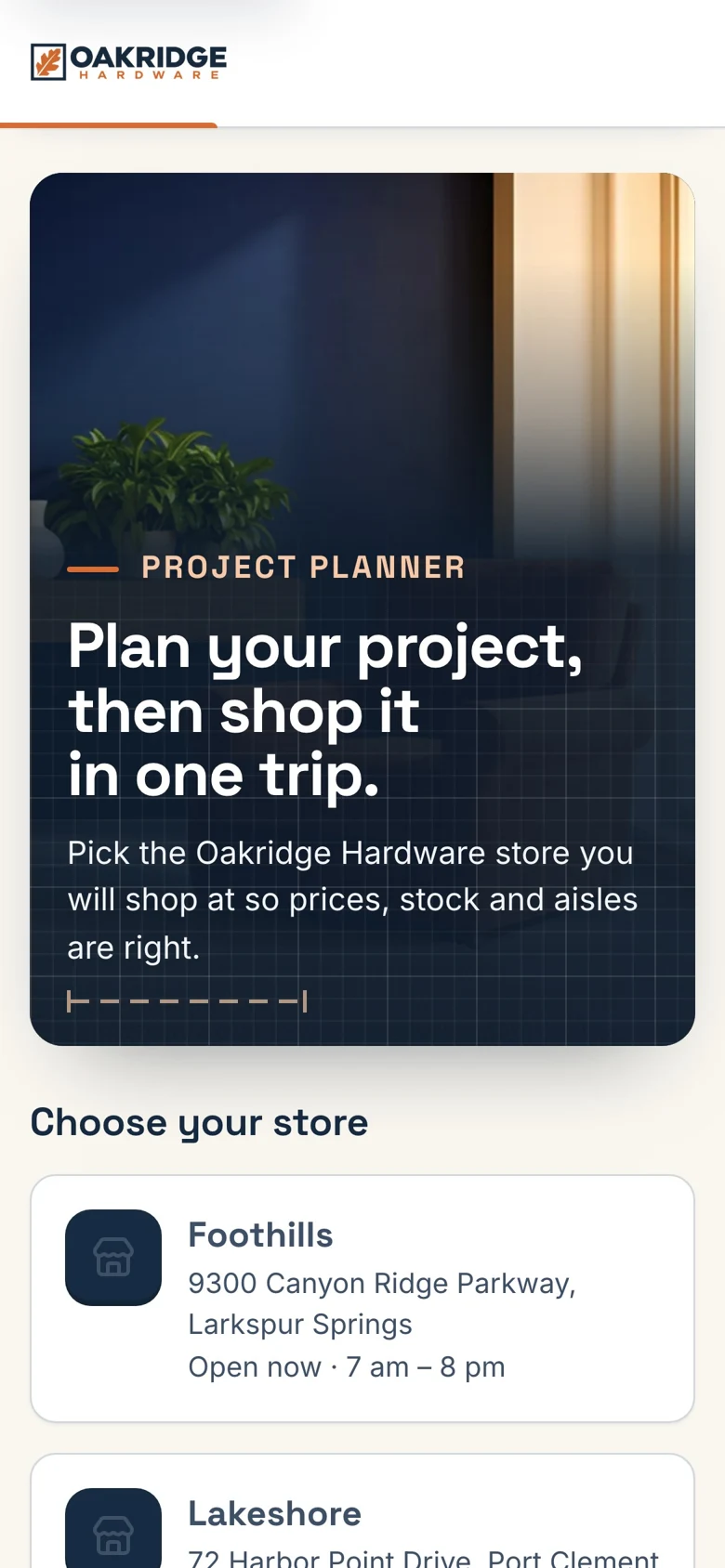
Guided questions capture the project and its measurements.
Materials, quantities, compatibility checks and aisle guidance make it actionable.
Staff review uncertain suggestions and help with the specific project.
A guess can mean another trip or the wrong purchase.
Show the measurement inputs and quantity calculation.
Customers often discover a compatibility issue too late.
Check known attributes and flag what needs an associate’s review.
The associate has to rebuild the project from scratch.
Bring the questions, dimensions and unresolved issue together.
ProjectPath shows what is possible. We customize the branding, content, customer journey and staff workflows for your business. Your customers use your experience.
Your logo, colors, products, services, locations and way of working. Start with a proven foundation and make the experience your own.
Our goal is to reduce build cost by 70% to 90% versus a comparable from-scratch experience app, by adapting an existing foundation instead of rebuilding every component.
Straightforward projects can go live within a week once scope, content and access are ready. We confirm your schedule before the work begins.
Savings target compared with a similarly scoped from-scratch build. Your quote and launch date depend on customization, integrations, content readiness and ongoing services. Complex builds take longer.
A phone or store kiosk guides the questions, shows the calculation and keeps materials, options and next steps together.
Explore the real screens
Opens the demo. Choose the matching view shown above.

The team sees the project and the question, reviews suggestions and manages product mappings. Customers do not have to start the story again.
See the team workspaceOpens the demo. Choose the matching view shown above.
Help customers consider prep materials, tools and accessories alongside the main purchase.
Share the measurements and plan so the conversation begins with context.
Check quantities and compatibility questions before the customer heads home.
Try your own assumptions. This is an opportunity model, not a forecast.
Volume × opportunity rate × value
Illustrative assumptions. Not measured results, guaranteed revenue or profit. Excludes app fees and other costs.Open ProjectPath and choose a view, or start its guided tour to see how a request moves between people.
See what the customer, frontline team and company leaders see.
The guided tour moves between views and explains what happens next.
Opens the demo hub. Choose “Start the guided tour” there.

The customer turns a project idea and measurements into a plan.
See it liveAn associate helps resolve questions in the project plan.
See it liveThe specialist reviews details that need store expertise.
See it liveA shared in-store device starts the customer’s project.
See it liveThe store manager sees the work across the store.
See it liveHead office oversees the company’s project experience.
See it liveFollow “Kiosk: the welcome screen” in the guided tour. The tour explains the action and shows what happens next.
See it liveFollow “Kiosk: measured, not guessed” in the guided tour. The tour explains the action and shows what happens next.
See it liveFollow “Kiosk: ask an associate to check the list” in the guided tour. The tour explains the action and shows what happens next.
See it liveFollow “Phone customer at home” in the guided tour. The tour explains the action and shows what happens next.
See it liveThe app’s built-in demo controls.
See it liveThe app’s built-in demo controls.
See it liveExplore the workflows shown in the demo. We confirm the features, rules and connections for your business before production.
Project guidance does not replace professional construction advice. Safety gates and staff review remain part of the workflow.
Describe the job and answer relevant measurement questions.
Show how dimensions become material quantities.
Use project templates to include required accessories.
Check known product attributes and send uncertainty for review.
Compare suitable alternatives for the project.
Account for what the customer already has.
Organize the list around the store’s own layout.
Provide project steps and identify work that needs professional help.
Keep the plan available when the customer continues at home.
Review suggestions, pickups, catalog mappings, templates and reports.
One department, a few common jobs. Measure complete project baskets, assistance time and material-list corrections before growing the template library.
Book your demoWe map your customers, team, locations and goals. You get a clear scope, quote and launch plan.
We tailor the brand, content and workflows, then test the complete journey with your team. Straightforward launches can be ready in as little as a week once content and access are ready.
Launch the agreed experience, measure what changes and plan the next improvement or location rollout.
It helps shoppers move from an idea and measurements to a materials list, fit checks and an aisle route. ProjectPath connects that plan with associate review.
Project templates use agreed calculation rules and customer measurements. We review units, waste allowances, pack sizes and edge cases with your team before launch.
Yes. Associate review is part of the example workflow. The production setup defines which projects need review and which plan version a staff member approved.
No. It supports retail planning and product selection. Safety-sensitive, structural, electrical and other regulated work must be referred to the appropriate qualified professional.
Your quote depends on the workflows, locations, data and integrations in scope. Our goal is to reduce build cost by 70% to 90% versus a comparable from-scratch experience app, by reusing an existing foundation. That is a savings target, not a guarantee. We separate build work, ongoing services and third-party costs in your proposal. Book a demo for a tailored quote.
A focused launch can sometimes be ready within a week after scope, content and access are ready. Catalog imports, integrations, approvals and complex rollouts need more time. Your proposal confirms the schedule.
Yes. We tailor your logo, colors, content and agreed workflows. The web experience runs on supported phones, tablets and computers without an app-store download. Your device and access requirements are tested before launch.
Bring us one common customer project. We’ll show how your products, practical guidance and associate expertise can work together in a branded planning app.
 Spas & wellness groupsExplore the app
 Grocery chains & supermarketsExplore the app
 Auto repair shops & service groupsExplore the app
 Heating, cooling & plumbing companiesExplore the app
 Family entertainment & adventure parksExplore the app
 Equipment rental networksExplore the app
 Restaurant franchises & hospitality groupsExplore the app
 Nail salons & studio groupsExplore the app
ProjectPath is shown with a fictional business and sample data.
