
Home
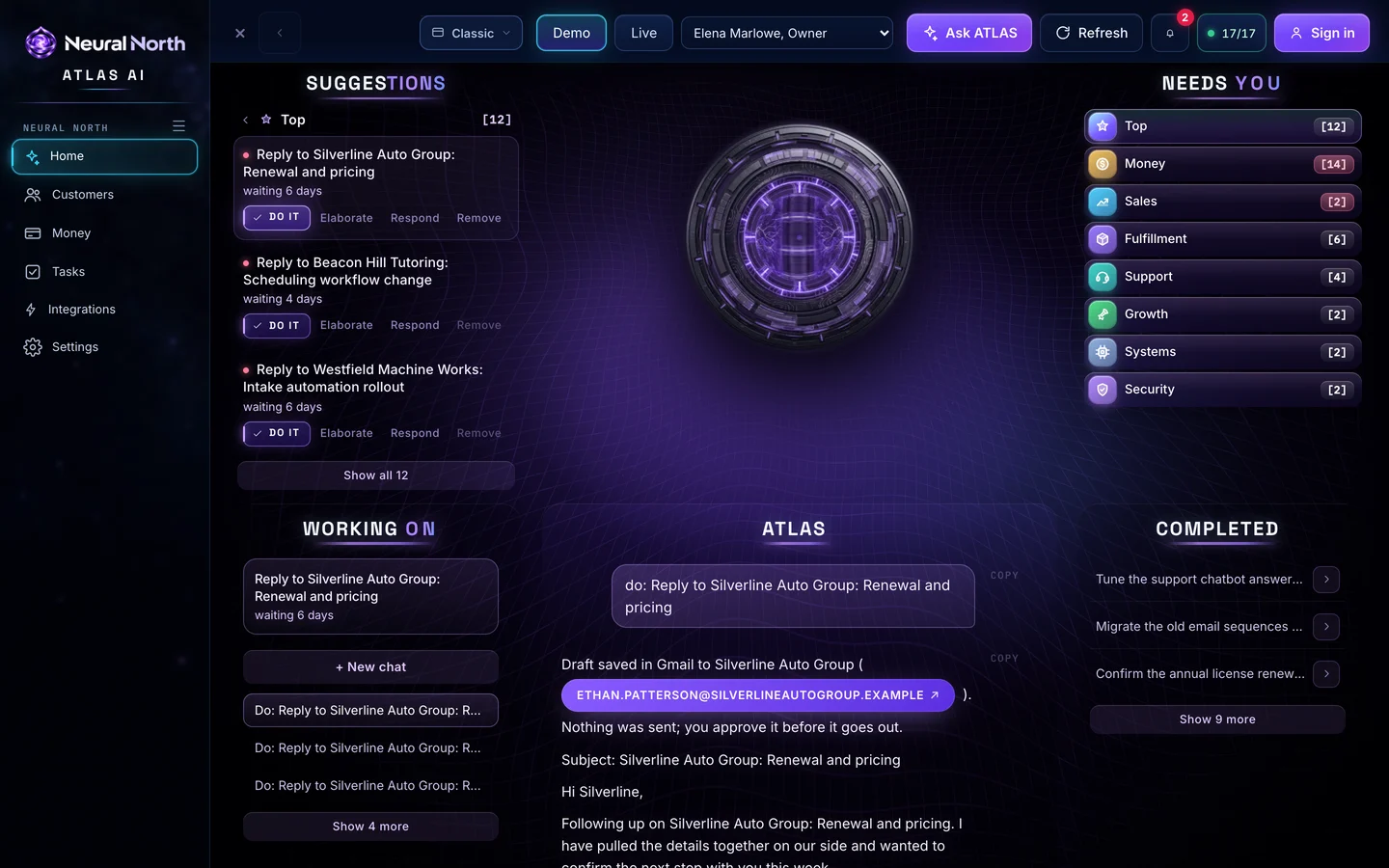
The ATLAS reactor, a Suggestions board and a Needs-you board in eight categories, and a console to ask anything.
Touch the reactor to talk or say Hey ATLAS. Tap Solve, Do it or Push on any suggestion and ATLAS gets to work.
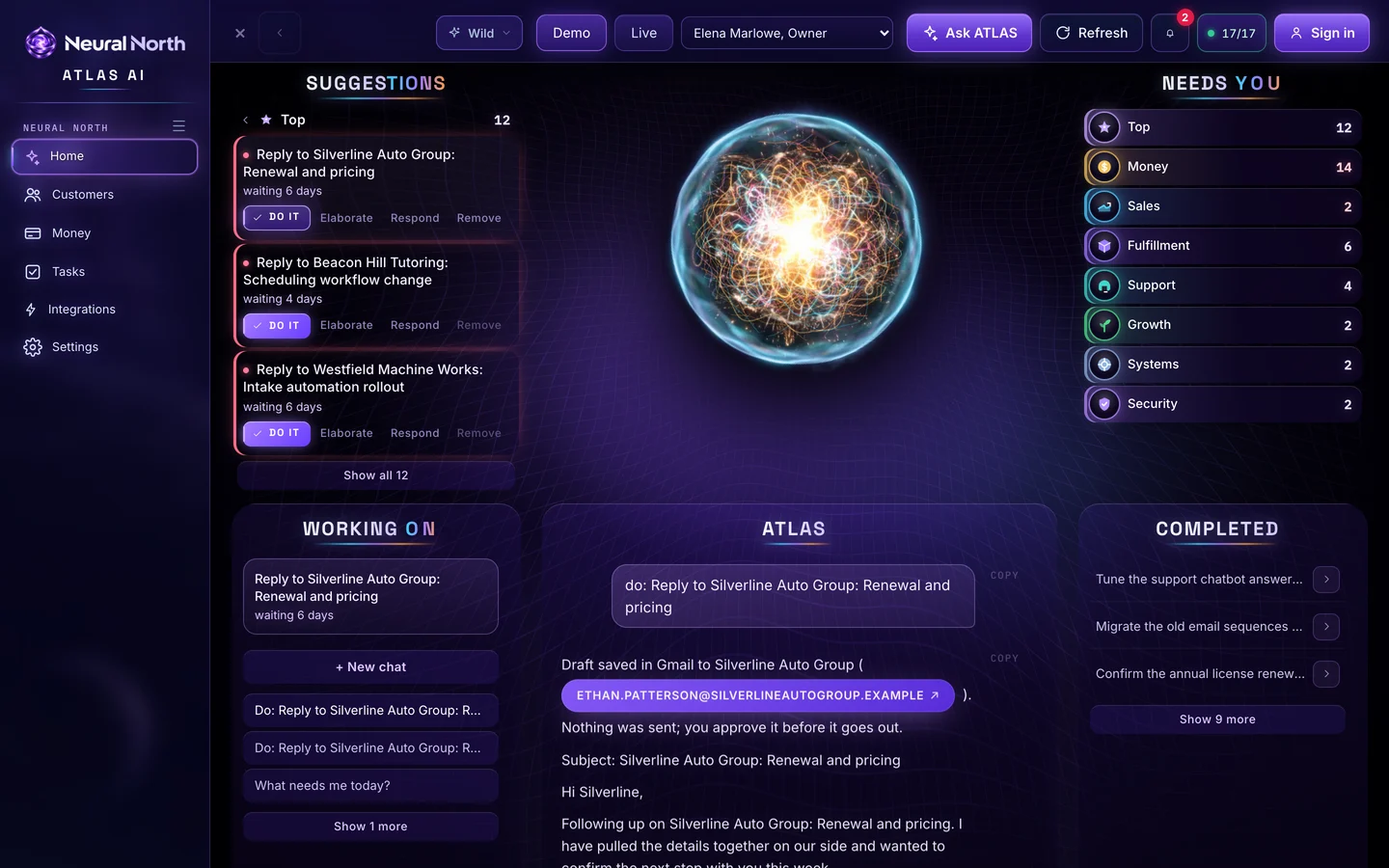
A white-label AI command center for any business. Ask a question, give a command or tap a suggestion. ATLAS works across the 17 tools you already use and shows you what needs you today.
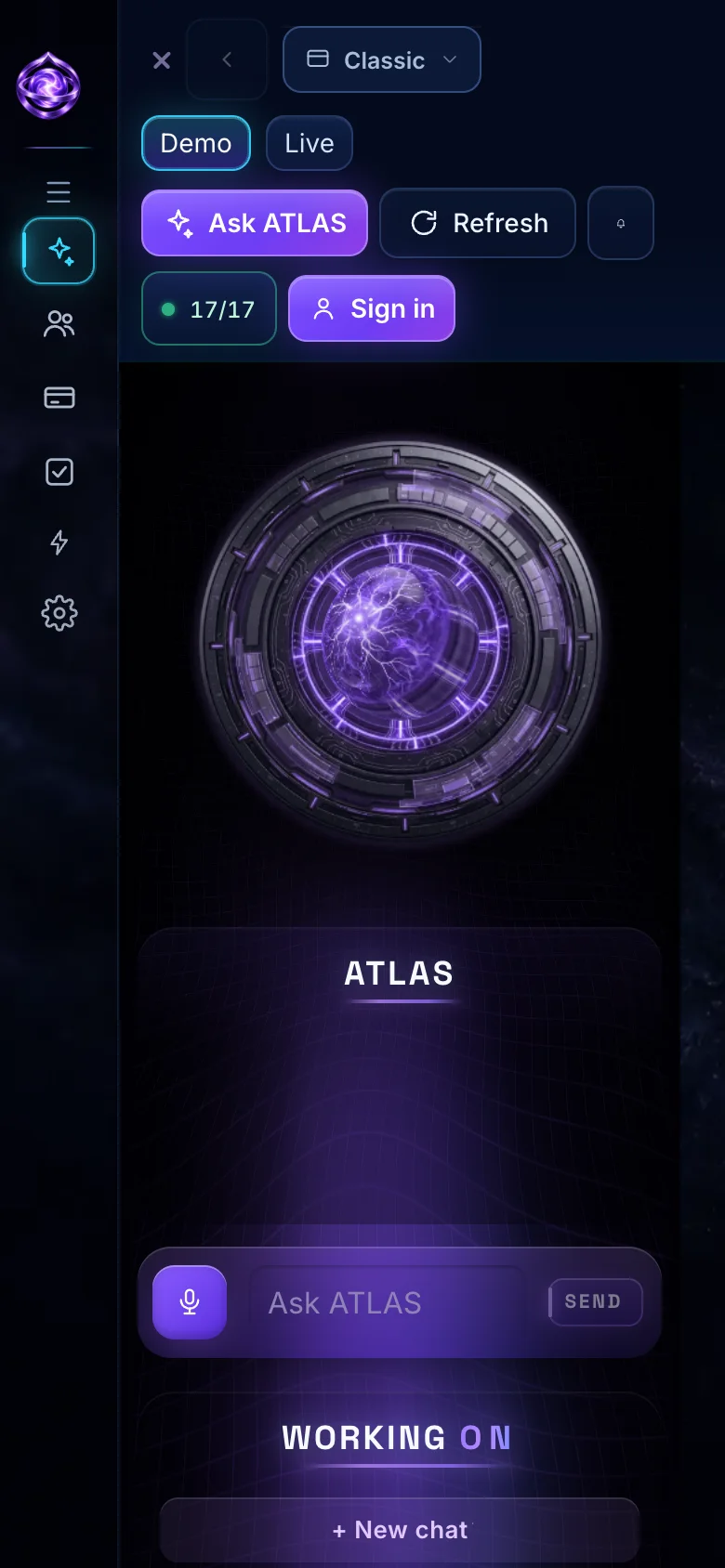
ATLAS is the voice brain at the center of Home. It reads your connected tools, answers in plain words and tells you what to do next. Touch the reactor to talk, or say Hey ATLAS.
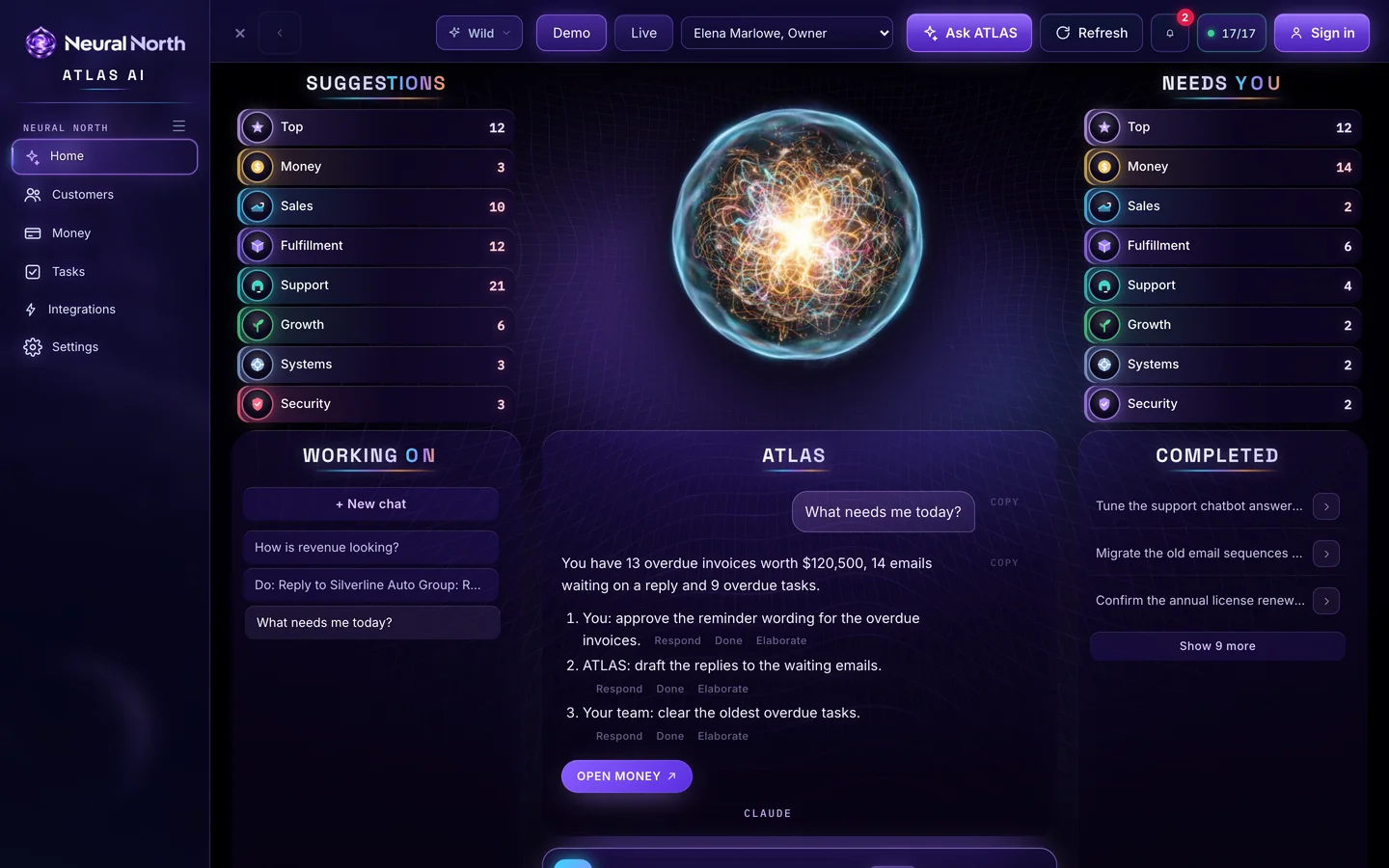
Each page is built for one job, and ATLAS is one tap away on all of them. These are the real screens from the live demo.

The ATLAS reactor, a Suggestions board and a Needs-you board in eight categories, and a console to ask anything.
Touch the reactor to talk or say Hey ATLAS. Tap Solve, Do it or Push on any suggestion and ATLAS gets to work.
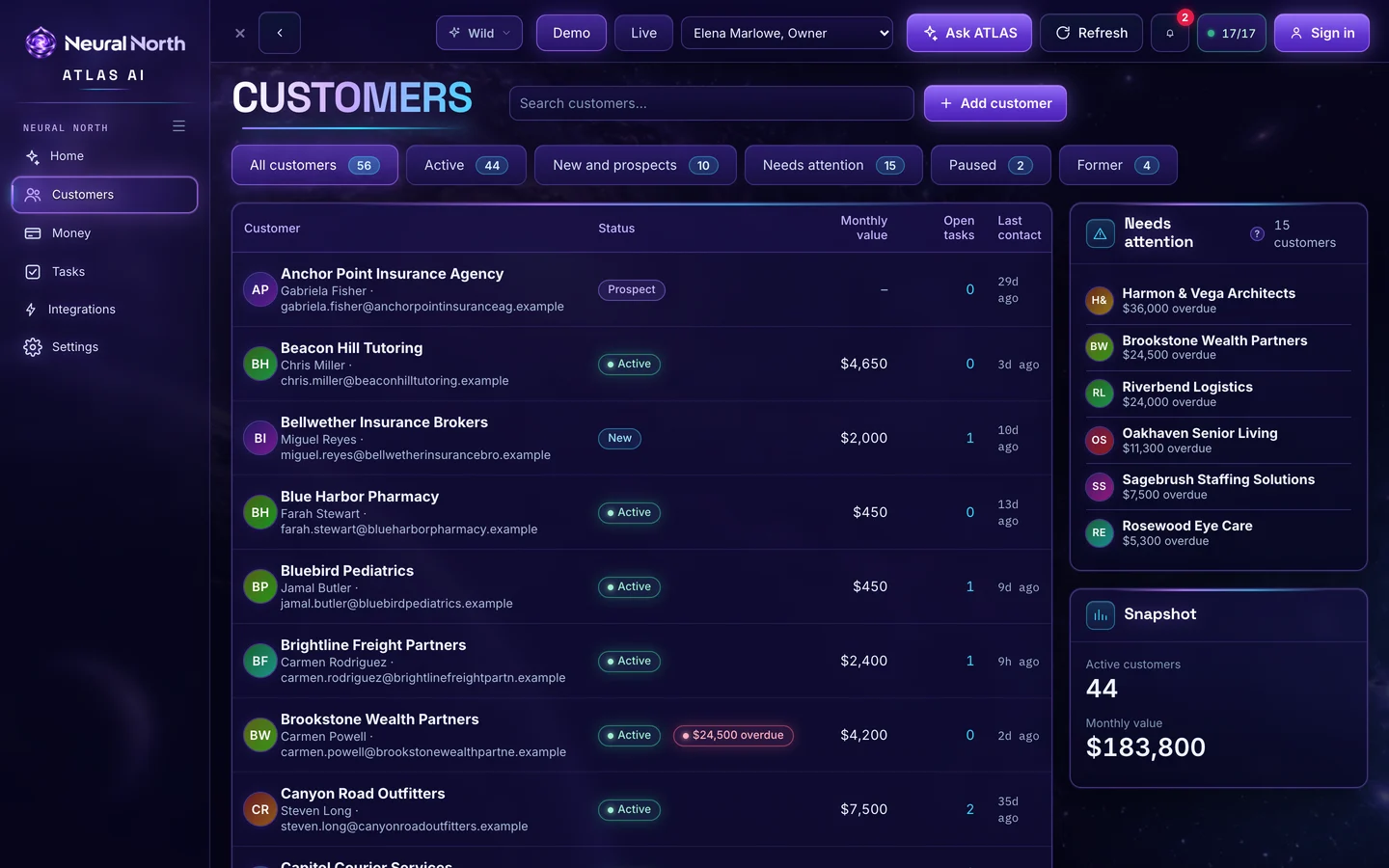
Every customer in one list, with status, monthly value, open tasks and last contact.
A Needs attention panel surfaces who is overdue, and a snapshot shows active customers and monthly value.
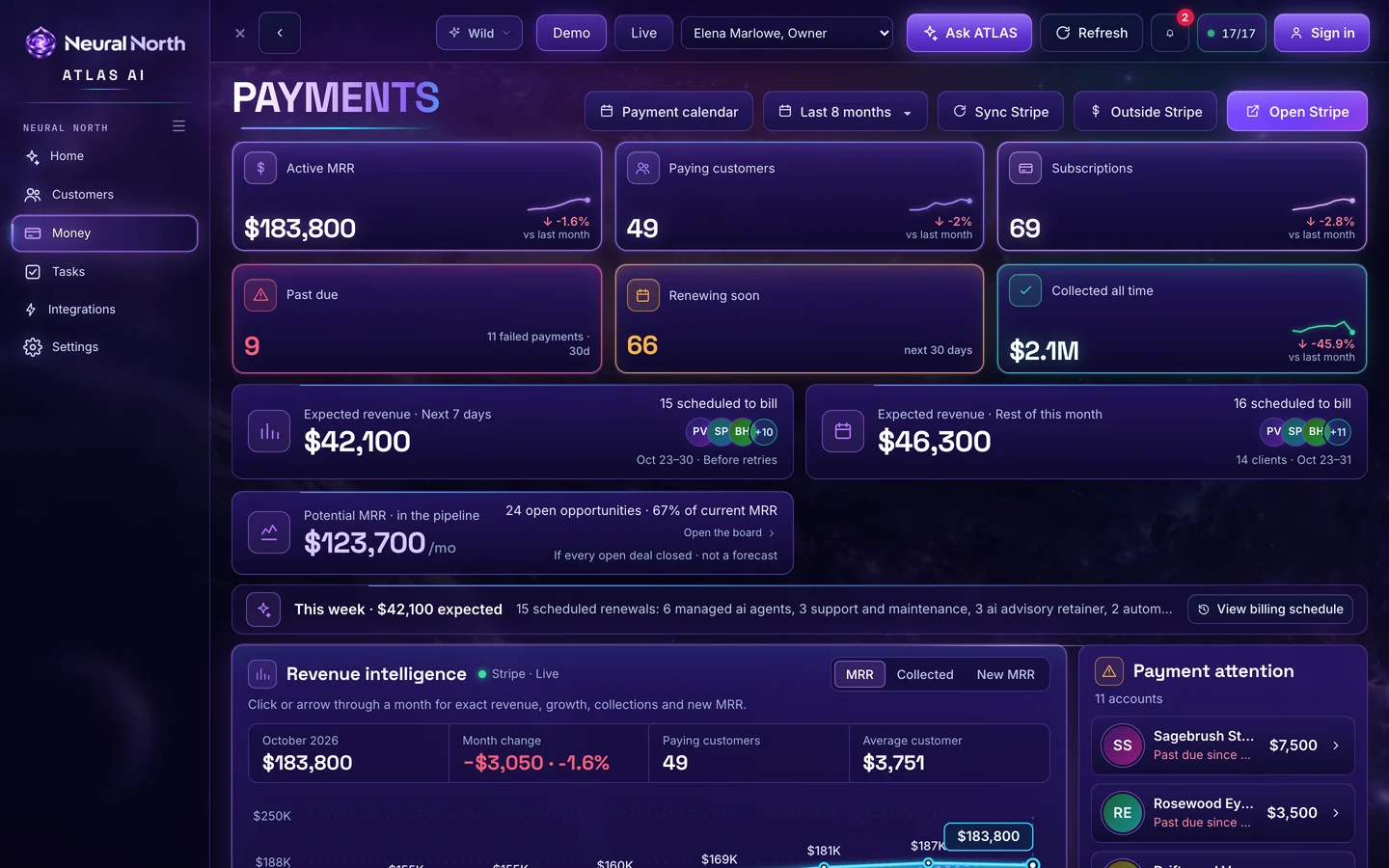
Revenue, paying customers, past-due accounts and what is expected next, drawn from Stripe.
See renewals coming up, which accounts need payment attention, and the month-by-month revenue trend.
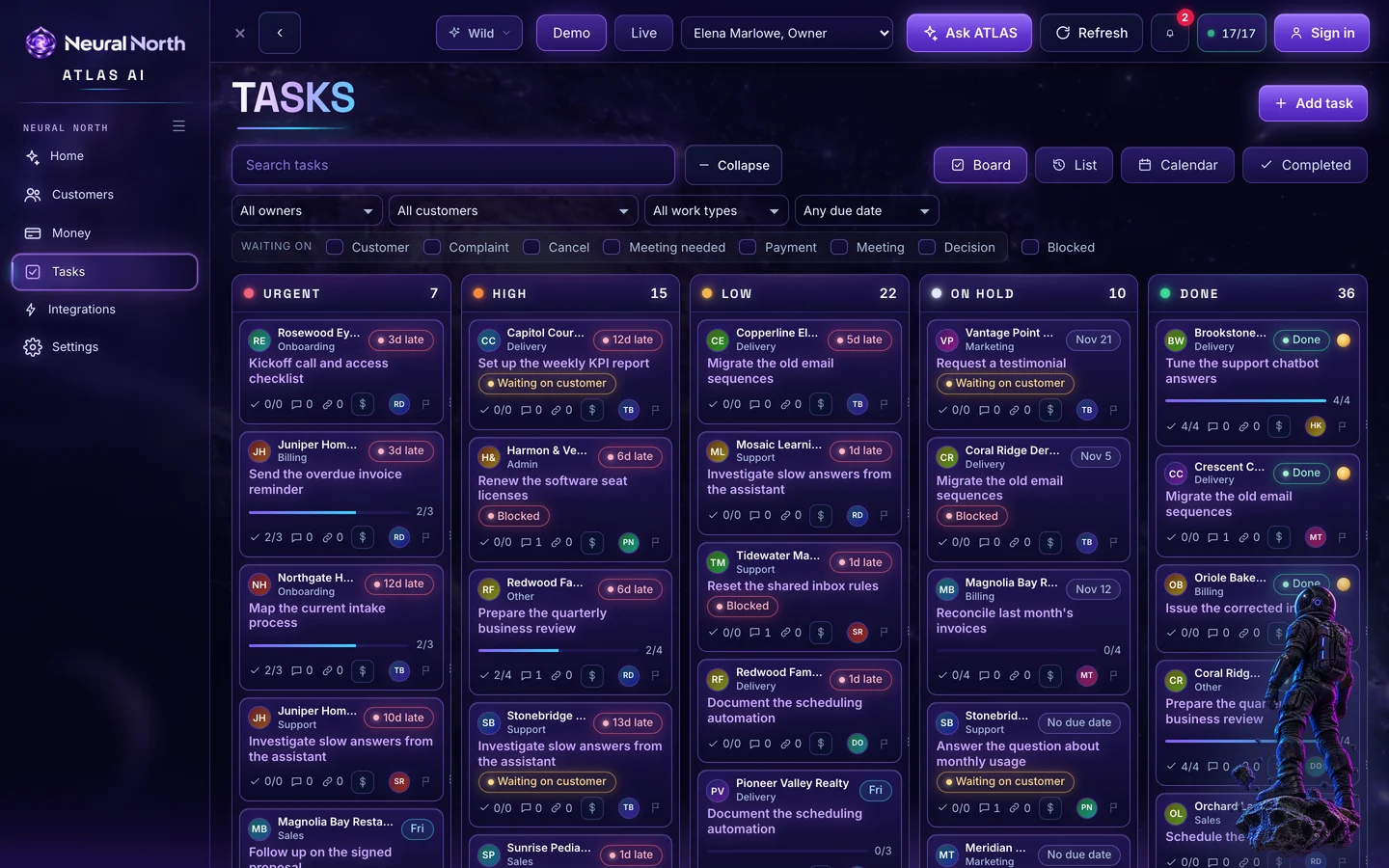
A board of work by urgency, with owners, due dates and what each task is waiting on.
Switch between board, list, calendar and completed. Filter by owner, customer, work type or due date.
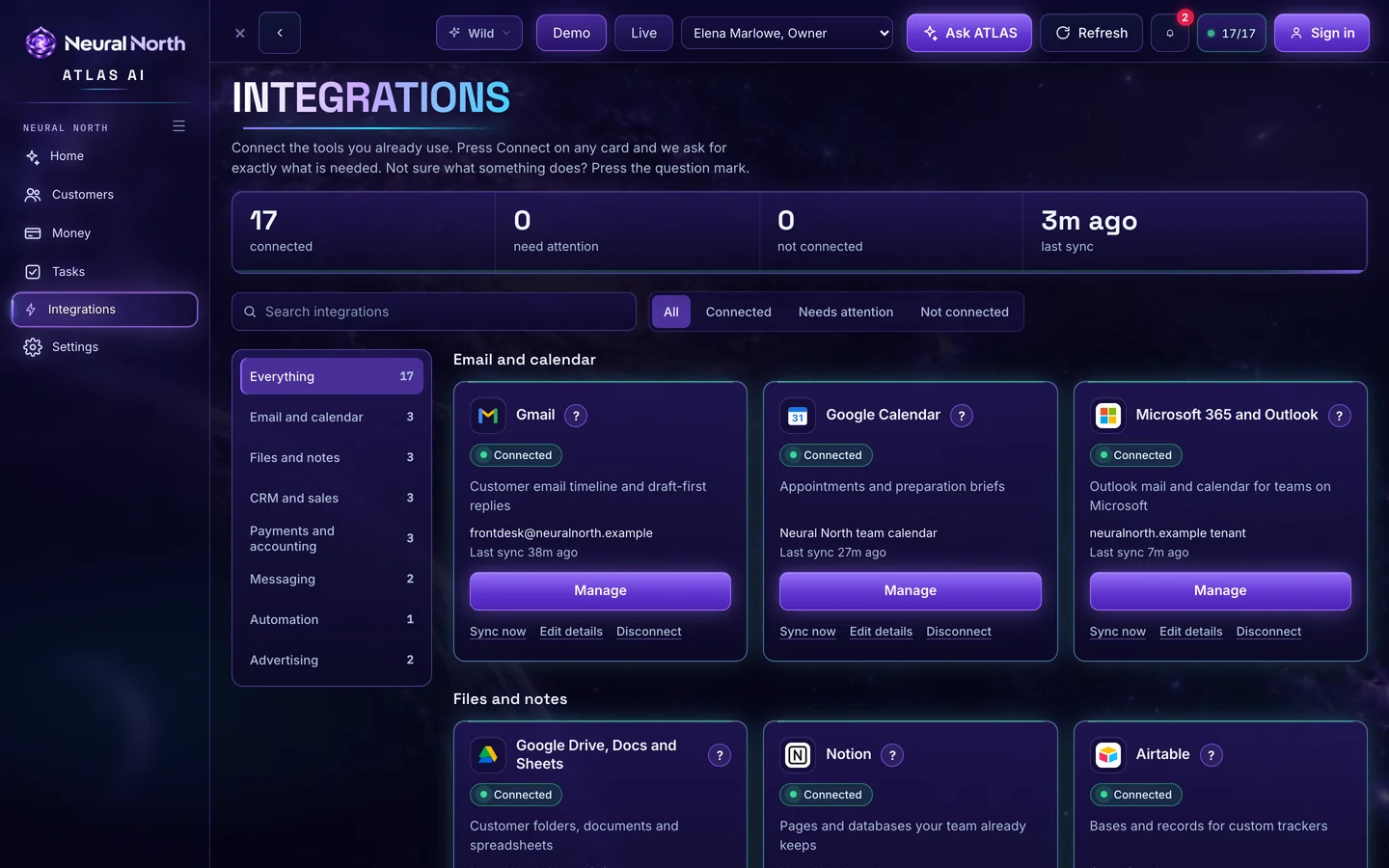
All 17 tools in one place, with status, last sync and one-button Connect.
Search, filter by what is connected or needs attention, and open any card to connect, sync or edit it.
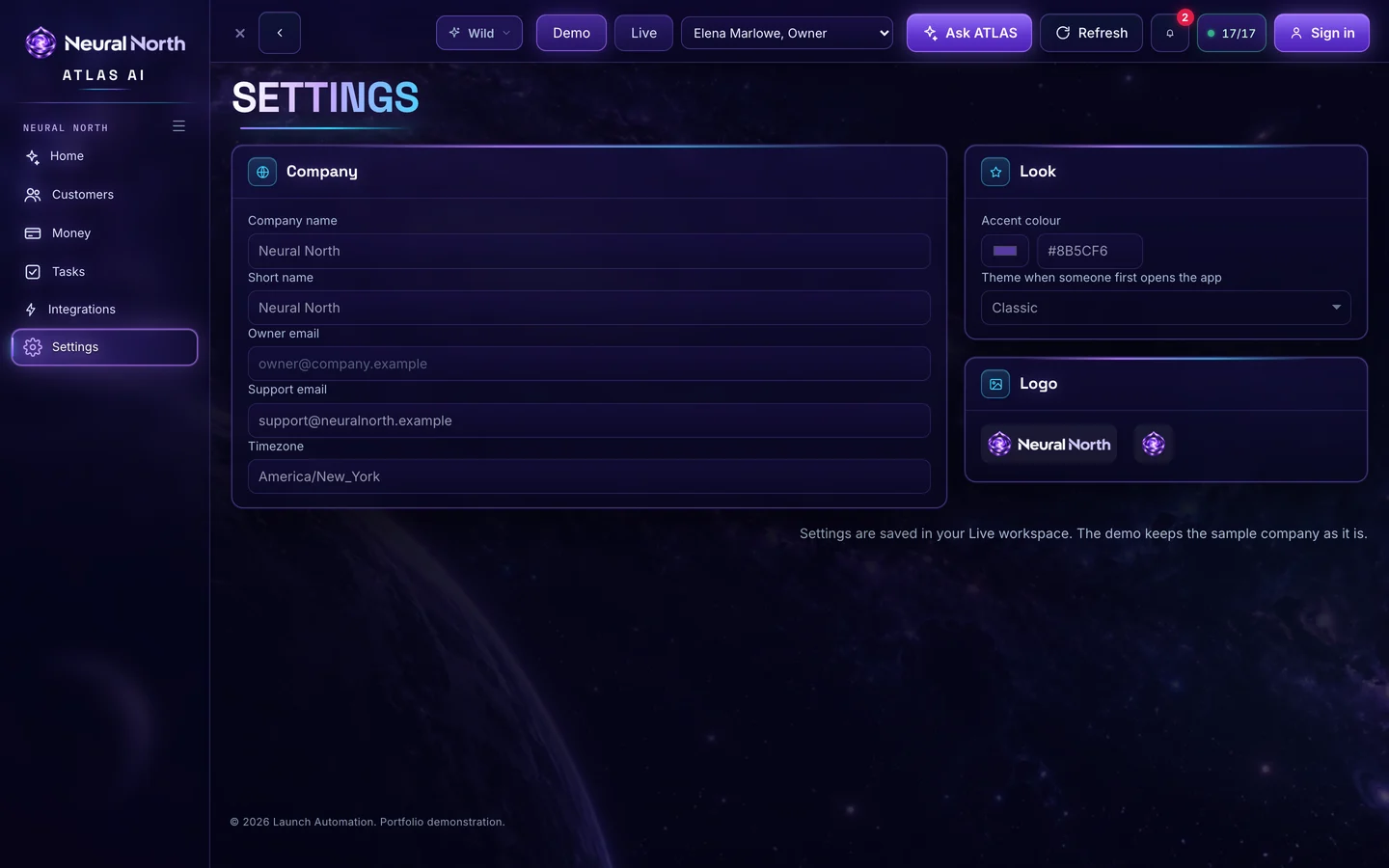
Your brand, your connections, your team.
Set your logo, colours and business name, switch between the four themes, and switch between demo and live. Invite your owner and manage who sees what.
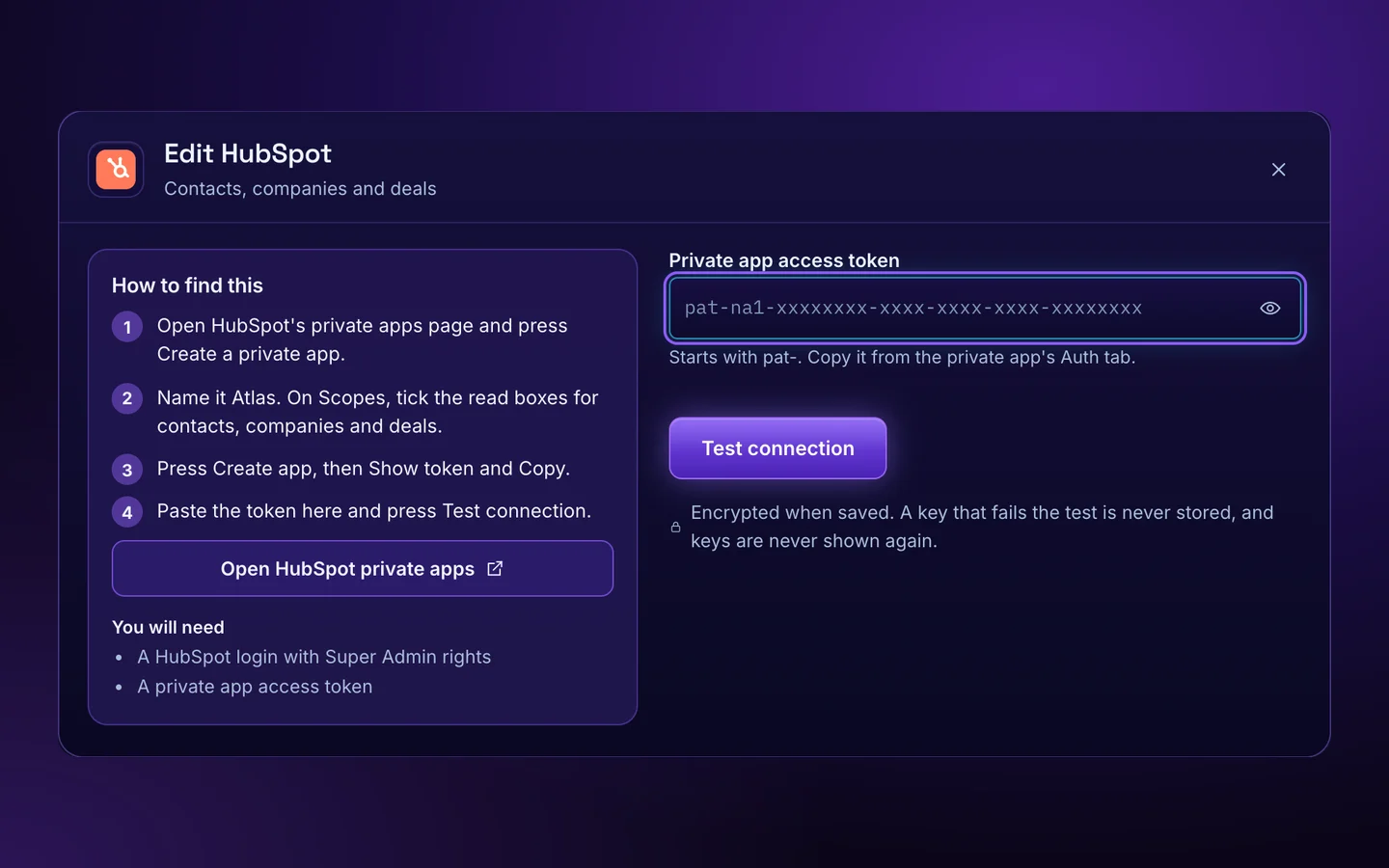
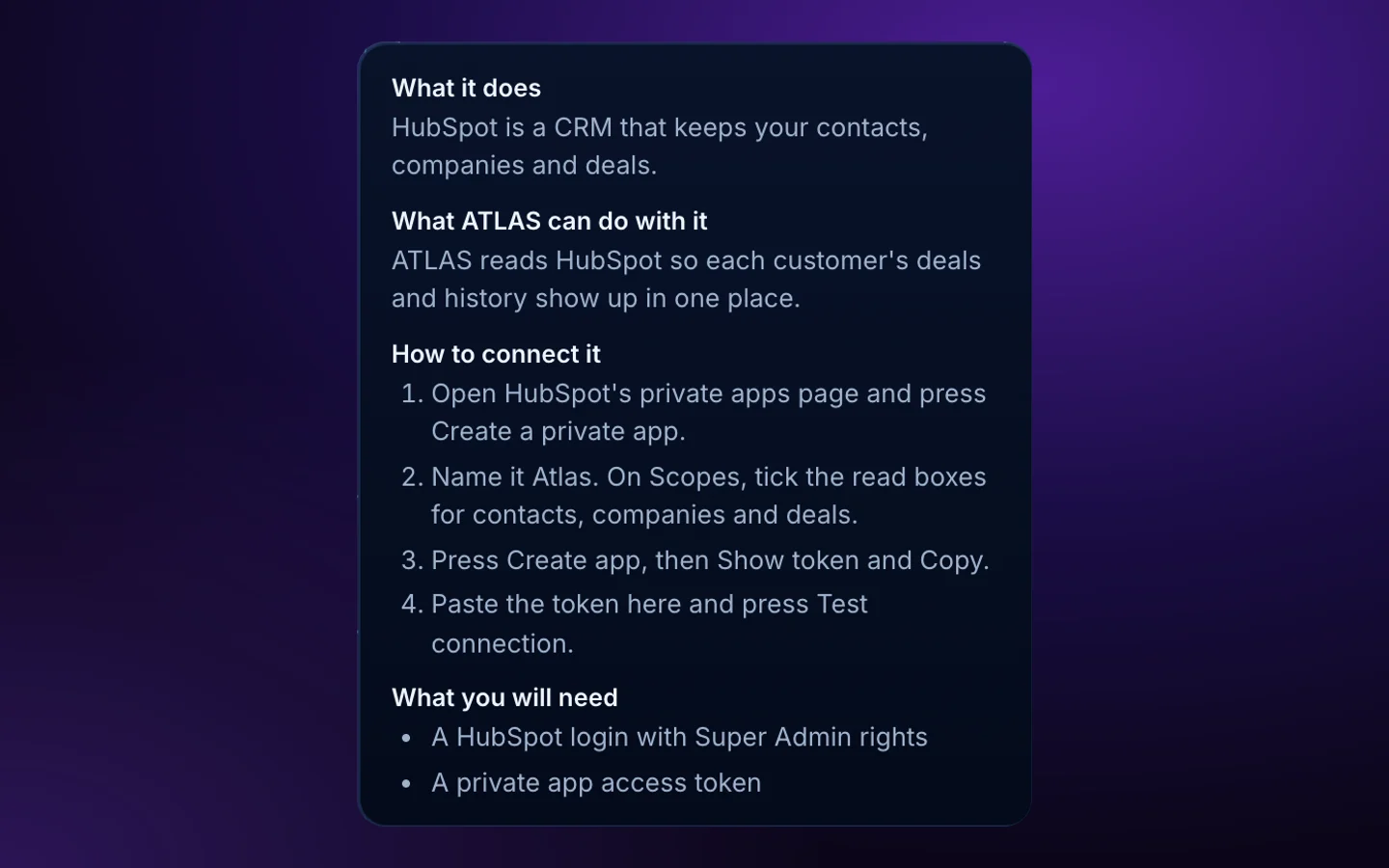
Atlas AI syncs with 17 tools. Press Connect, follow the numbered steps, and you are done. Not sure what a tool does? Press the question mark.
 Gmail
 Google Calendar
 Google Drive, Docs and Sheets
 GoHighLevel
 HubSpot
 Calendly
 Stripe
 QuickBooks
 Shopify
 Slack
 Twilio SMS
 Zapier and Make
 Notion
 Airtable
 Microsoft 365 and Outlook
 Meta AdsRead-only
 Google AdsRead-only
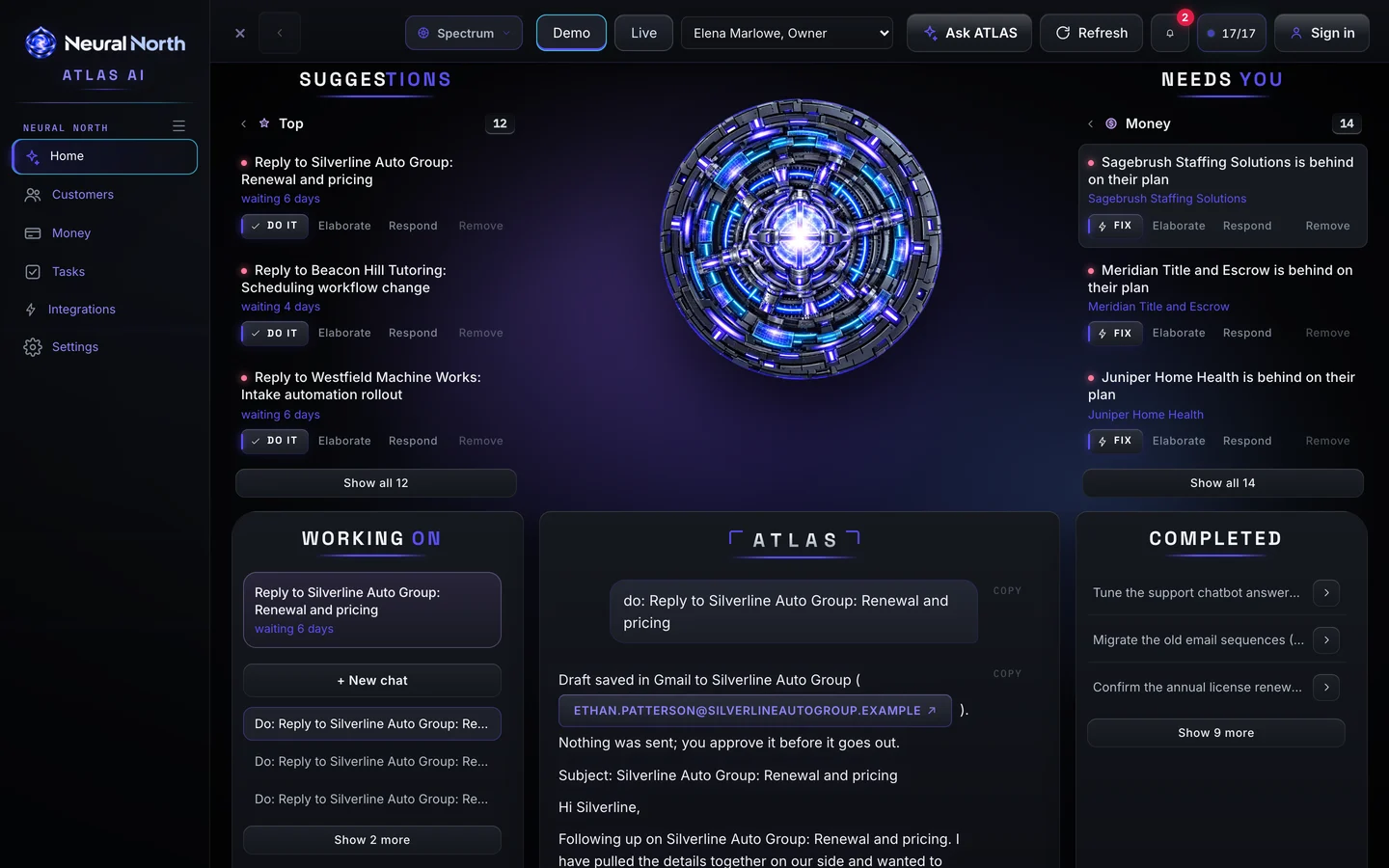
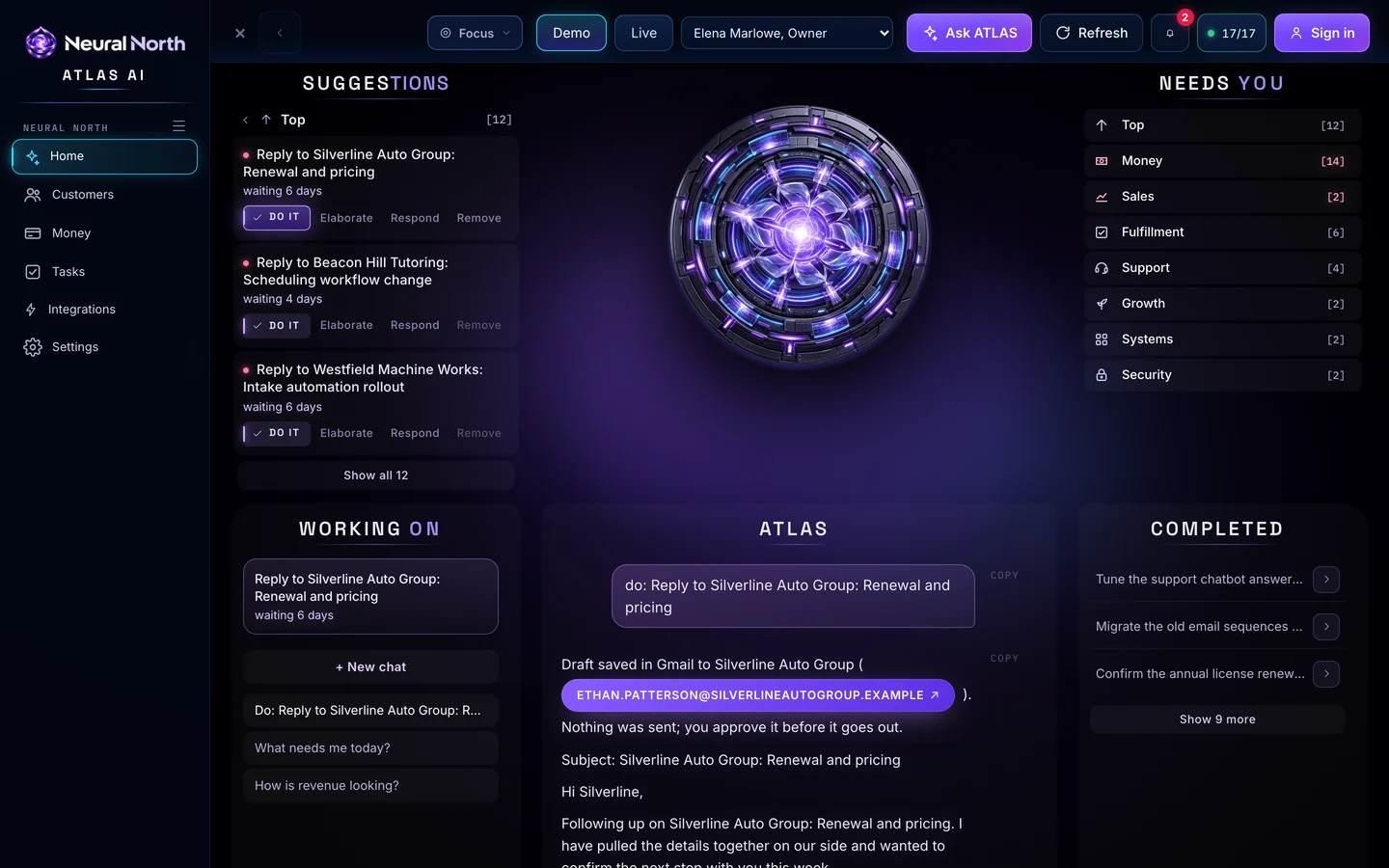
Switch any time from the top bar. All four are shown here with ATLAS mid-answer. Spectrum cycles its colour through the logo and the chrome.
Atlas AI is white-label. Your team sees your logo, your colours and your business name, not ours.

ATLAS does the legwork. You make the calls.
ATLAS writes emails as drafts in Gmail. You read and approve each one before it goes out.
Meta Ads and Google Ads connect for reading. Atlas AI cannot change a campaign or spend a dollar.
Keys are encrypted when saved. A key that fails its test is never stored, and keys are never shown again.
Connect only the tools you want. Disconnect any of them at any time and the saved key is deleted.
If you have customers, money, tasks and tools, Atlas AI fits.
Ask which invoices are overdue and have ATLAS draft the reminders in Gmail, ready for you to approve.
See a customer's emails, deals, tasks and billing together instead of across five tabs.
The Needs-you board shows what is waiting on you, sorted into eight categories.
Tasks by urgency, owner and what each one is waiting on, with late items surfaced.
Revenue, paying customers and renewals from Stripe, with a plain answer when you ask how it is looking.
Ask while you walk into a meeting. Say stop and ATLAS stops.

$297per month, flat
No tiers, no per-seat surprises. Three-month minimum, then month to month.
No. Every integration has a Connect button that opens a dialog with numbered steps, and a ? button that explains what the tool does and what you will need. A setup wizard walks you through your company name, logo, colours, Google, Stripe and your owner invite. Most owners finish it in minutes.
ATLAS answers with Claude and ChatGPT. If one is unavailable, the other answers, so the app keeps working.
No. ATLAS writes drafts in your Gmail. You read each one and decide whether it goes out.
Keys are encrypted when saved and never shown again. A key that fails its test is never stored. Meta Ads and Google Ads are read-only. You can disconnect any tool at any time and the saved key is deleted.
Yes. Atlas AI is white-label. Your logo, colours and business name appear across every screen, and you can choose any of the four themes.
Gmail, Google Calendar, Google Drive, Docs and Sheets, GoHighLevel, HubSpot, Calendly, Stripe, QuickBooks, Shopify, Slack, Twilio SMS, Zapier and Make, Notion, Airtable, Microsoft 365 and Outlook, Meta Ads and Google Ads.
No. Atlas AI is built for any business with customers, money, tasks and tools. If you want a command center shaped around one industry, see the 18 industry command centers.
$297 a month, flat, with everything included. Three-month minimum, then month to month.
See ATLAS work in the live demo, then make it yours.
Screens, clips and examples come from the live demo.