Where will the order go?
Decide whether staff deliver to a hole, meet the group at a pickup point or offer both. If a group moves on, agree how the team will reconnect with them.

Let a golfer open a menu from the course, then give staff enough context to prepare and deliver the order. Start by deciding how you will locate the group, handle unavailable items and support your team.
Explore the TeePilot exampleCompare app costsWritten by Corey Gray, founder of Launch Automation. Published November 27, 2026.
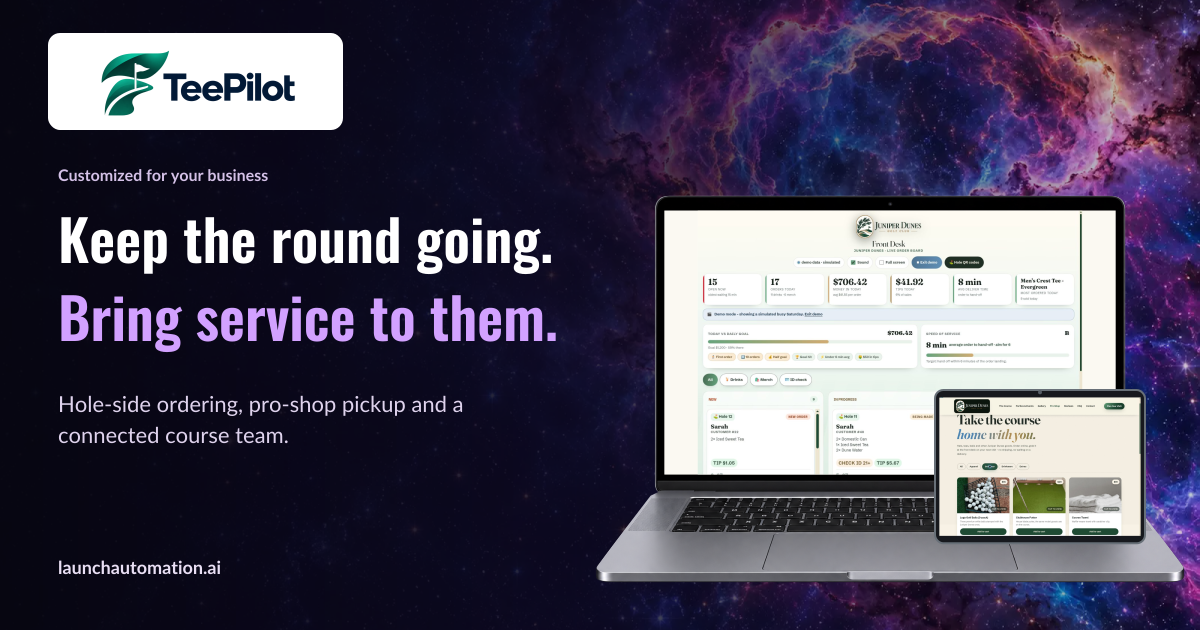
A course can put a QR code at a hole or other agreed location. The golfer opens a menu on a phone, selects items and provides the location information staff need. The team receives the request and follows the course's own process for preparation, delivery or pickup.
The TeePilot experience app demonstrates a hole-specific drink menu and a staff board. Its location context comes from the link and the information provided by the guest, not live GPS. Your menu, fulfillment rules and any payment or point-of-sale connections depend on the scope you agree to build.
Pickup can be a useful alternative to delivering on the course. In its golf food service planning guide, Sysco suggests placing a menu QR code at the fifth hole so golfers can order ahead for pickup at the turn. That is an industry suggestion, not a measured result or a Launch Automation case study. Test timing and staffing at your own course. For another example, Jacaranda Golf Club describes its on-course QR menu, including ordering and prepayment. It is an independent example, not a Launch Automation client claim.
Decide whether staff deliver to a hole, meet the group at a pickup point or offer both. If a group moves on, agree how the team will reconnect with them.
Assign an owner for each shift and a backup for busy periods. Give the kitchen and delivery staff a clear way to see what needs attention.
Agree who updates the menu and who contacts the guest about an alternative or a cancellation. Do not assume the demo is connected to live inventory.
Discuss whether guests pay at pickup, with staff or through an agreed online integration. Confirm fees, receipts and the handoff to your existing systems before launch.
Open the hole 7 sample menu and check what the guest must enter. Then open the sample staff board and review how the order and its location appear.
Try three scenarios with your team: a straightforward order, an unavailable item and a group that has moved. Confirm who takes the next action in each case. Explore the sample pro shop separately to see the pickup path. These are demonstration screens with sample data, not a promise that every integration is already configured for your course.
Start with a few holes, a putting course or a pickup point. Check mobile connectivity and place signs where guests can safely scan them.
Walk through a request with the person watching the board, the kitchen and the runner. Set expectations for the time and locations your staff can realistically serve.
Record requests, completed orders, fulfillment time and cases needing clarification. Ask golfers and staff what was confusing before expanding. More revenue is an outcome to measure, not a guaranteed result.
The TeePilot sample menu opens in a web browser from its link. Test access and connectivity on your own course before deciding where to place QR codes.
The demonstrated experience uses a hole-specific link and guest-provided details. It does not claim live GPS tracking. Decide with staff how to handle a group that moves.
A custom project can be scoped around your menu and workflows. Review the systems, available integrations, fees, inventory updates and payment handling before agreeing to a build.
Launch Automation Experience Apps start at $497 per month. The quote depends on the journey, staff roles, integrations and features you need. Review the custom app cost guide for questions to ask.