Property owners cannot tell what happens next.
A property owner waiting for an update may not know which question to ask or where to find the current record.
 Get Instant Quote
A branded recovery experience that helps property owners follow their claim while the team works from an organized claim workspace.
See what ClaimPath can doBuilt for restoration businesses and property-recovery teams.
A property owner waiting for an update may not know which question to ask or where to find the current record.
Repeated status calls pull coordinators away from organizing the work that would answer those questions.
A claim conversation crosses people and stages. Loose messages make that history harder to review.
Every claim linked to the homeowner lives in one place, from the first damage photo to the final sign-off, with its current stage and the last update.
Choose Homeowner in the demo. The app then opens My claims.
Open My claims in the demo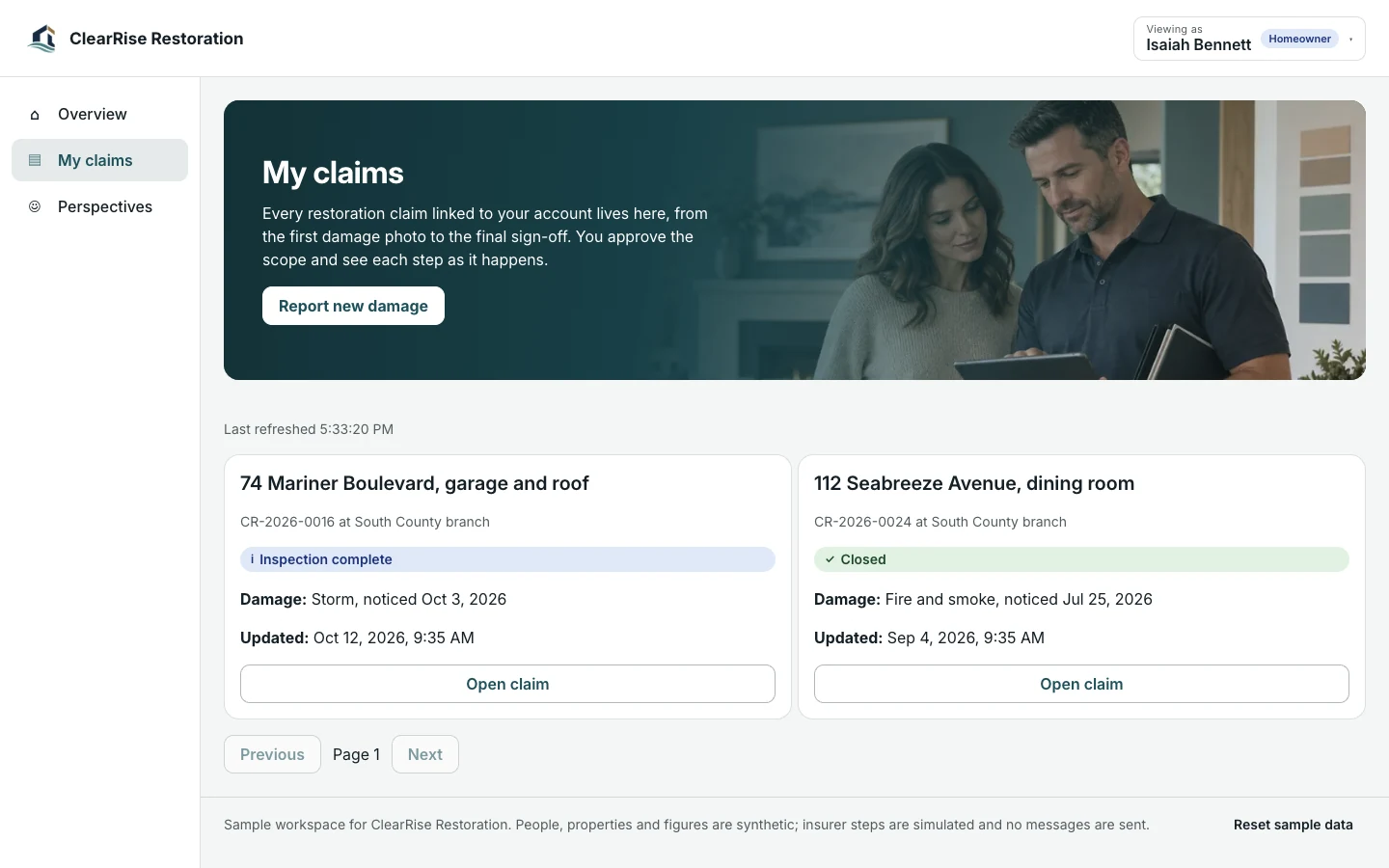
Homeowners follow the claim from their phone and report new damage the moment they find it, so the next update starts from the record instead of a phone call.
Choose Homeowner in the demo. The app then opens My claims.
Open My claims in the demo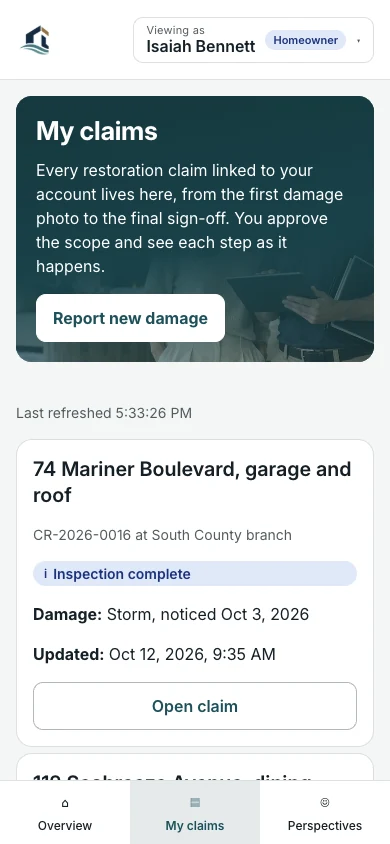
The claims queue gives the team intake, triage, inspections, documentation and work progress for every branch in one list.
Choose Project manager in the demo. The app then opens Claims.
Open Claims in the demo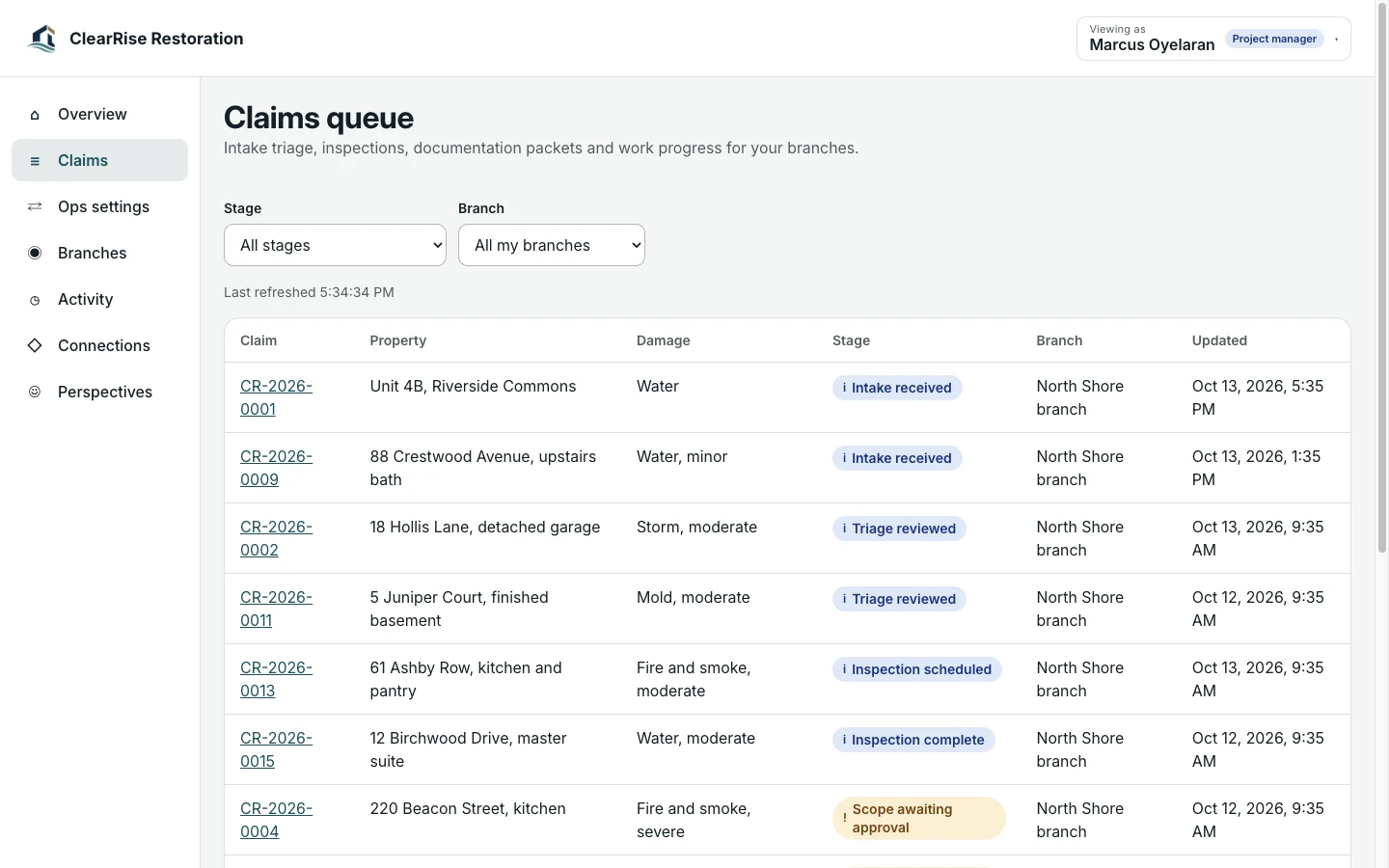
Customers and the team work from the same records in ClaimPath. The demo opens a perspective chooser, so you can switch between them.
Follow a claim from first photo to sign-off.
Explore the property owner viewThe claims queue, inspections and documentation.
Explore the claims team viewEach link opens the perspective chooser. Choose the customer or team role to continue to that page.
Start with ClaimPath on its own. Add its companions when your business needs the customer experience, the operating view and the ongoing community together.
Experience app. A client-facing recovery path that replaces uncertainty with next steps.
Try the ClaimPath demo
Command center. A response center for jobs, teams, vendors and client confidence.
Explore Restoration Ops
Membership platform. A preparedness community that keeps expertise useful before a loss.
Explore Restore ReadyClaimPath supports the customer’s immediate journey. Restoration Ops gives the team an operating workspace. Restore Ready extends the relationship with learning, useful tools and community.
Choose one product or ask us to scope a bundle. Shared data, live integrations, permissions and automation are agreed and tested for your implementation.
You are choosing a starting platform, then shaping it around your business. We define the actual pages, roles and connections with you before the build.
Get pricing for ClaimPathPick the product, the people who will use it and the workflows that matter. Decide whether you need one platform or the paired family.
Adapt the logo, palette, copy, resources and agreed screens. Set the access and approval boundaries for your team.
Walk through desktop and mobile views, roles and the scoped connections. Confirm the content and launch plan before publishing.
Yes. Start with one product and add its paired command center, experience app or membership later. A bundle is optional.
The price depends on the pages, roles, content, integrations and support you choose. Use the pricing page to compare services, or request a quote for an itemized scope.
Yes. The implementation is branded for your business. We adapt the visual identity and agreed content rather than asking your customers to use the example company’s brand.
Yes. The demo opens a perspective chooser. Choose property owner for the customer side or claims team for the team side.
No. ClaimPath shows the steps, documents and approvals your team manages. Coverage and settlement decisions stay with the insurer and the parties to the claim.
No. Production data, provider accounts, permissions, live messaging and payments are set up and verified as part of your scope.
Your quote identifies the screens, branding, content, roles, connections and support included. You review the finished experience before launch.
Explore the working experience, then tell us what you want to make your own.