Membership for ongoing value
Use a membership when people should return for shared lessons, planning tools, community or events. Decide who can join and which resources each member can see.

A venue membership can give clients and event planners a place for useful planning resources, community and events. Start with what people need between visits, then decide which tools belong behind a login.
Explore Gather TableCompare platform costsWritten by Corey Gray, founder of Launch Automation. Published November 27, 2026.
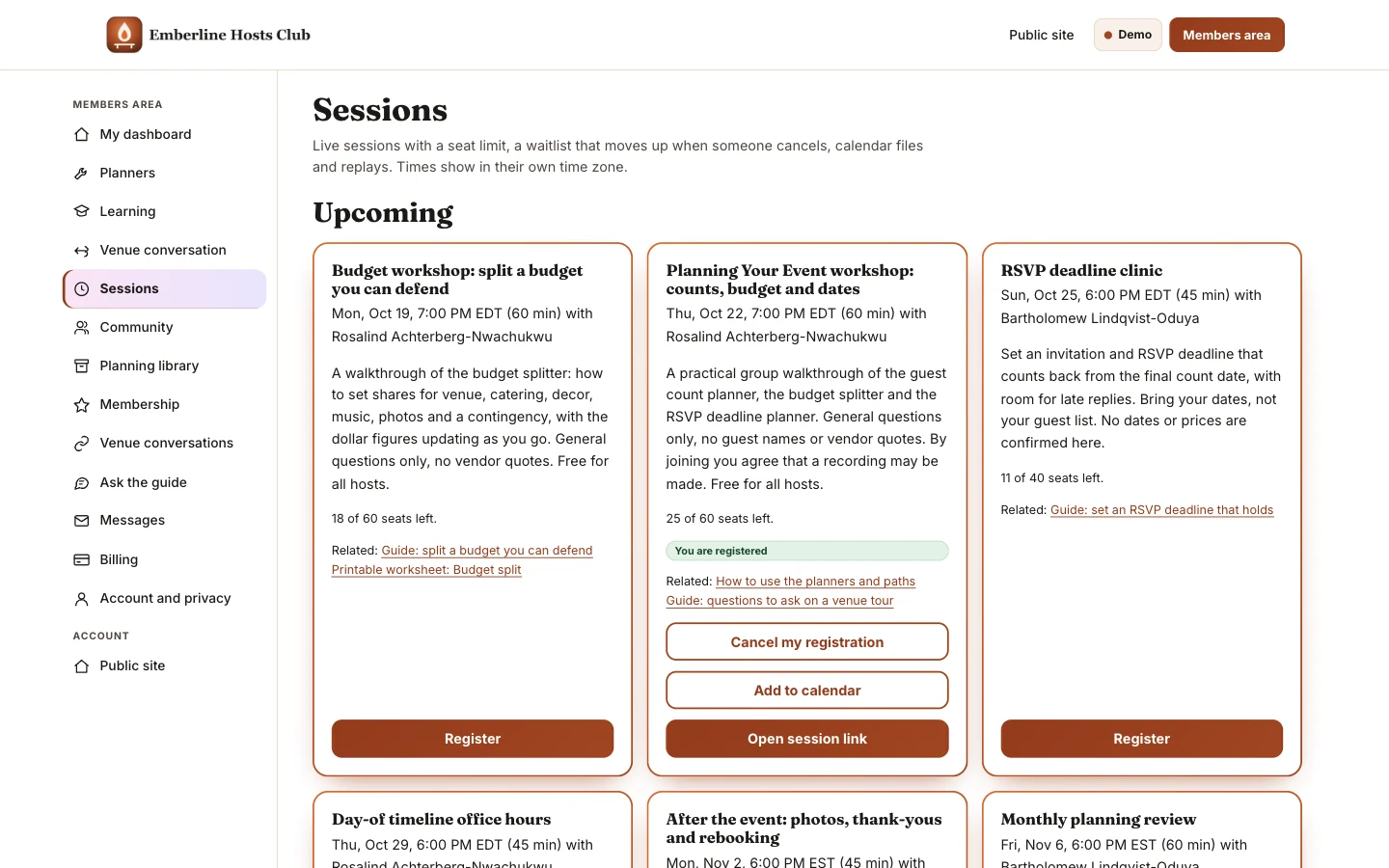
A membership platform gives people an ongoing place to find planning resources, join a community and attend events. For a venue, that might mean a guest count planner, lessons about preparing an event, and a schedule of member sessions. Choose the first task your clients already ask for help with.
Gather Table demonstrates those ideas with a member area and an owner workspace. The live demo uses sample data. Your pages, access rules, integrations and support are agreed before a production build.
Use a membership when people should return for shared lessons, planning tools, community or events. Decide who can join and which resources each member can see.
Use an event-specific portal when a client needs to review private details, documents, assignments or dates for a particular booking. Set permissions so one client cannot see another client's information.
Some businesses need both. Planning Pod describes its client portal as a place to share event documents and collaboration tools. That is another provider's example, not a claim that Gather Table includes the same features.
Give a host a way to estimate guest numbers or prepare a question for the venue. Show what the estimate means and who confirms the final details.
Answer a recurring question, such as what to prepare before selecting an event date. Assign someone to review the resource when your process changes.
Offer a relevant session or discussion when there is a person available to host or moderate it. Explain whether a session has a seat limit and how members receive updates.
Open the Gather Table product page, enter the member demo and find one tool, one lesson and an event. Then return to the product page and compare the owner view. Ask a colleague to repeat the task without instructions and note where they hesitate.
For a new member, choose one useful first action and explain what happens next. In the fictional Gather Table demo, the dashboard shows a getting-started checklist with a lesson, a guest count planner and a workshop. Use it to consider which first steps fit your venue, who keeps them current and where members can ask for help. The sample progress belongs to a fictional member.
Before accepting a quote, list who can join, who maintains resources, which information needs to stay private and what happens when access ends. Ask how payment, event registration and other integrations would work for your scope. Do not assume sample records are live customer data.
No. A venue can offer selected resources to registered clients or choose a paid model. Define the audience and what they receive before deciding how to charge.
That depends on your requirements. A shared membership and a private event portal can serve different jobs. Test the access rules and event-specific tasks your team needs before replacing an existing system.
Launch Automation membership platforms start at $297 per month. The quote depends on scope, roles and integrations. Use the membership cost guide to compare first-year charges.