Appointments get confirmed before the checks are done.
An appointment confirmed before the vaccination check becomes a problem at the front desk.
 Get Instant Quote
An operating home for schedules, families and care follow-through. Give pet-care teams a shared view behind every reassuring handoff.
See what Pet Ops can do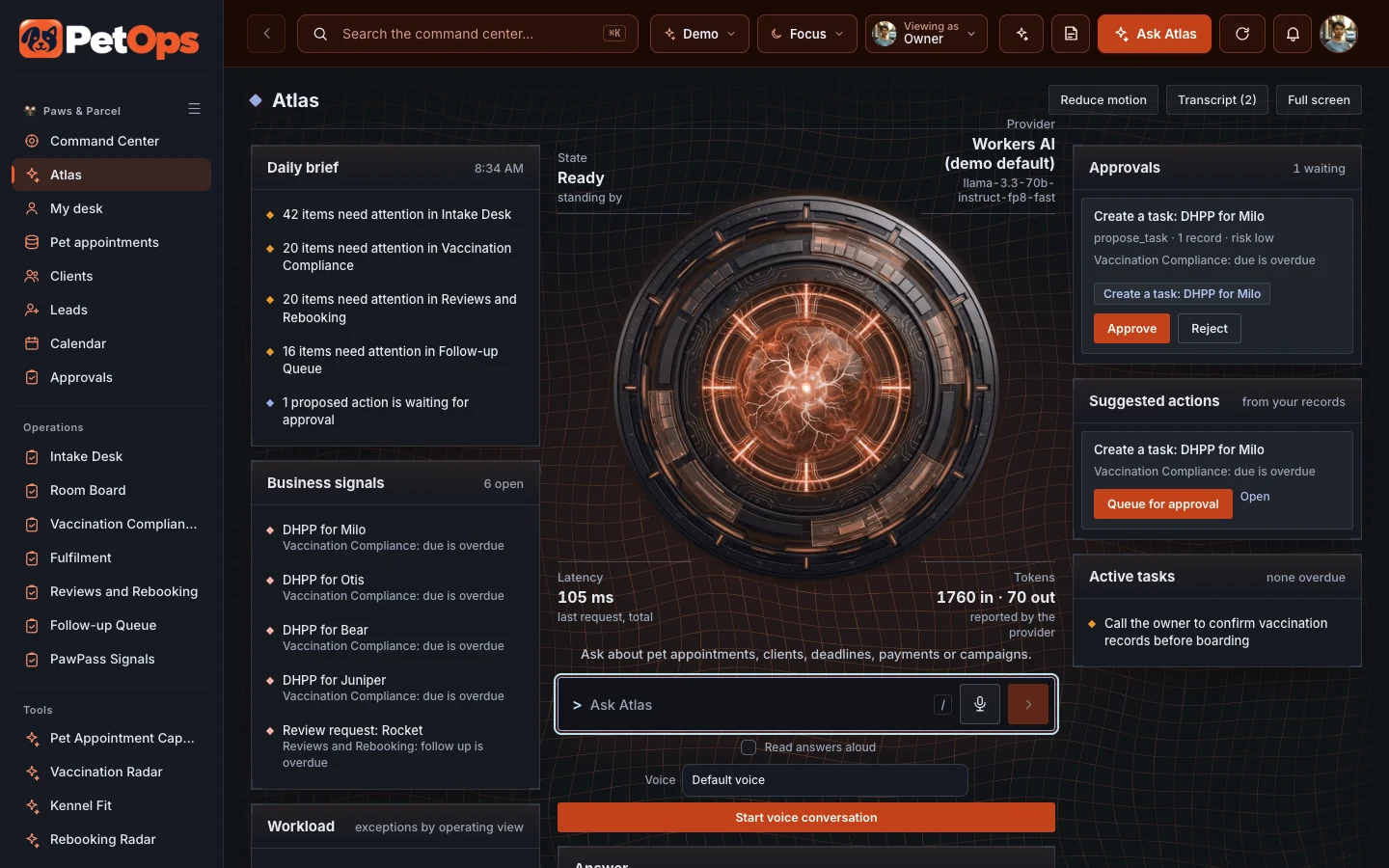
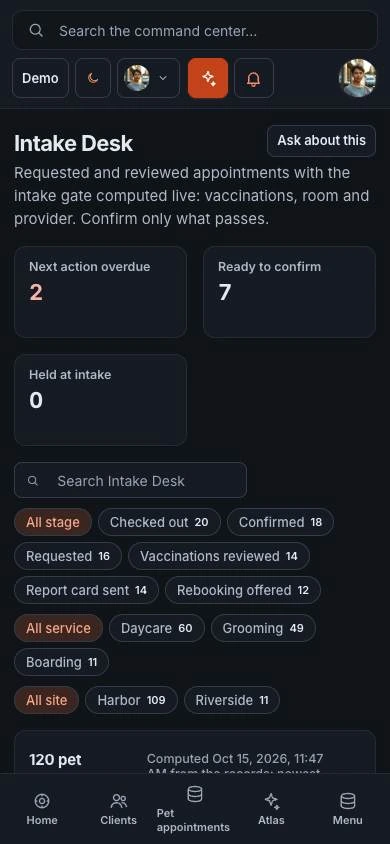
Built for pet-care operators, location managers and care teams.
An appointment confirmed before the vaccination check becomes a problem at the front desk.
Room and grooming capacity changes through the day, and the next shift needs to see it.
A pending review, rebooking or family conversation can disappear beneath the next busy check-in.
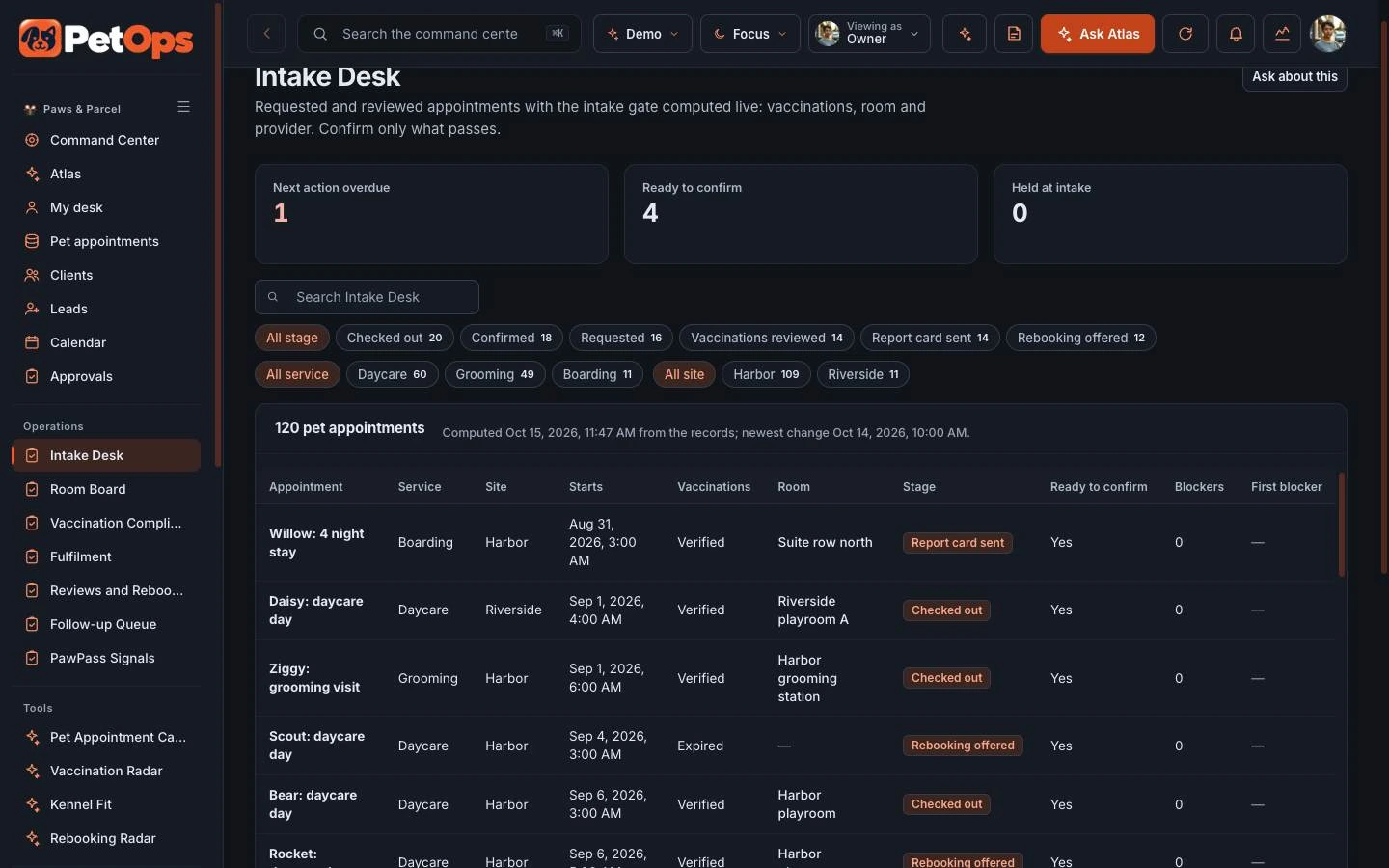
The Intake Desk checks vaccinations, room and provider live for every requested appointment, so the team confirms only what passes.
The Room Board shows every playroom, suite, condo and grooming station, how many pets are in each today and which places are full or out of service.
Open Room Board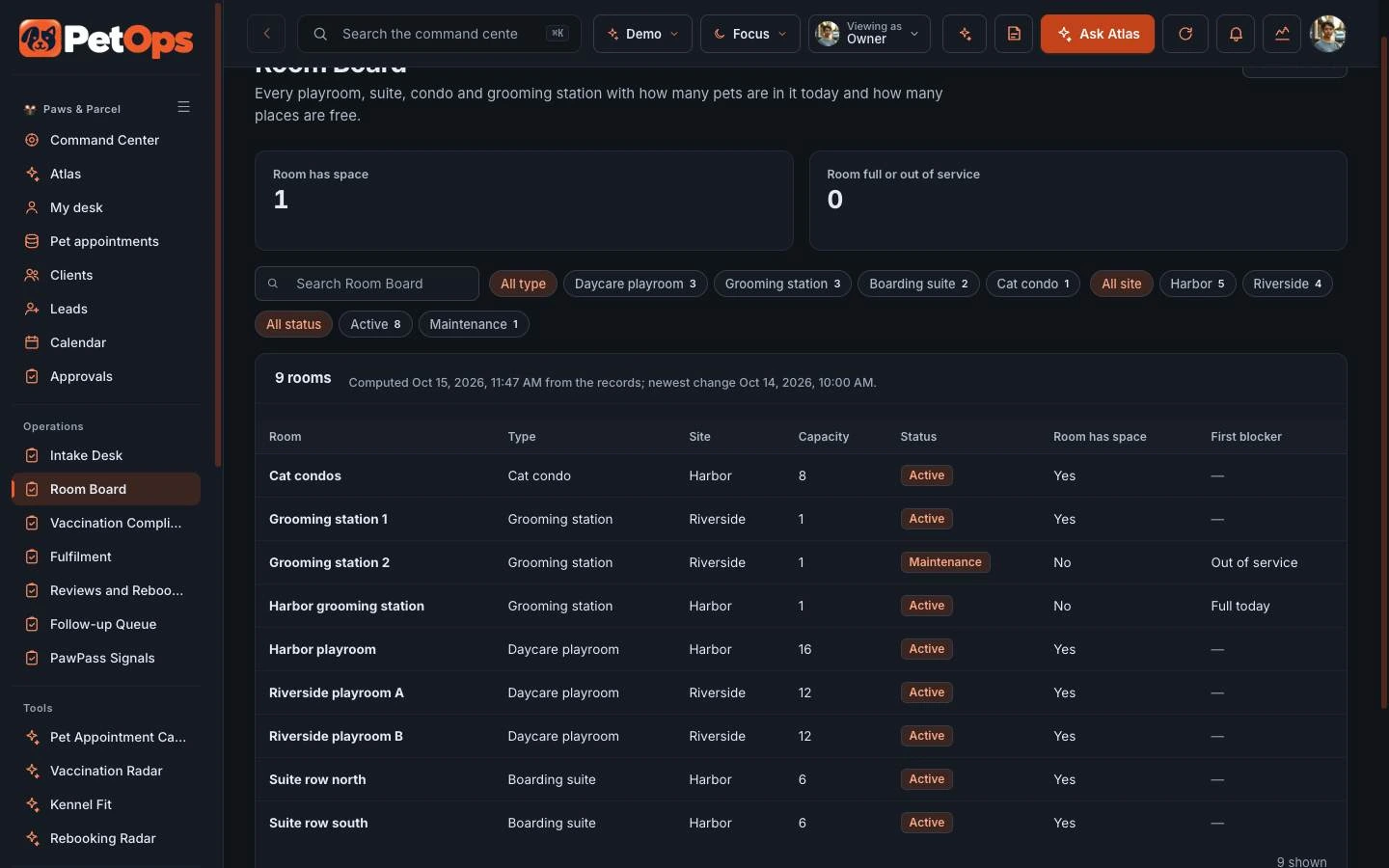
ATLAS lists what needs attention across intake, vaccination compliance and rebooking, and suggested tasks wait for a person to approve them.
Explore ATLASThe command center is the operating home for the team. ATLAS reads the same records and suggests the next step for a person to approve.
Priorities, owner metrics and every operating module in one place.
Open the command centerAsk about the records, read the daily brief and approve suggested actions.
Open ATLASStart with Pet Ops on its own. Add its companions when your business needs the customer experience, the operating view and the ongoing community together.

Experience app. A calmer, more useful care companion for pet parents.
Explore PawPassCommand center. An operating home for care, schedules, families and follow-through.
Try the Pet Ops demo
Membership platform. A practical local community for better pet care between visits.
Explore Good Paws ClubPawPass supports the customer’s immediate journey. Pet Ops gives the team an operating workspace. Good Paws Club extends the relationship with learning, useful tools and community.
Choose one product or ask us to scope a bundle. Shared data, live integrations, permissions and automation are agreed and tested for your implementation.
You are choosing a starting platform, then shaping it around your business. We define the actual pages, roles and connections with you before the build.
Get pricing for Pet OpsPick the product, the people who will use it and the workflows that matter. Decide whether you need one platform or the paired family.
Adapt the logo, palette, copy, resources and agreed screens. Set the access and approval boundaries for your team.
Walk through desktop and mobile views, roles and the scoped connections. Confirm the content and launch plan before publishing.
Yes. Start with one product and add its paired command center, experience app or membership later. A bundle is optional.
The price depends on the pages, roles, content, integrations and support you choose. Use the pricing page to compare services, or request a quote for an itemized scope.
Yes. The implementation is branded for your business. We adapt the visual identity and agreed content rather than asking your customers to use the example company’s brand.
Yes. Open the command center for the operating view, then ATLAS to see how it answers questions about the same records.
No. Production data, provider accounts, permissions, live messaging and payments are set up and verified as part of your scope.
Your quote identifies the screens, branding, content, roles, connections and support included. You review the finished experience before launch.
Explore the working experience, then tell us what you want to make your own.