Departure readiness is spread across messages and checklists.
A departure depends on bookings, waivers and the vessel. Checking each in a separate thread makes the handoff harder.
 Get Instant Quote
An operating home for charter teams, bringing trips, guests, crew and vessel context into a shared working picture.
See what Charter Ops can do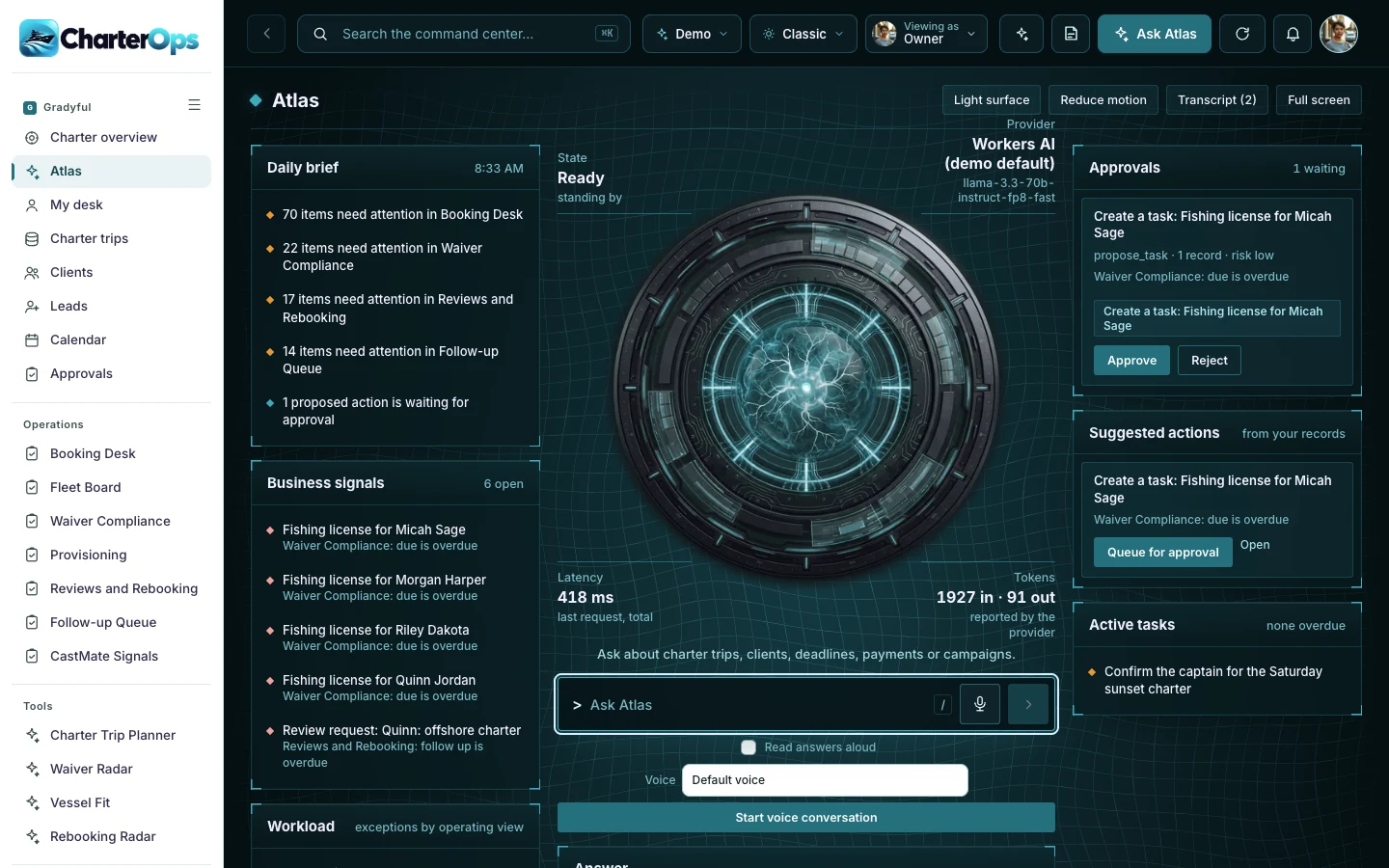
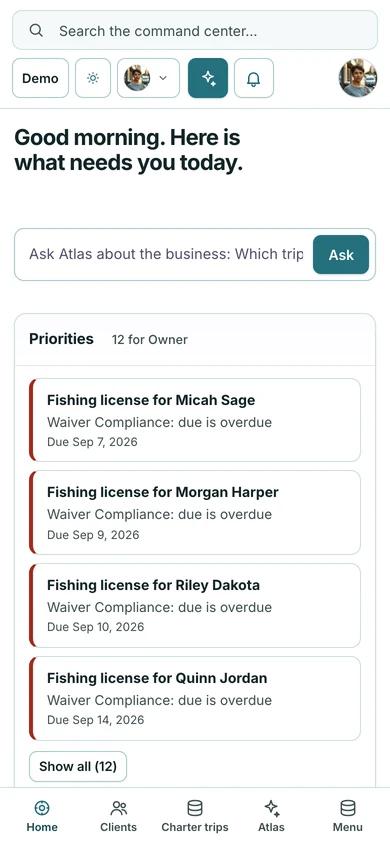
Built for charter owners, captains and operations teams.
A departure depends on bookings, waivers and the vessel. Checking each in a separate thread makes the handoff harder.
A captain should be able to see which boat is free today without calling the other marinas.
The next conversation after a trip can be missed when reviews and rebooking sit outside the daily work.
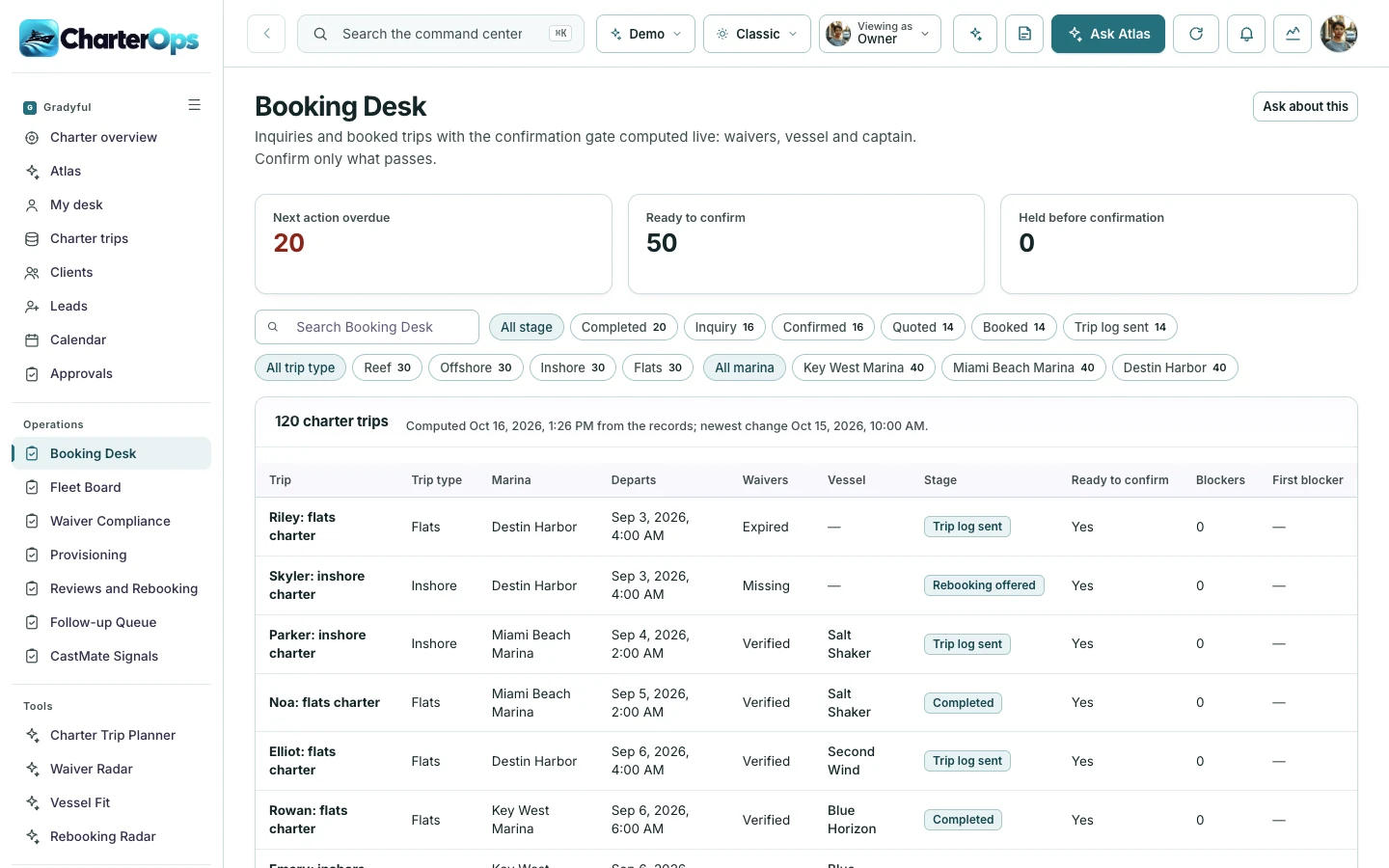
The Booking Desk computes the confirmation gate live: waivers, vessel and captain. Inquiries and booked trips sit in one list, and only what passes is confirmed.
The Fleet Board shows every vessel across the three marinas, the trips each one is booked for today and whether it is free or in maintenance.
Open Fleet Board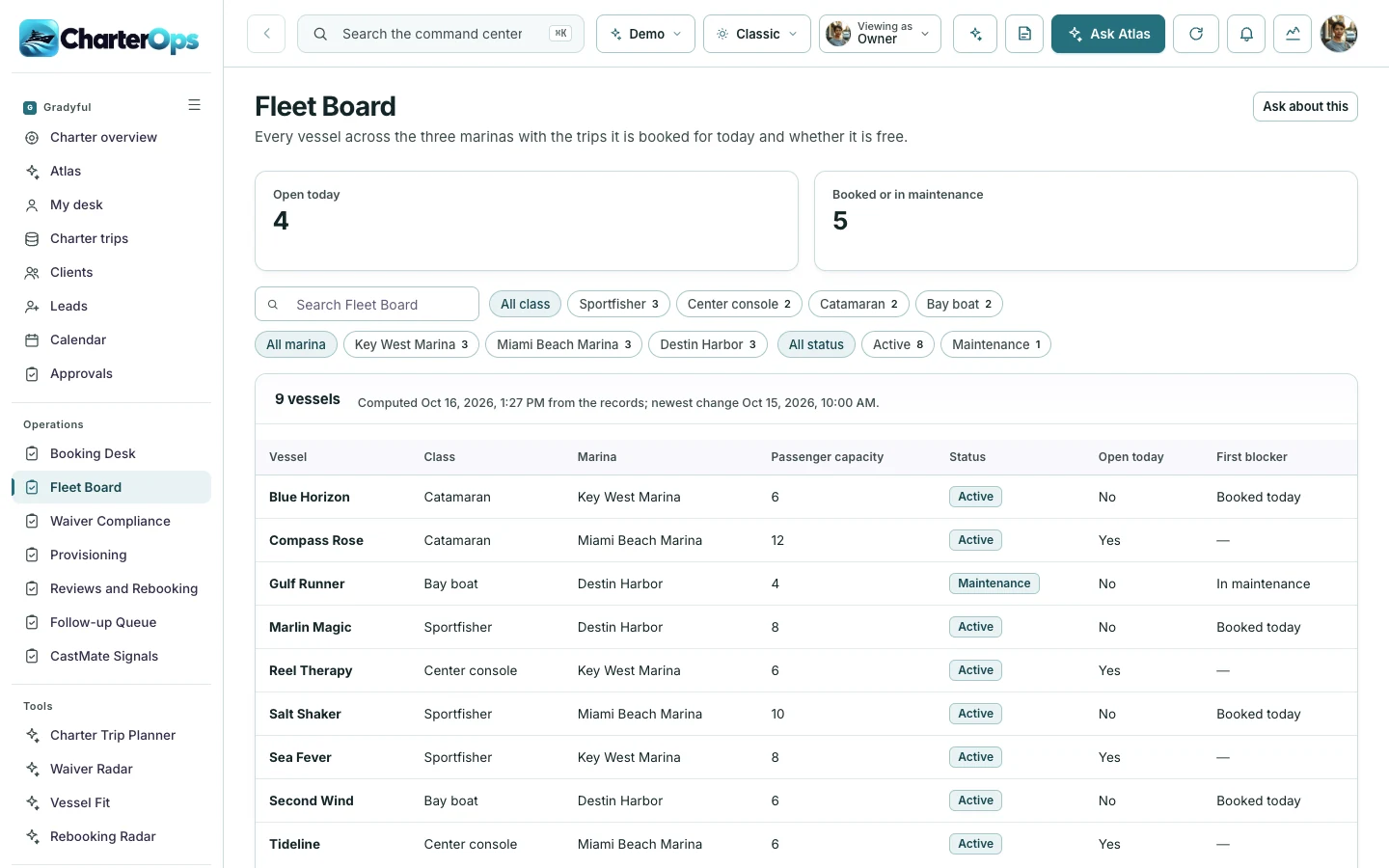
ATLAS reads the same records. The daily brief lists what needs attention in bookings, waivers and reviews, and suggested tasks wait for a person to approve them.
Explore ATLASThe command center is the operating home for the team. ATLAS reads the same records and suggests the next step for a person to approve.
Priorities, owner metrics and every operating module in one place.
Open the command centerAsk about the records, read the daily brief and approve suggested actions.
Open ATLASStart with Charter Ops on its own. Add its companions when your business needs the customer experience, the operating view and the ongoing community together.
Experience app. A better finish to every day on the water.
Explore CastMateCommand center. A calm command view for every trip, guest and crew handoff.
Try the Charter Ops demo
Membership platform. A year-round reason for guests to return, learn and bring friends.
Explore Cast ClubCastMate supports the customer’s immediate journey. Charter Ops gives the team an operating workspace. Cast Club extends the relationship with learning, useful tools and community.
Choose one product or ask us to scope a bundle. Shared data, live integrations, permissions and automation are agreed and tested for your implementation.
You are choosing a starting platform, then shaping it around your business. We define the actual pages, roles and connections with you before the build.
Get pricing for Charter OpsPick the product, the people who will use it and the workflows that matter. Decide whether you need one platform or the paired family.
Adapt the logo, palette, copy, resources and agreed screens. Set the access and approval boundaries for your team.
Walk through desktop and mobile views, roles and the scoped connections. Confirm the content and launch plan before publishing.
Yes. Start with one product and add its paired command center, experience app or membership later. A bundle is optional.
The price depends on the pages, roles, content, integrations and support you choose. Use the pricing page to compare services, or request a quote for an itemized scope.
Yes. The implementation is branded for your business. We adapt the visual identity and agreed content rather than asking your customers to use the example company’s brand.
Yes. Open the command center for the operating view, then ATLAS to see how it answers questions about the same records.
No. Production data, provider accounts, permissions, live messaging and payments are set up and verified as part of your scope.
Your quote identifies the screens, branding, content, roles, connections and support included. You review the finished experience before launch.
Explore the working experience, then tell us what you want to make your own.