Help hardware shoppers plan a project before they reach the aisle

A useful project planner starts with measurements, makes the shopping list understandable and gives an associate a way to check uncertainty. Here is what to test before choosing one for your store.

Explore the ProjectPath app

By Corey Gray, founder of Launch Automation. Updated November 28, 2026.

ProjectPath hardware store app example

Start with the job, not a product search

A shopper painting a room needs more than a paint name. They need to know what measurements matter, how many coats they plan, whether the surface needs preparation and which tools they already have. Ask your team which questions they repeat at the paint counter, then use those questions as the starting point for a small pilot.

Project calculators are an established way to help shoppers estimate materials. For example, The Home Depot lists calculators for projects including fencing, drywall and mulch. A store-specific planner can add a catalog and a handoff to an associate when those are part of the agreed build.

Test one paint project from start to finish

Enter the measurements

Ask a shopper to enter room length, width and wall height, then review doors, windows and coats. Check that default values are visible and easy to change. If measurements are missing, label the result as incomplete or estimated.

Review the list

Show the items and quantities with the assumptions behind them. Separate essential materials from optional tools, and let the shopper identify what they already own. Ask an associate to check the list before relying on it.

Find the items

If your store supplies product and location data, ask how often prices, stock and aisle information update. Tell shoppers that stock and estimates can change, and explain what to do when an item is unavailable.

Try the fictional store demo

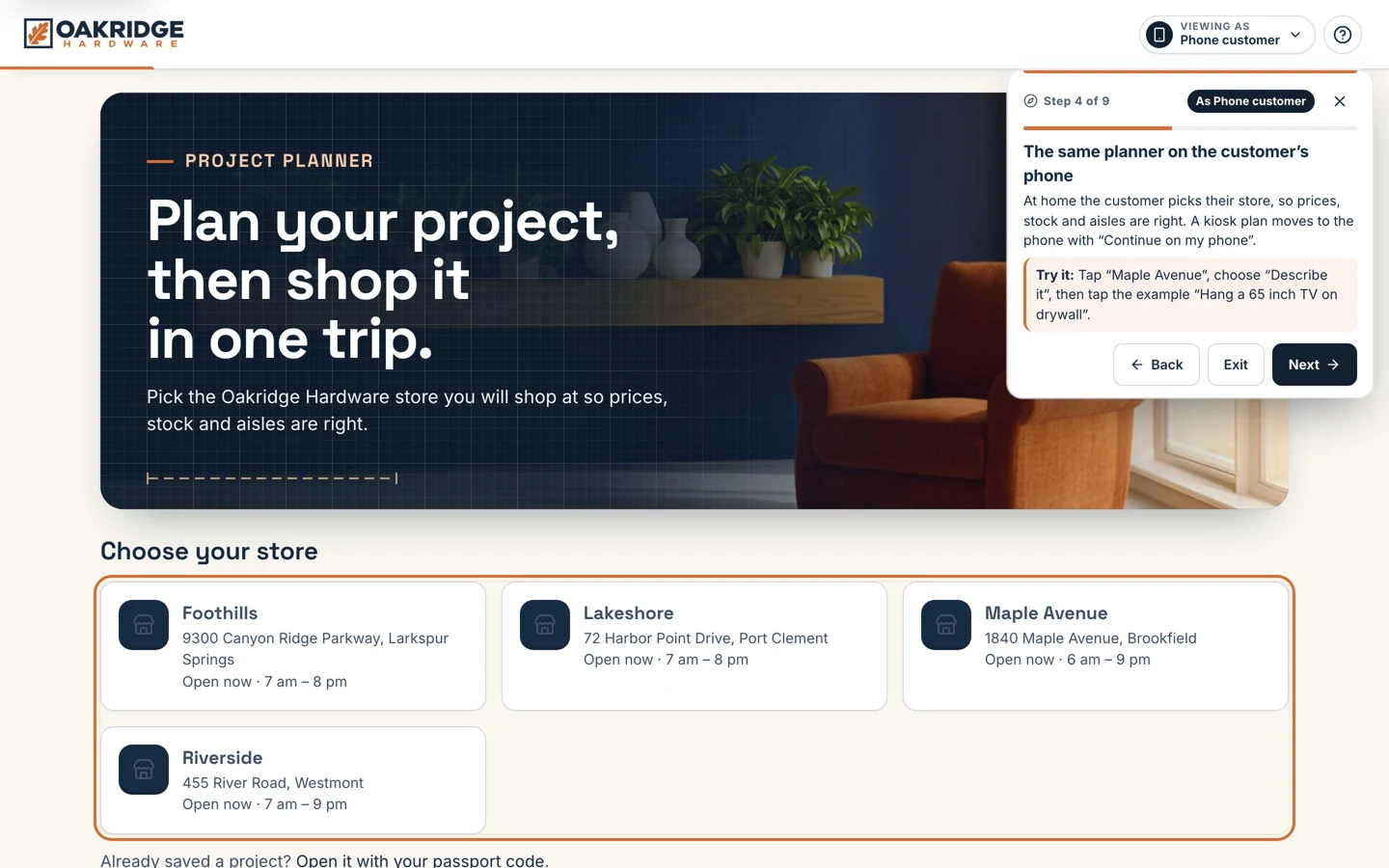
In the ProjectPath demo, open the phone customer view, choose the sample Maple Avenue store and select Paint a room. Enter a 12 by 10 foot room and review the sample materials list and shopping route. Oakridge Hardware and its products are fictional, and the demo data resets nightly.

During our test, the list grouped required, recommended, optional and tool items. The route showed sample aisle and bay details and warned that stock was not guaranteed. This is a demonstration, not evidence of a connection to your store's inventory or checkout.

Questions to agree on before building

  • Catalog: Who maintains the product list, package sizes and compatible alternatives?
  • Estimates: Which assumptions should shoppers see, and who checks recommendations for unusual projects?
  • Store data: Where will prices, availability and aisle locations come from, and how will stale data be flagged?
  • Associate handoff: What information should staff receive, who responds and what happens when nobody is available?
  • Scope and cost: Which locations, devices, support and external connections are included in the written quote?

Use the custom web app cost guide to compare build and ongoing costs. Explore ProjectPath for hardware retailers to discuss your store's workflow.

Run a small store test

Choose one project your team understands well. Have a shopper enter a realistic example, then ask an associate to check the quantities, product fit and shelf locations. Record missing inputs and confusing steps without collecting unnecessary customer information. Repeat the test after changes, then decide whether another project is ready.

A planner can support your staff's judgment. It cannot guarantee the right material, live stock or a completed project. Keep the associate review and product instructions visible.

Ask about a ProjectPath build