

Every meeting captured
Calls, team meetings, and partner conversations, transcribed and filed by participant, automatically.

A custom command center that connects every part of your digital life onto one screen. Your business, your tools, your data, your projects, even your hobbies. We build it together, live, one session at a time. If you can picture it, I can help you build it.

Your day runs across fifteen tabs, a handful of apps, two inboxes, and a notes app you forgot the password to. The information already exists. It is just scattered. There is no single screen that shows you everything at once, and nothing you can simply talk to. So you click, you hunt, you switch context, and the things that matter wait. Whether you are running a business or just running your life, it does not have to be this way.
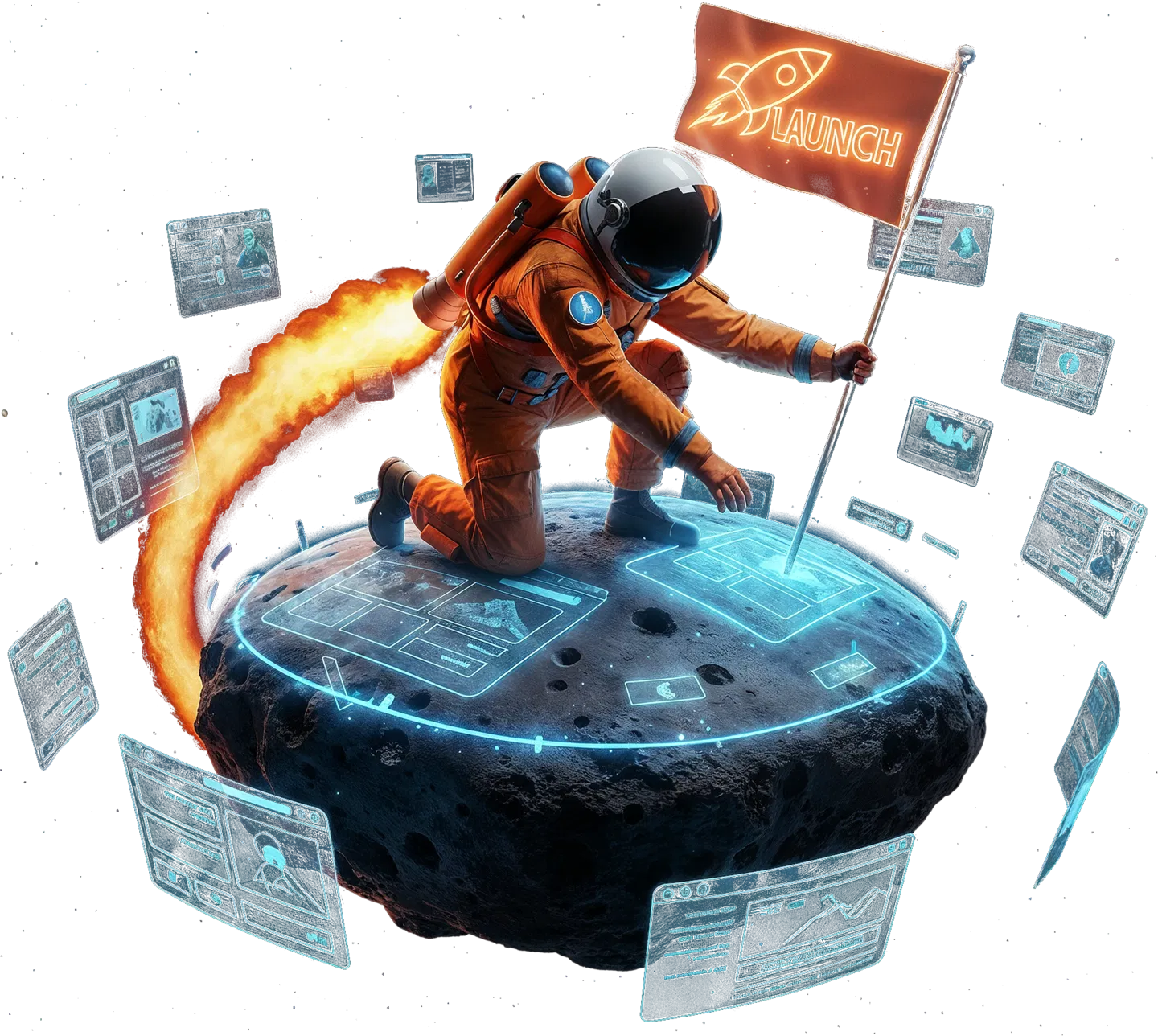
If you have ever seen Iron Man, you already know Jarvis: the calm voice that quietly runs Tony Stark's entire world. This is that, built for you. I can give it any voice you like, but the real magic is the mind behind it. Jarvis runs on Claude, one of the most capable AI models on earth, so it is genuinely intelligent, completely under your control, and wired straight into your own AI and the tools you already use.
The more you use it, the more it learns about your world and the sharper it gets. It can do just about anything a great employee can, short of washing your dishes or giving you a foot massage. Say the word and it runs a whole team of AI agents, works inside your CRM, listens to your day and turns it into booked appointments and finished tasks, drafts your emails, pulls your numbers, and keeps the entire operation moving. You give the orders. Jarvis handles the rest.
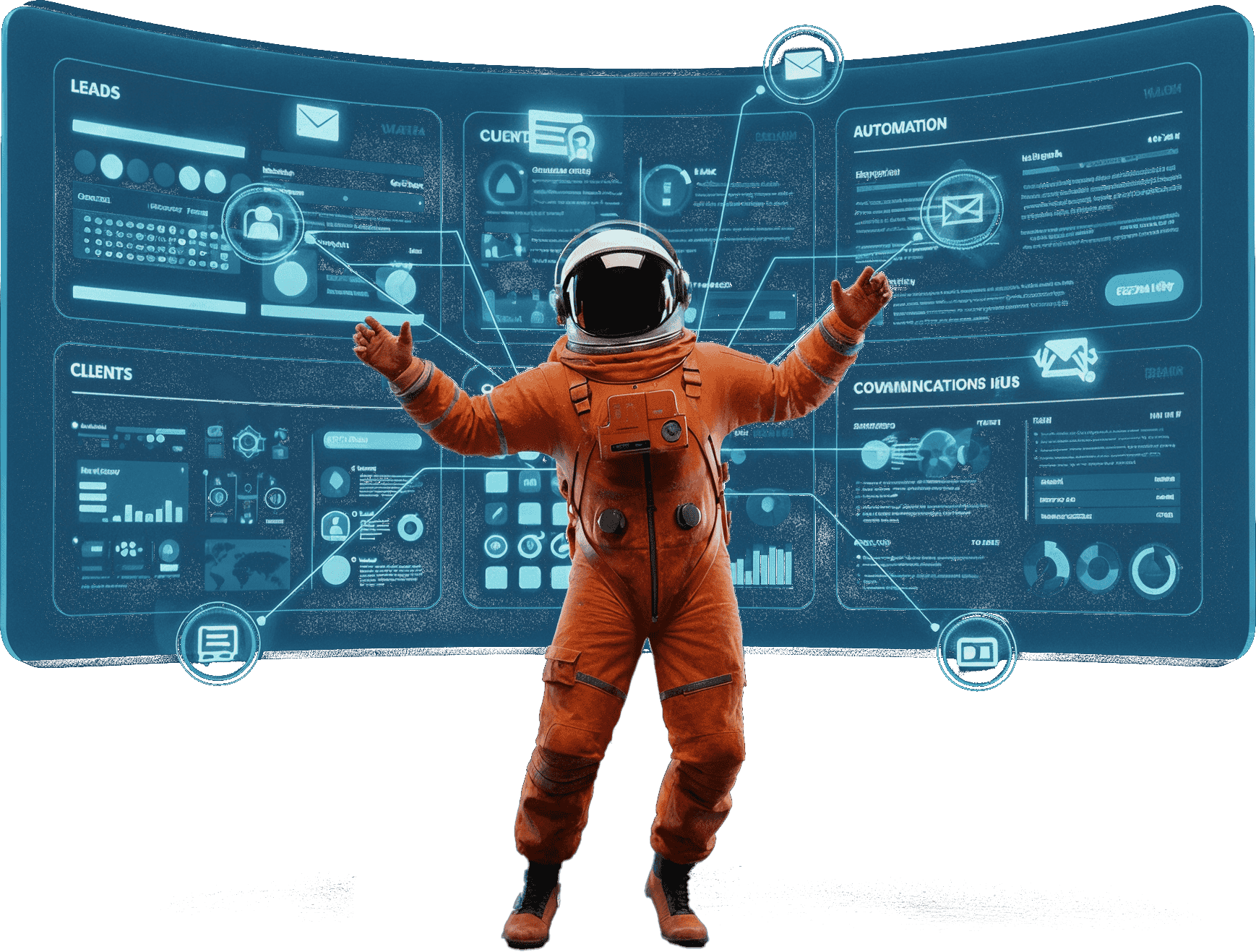
Everything is custom. The screen above is just one example. Yours shows the exact panels, metrics, and tools you care about, wired into the systems you already use, and nothing you do not. If it has an API or an MCP server, we can almost certainly connect it.
These are real command centers I have built, each one wiring a different corner of someone's world onto a single screen. You have already seen the Command Bridge above. Yours could look like any of these, or like nothing here. For a business or just for fun, just about anything is possible.
Your command center does not just sit there looking impressive. It listens to your day and captures every word, so nothing important is ever lost again. It remembers everything you have ever said, decided, or promised, and it gets a little sharper every single day. The result is a second brain that hands you back your time, runs your operation more efficiently, and quietly catches the things you would have forgotten, so you are free to focus on the work that actually moves the needle.
Jarvis is the voice layer. It wakes on a phrase you choose (the default is "Jarvis"), answers in a calm British voice, and drives every part of the bridge by command. You can interrupt it any time by saying stop, hitting ESC, or clicking the reactor.
Optional ambient capture transcribes everything you say throughout the day. Meetings, calls, the ideas you mumble while pacing. It all gets filed into your Obsidian vault and connected to Claude, so your AI gets smarter about your world every single day.

Calls, team meetings, and partner conversations, transcribed and filed by participant, automatically.
What they want, what they are worried about, what they agreed to in March. It all stays, so you never ask twice.
Each morning you get yesterday in one glance: what was said, what is owed, and what is coming up next.
The more your vault learns, the more it knows. Ask anything and get answers from your real history, not generic guesses.
That thing you said you would send by Friday? It remembers, so the small promises never get lost between meetings.
Alongside the command bridge, I can build you a dedicated AI Memory Assistant: a dashboard that quietly listens, writes down everything you say, and hands it back to you whenever you need it. It runs on Whisper, so it is practically free to run all day.

The cost transparency is the point. The kind of operator we build for appreciates it.
Every project is different and there is no fixed timeline. A full command center is custom software, not a download. Starting from scratch it commonly takes many one-hour sessions to build properly.
Plan for 2 to 6 hours of your own time across kickoff, training, and feedback. The first 30 days need active engagement to tune the voice and panels.
You will talk to your business, not just click it. That is a habit shift. It pays off, but it is a shift.
You need your own paid accounts: a Claude Pro plan (about $200 a month), ElevenLabs ($22 a month), and Cloudflare (free tier usually works). Your accounts stay yours.
It surfaces what you already have and makes it fast to act on. It does not do the work for you. You still run the business.
It lives on your computer, not behind a SaaS login. You own the code. There is no monthly subscription to us, and you can book a session any time you want changes or additions.
All API keys stay on your machine; we never see them and we never store them. All in, running a command center usually costs anywhere from $20 to $400 a month, depending on how complex your setup is and how much you use it. The biggest variable is token usage, and for serious builds we recommend the $200/mo Claude plan. We always set things up to run lean, so you never pay for capacity you do not need.
We set every one of these up with you during our sessions. You never touch a terminal. For a full picture of every moving part, open the breakdown below.
Here's a transparent look at what an actually-running AI command center costs. Most of these are usage-based or have generous free tiers. The whole point of how we set you up is to keep this lean, not to nickel-and-dime you into a $2,000/mo stack of toys you don't need.
| Service | What it does | Cost |
|---|---|---|
| Cloudflare Pages | Hosts your 3 dashboards (Hub / AI / Agency) | Free |
| Cloudflare Workers | The proxy API + KV writes | $5/mo |
| Cloudflare KV | Stores tasks, surveys, notes, social cache | Included |
| Cloudflare Access | Logs you into the gated dashboards | Free under 50 users |
| Domain(s) | launchautomation.ai etc. | ~$15-30/yr |
| Service | What it does | Cost |
|---|---|---|
| Anthropic Claude (Pro/Max) | Daily Claude usage + Claude Code CLI | $100-200/mo |
| Anthropic API | Worker /chat + dashboard AI features | ~$20-80/mo (token-based) |
| Service | What it does | Cost |
|---|---|---|
| Zoom Pro | Calls + recordings | ~$15-20/mo |
| Fathom (or similar) | Meeting transcription | Free tier or $19/mo |
| Obsidian | Local second brain | Free (Sync $4-8/mo if you want it) |
| Google Workspace | Team email + Drive + Calendar API | ~$6-18/seat/mo |
| Service | What it does | Cost |
|---|---|---|
| GoHighLevel Agency | CRM / SMS / calendar / reputation / social | $297-497/mo |
| A2P / SMS pass-through | Per-message carrier fees | Usage-based, ~$10-50/mo |
| GHL phone number rental | The numbers per client | ~$2-3/mo each |
None of these are required to start. You can layer them in over time as your needs grow. They're listed here so you know what's possible, not as things you need to buy.
| Category | Example tools | Cost range |
|---|---|---|
| Voice synthesis | ElevenLabs (Jarvis voice) | $5-99/mo |
| Speech-to-text | Whisper API, Deepgram | $10-40/mo |
| Fallback LLMs | OpenAI, Groq, OpenRouter | Pay-per-token |
| Vector DB (for big memory) | Pinecone, Supabase pgvector | Free-$70/mo |
| Automation glue | Make, n8n, Zapier | Free-$69/mo |
| Data feeds (trading/market) | Polygon.io, Alpaca, TradingView | $15-200/mo |
| SMS / email outside GHL | Twilio, SendGrid, Postmark | $15-100/mo |
| Backups / storage | Backblaze B2, Cloudflare R2 | $5-10/mo |
| Monitoring | Better Stack, Sentry, Posthog | Free-$26/mo |
| Local AI hardware | Mac M4 (32-64GB) for local LLMs | $4,000-7,000 one-time |
| Touchscreen / wall displays | Cinematic "command center" feel | $300-1,500 each |
Pick a time and pay the flat $200. On the call we map your business, your tools, and your goals, and start laying the foundation. No tiers, no setup fee, no deposit.
I lay out what your bridge needs and the order we build it in: which panels, which integrations, what to set up first. You see the plan before we keep going.
I remote into your computer and we build it live. Jarvis, the panels, your Obsidian second brain, the voice, and your integrations all get set up piece by piece while I teach you how it works.
Everything goes onto your own computer as we go. You watch the whole time and never touch a terminal. You own the code.
By the end you can drive the bridge yourself, change panels, and run it by voice. You are not just handed a black box.
We adjust based on how you actually work. The voice and panels get sharper the more you use them.
Want changes, new panels, or another agent later? Book a session whenever you want. There is no subscription to us and no minimum. You stay in command.

I'm Corey Gray. I build every bridge myself and remote into your computer on install day, so you never touch a terminal or a config file. This is the same kind of system I run my own operation on, so it is not a side experiment. It is how we work, and it is what I will set up beside you.
AI is not coming, it is already here, and the people who put it to work now are pulling away from everyone who waits. That gap compounds every single month. A command center is how you get ahead of the curve while this is still a rare advantage, instead of a desperate game of catch-up later.
One person with a command center can run what used to take five. AI agents handle the busywork around the clock while you focus on the moves only you can make.
Answer leads in seconds, draft in moments, and run your whole operation by voice. Speed is the new advantage, and this is how you take it.
Every call, idea, and decision is captured, remembered, and searchable forever. Your knowledge compounds instead of evaporating into thin air.
Your system learns your world a little more every single day. The earlier you start, the bigger your head start becomes.
The window where this is a rare edge is open right now. In a year it will be table stakes. The best time to build your command center was a while ago. The second best time is today.
No tiers. No setup fee. No monthly subscription. We build your command bridge together at a flat $200 per 1-hour Zoom session, and you only pay for the sessions you book.

Pick a time below and check out securely on the calendar. Every session is a flat $200 for one hour, no tiers, no setup fee, no commitment. Your slot is locked the moment payment clears, and we start building your bridge.
Payment is collected securely on the calendar when you book. Prefer to talk first? Book a call, or email me.
A flat $200 per one-hour session, billed per session. There are no tiers, no setup fee, and no monthly subscription to us. You pay for the time we actually spend building your bridge, and you own everything we build. Most of a full command center gets built across several sessions, and you book them as you go.
It depends, and I will not pretend otherwise. Every project is different and there is no set rule. A simple setup might be a handful of sessions. A full Jarvis command center from scratch commonly takes 5-10 sessions or more depending on how many panels, integrations, agents, and voice tools you want. Setting up your Obsidian second brain correctly alone can take 1-2 sessions. We build it in the order that matters most to you, and you only pay for the sessions you book.
Because no two bridges are the same and I cannot honestly predict the exact scope before we start. One session can be hours of terminal commands, API wiring, and integrating tools; the next we might lose time because AI did something unexpected or an integration broke and we troubleshoot live. An hourly rate is the only fair way to price work that varies this much. My time is valuable, so if you are on a tight budget watching the clock minute by minute, this is not the right fit. If you understand a real build takes the time it takes, we will get along great.
Yes. The bridge lives on your computer and the code is yours. There is no subscription to us that you can lose access to. Whatever we build, you keep. It is not a SaaS login.
Small changes (colors, panel labels, the wake word) you can make yourself, and I show you how as we build. Bigger changes, new panels, or another agent are just another session whenever you want one. No retainer, no minimum.
Use what you have. We connect to your existing CRM, calendar, email, and file storage. You do not switch tools. The bridge sits on top of them.
Yes. We integrate GoHighLevel, and virtually any other CRM you already use.
Because local-first means your data stays on your machine and your keys never touch our servers. It also means you own it. SaaS would be easier for us to bill, but worse for you.
If you are under roughly $5K a month, this is probably early. If you are doing six figures or more with a real team or ready to scale, this is built for you. Your first session is where we figure out honestly whether it fits, and you only ever risk one $200 session to find out.
Yes, on install day, by screen-share, while you watch the whole time. You can end the session in one click. Your API keys are entered by you, stored on your machine, and never sent to us.
No. There is no monthly maintenance fee and no subscription to me. You pay $200 per session while we build, and that is it. Once your bridge is running it keeps running on your own machine and your own accounts. If you want changes or support later, you just book another session whenever you need one.
Sessions are non-refundable if you cancel inside 48 hours or no-show, because I block that time for you and turn down other work. Reschedule with at least 48 hours notice and your payment carries over to the new time. Your first session is also where we figure out honestly whether this is a fit before you go any further.
You will need to invest some time upfront, but as soon as you start using it, you will find it takes far less time to do far more than you ever imagined. The first 30 days are tuning. Most operators feel it click in the second or third week, once the voice and panels match how they actually work. It is a habit, not a switch.
That's fine. You never open a terminal. We install everything, and you drive it by clicking and talking. If you can use a browser and a phone, you can run the bridge. We do, however, help you understand the basics. Our goal is to get you running your command center confidently and able to do everything on your own. It may take a week, a month, or even a few months to get your footing, but when you do, wow. You will be able to do some amazing things.
It is one screen that sits on top of your whole business. Your CRM, calendar, email, files, tasks, pipeline, and AI agents all report into it, and you run them by clicking or by talking to Jarvis. Instead of fifteen tabs and three logins, you have one cockpit that makes running the business easier than it was before.
Not at all, and yes. A command center can run a business, but it can just as easily run your personal life, a side project, a hobby, your home, your trading, your writing, your health and habits, whatever matters to you. The whole idea is connecting the parts of your digital world onto one screen you can talk to. If you can picture it, we can almost certainly build it. Just about anything is possible, so bring me the weird ideas too.
Most people buy an AI tool, use it twice, and forget it. The command center makes AI part of how you already work, because it lives where your world lives and you talk to it like a team member. It sticks because it is in front of you every day, on one screen, not buried in another tab. You end up with a system that actually runs your operation, not just one more subscription you forgot you were paying for.
Claude is the AI model from Anthropic that powers Jarvis's thinking. When you ask Jarvis a question or give it a command, Claude is the brain reading your data, reasoning, and deciding what to do. Jarvis is the interface and the voice. Claude is the intelligence behind it.
Yes. The voice runs through ElevenLabs, so you can pick almost any voice you want. It can be the default calm British voice, a different style, or a clone of your own voice (or a spouse, a colleague, anyone who gives permission). The intelligence stays the same. Only the voice changes.
Obsidian is a local knowledge app where notes link together. We use it as your second brain: a private, searchable store of everything about your business that lives on your machine, not in someone else's cloud. It matters because it gives Jarvis long-term memory. The more that goes into it, the more useful Jarvis becomes.
It is one place that holds what you would otherwise keep in your head, in scattered notes, and across a dozen apps: client details, decisions, processes, ideas, and history. Jarvis reads and writes to it, so you can ask what you agreed with a client back in March and get an answer instead of digging.
Yes. Jarvis can read your calendar, tell you what is on today, find open time, and book or move appointments by voice or click. Your calendar becomes something you talk to instead of something you manage.
Yes. It connects to your inbox so you can triage, search, draft, and send from the command center. You can ask Jarvis to pull up a thread, summarize it, or draft a reply for you to approve before it goes out.
Yes. We connect your Drive so Jarvis can find files, read documents, pull numbers out of sheets, and create or update docs. Your files stop being a folder you hunt through and become something Jarvis can fetch and work with on request.
Yes, that is the optional ambient capture mode. With your permission, Jarvis listens in your office through the day and transcribes what is said. You decide when it is on and off, and it only ever runs on your own machine.
Into your Obsidian vault. Conversations, decisions, and ideas get transcribed and filed, so your second brain updates itself as you work. Client-related notes route into that client's file. Nothing is lost just because you did not stop to write it down.
In a practical sense, yes. Jarvis does not retrain the AI itself, but the knowledge it can draw on grows every day as your vault fills with your calls, notes, and client history. So its answers get sharper and more specific to your business the longer you use it.
Each client gets a file holding their profile, history, deliverables, and conversations. Jarvis keeps those files current from your email and, if enabled, your transcribed calls, so you can ask where you stand with a client and get a straight answer with nothing slipping through the cracks.
Support requests, messages, and open issues surface on one panel instead of being spread across channels. Jarvis can summarize a customer's history before you reply, draft a response, and flag what is urgent, so nothing sits unanswered.
Deliverables and their status live on the bridge: what is in progress, what is waiting on the client, and what shipped this week. Jarvis tracks the steps and reminds you what is next, so delivery does not depend on you remembering every detail.
Yes. The system is local-first. The vault, the transcripts, and your API keys all live on your computer, not on our servers. We never see them and never store them. You control the microphone and can switch capture off at any time.
Both. Anything you can do by voice you can also do by clicking, and the other way around. Voice is faster once you are used to it, but nothing forces you to talk. Use whatever fits the moment.
Things like: give me the morning rundown, what is on my calendar today, pull up this client and summarize where we stand, draft a follow-up to yesterday's lead, what did we decide on that project last month, or book a call for Thursday afternoon. It answers questions about your business and takes actions across your connected tools.
A chatbot in a tab knows nothing about your business and cannot touch your tools. Jarvis is connected to your CRM, calendar, email, files, and your knowledge vault, all on one screen, and it can act, not only answer. It is the difference between asking a smart stranger and asking someone who already knows your whole operation.
You open one screen. Jarvis gives you the rundown: what is on the calendar, what needs a reply, which deals and clients need attention. You work through it by clicking and talking. Through the day it captures what matters into your second brain. By the end, your notes, client files, and follow-ups are current without the busywork.